
peterpan2005 - Minecraft Skins & Skin History
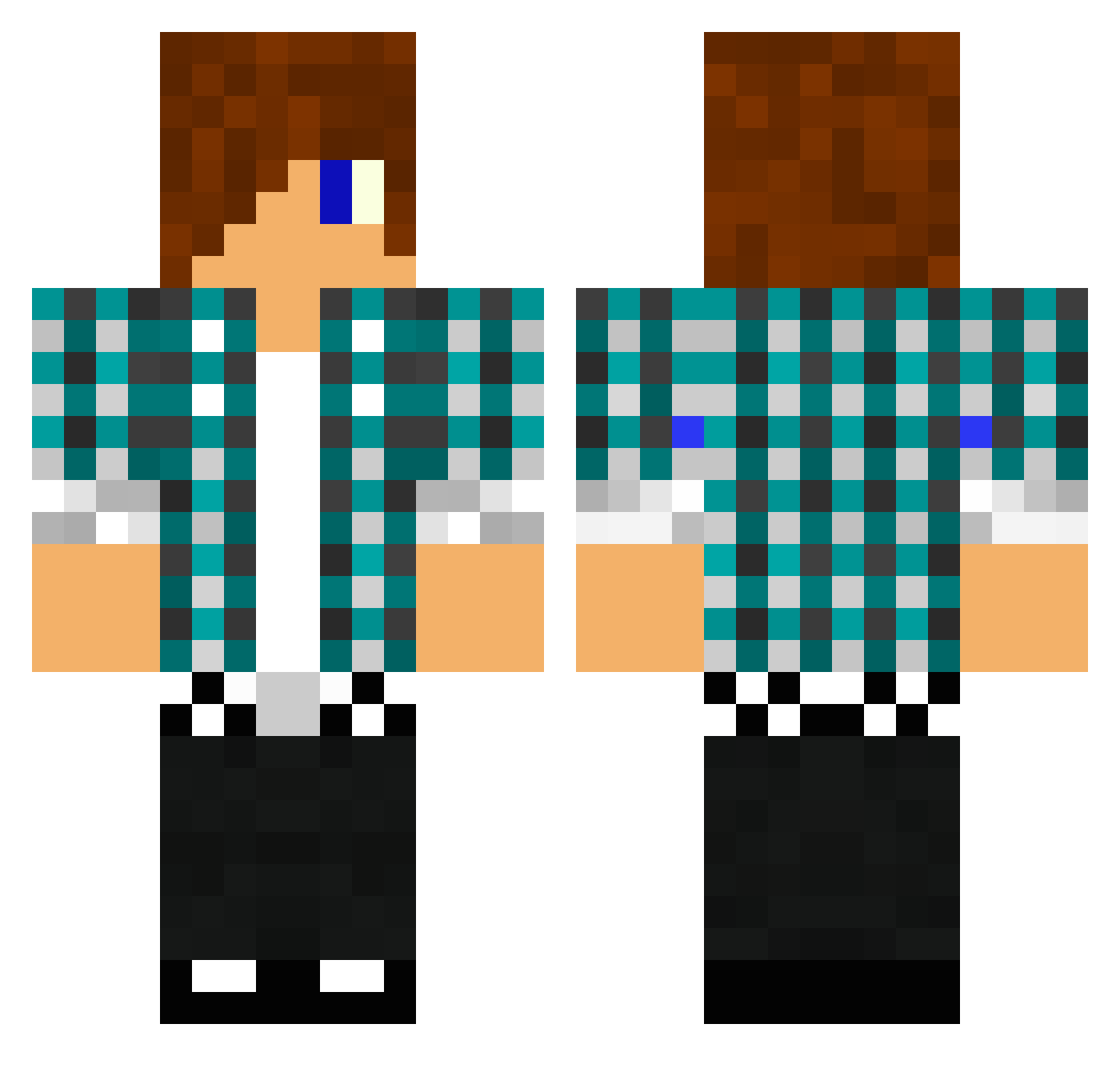
Current Minecraft skin of the player peterpan2005, loaded from the official Mojang API. Rotate the 3D model with your mouse or finger, then download the skin as a PNG file and use it in Minecraft: Bedrock Edition or Java Edition for free. When peterpan2005 changes their skin, this page updates automatically and the old skin stays in the history below.
Other players with this skin (1478)
peterpan2005 was the 48th player we have seen with this skin, first spotted on 27.07.2026. The same skin was seen on these players. Open a nickname to see their current skin and skin history.
 ninjapig647 JeremyWhitlow MADSFISCHER05 50Manii Nobiniolo jawss88 Rosetta04 kickflip96 fcbjuli traylok LightOne11 Lavabucket360 LukeKelly11 CityWideDrake topramen89 nikoposaus Z_Karizma_Z DrKevin33 BIoqz promopromo32 wedgyman GustavW04 fite101 IncredibleBiff rogerthat321 HaloRecruit007 Impavid Golakto CREEPERxMIXZ tiggertyler1010 mrfreeze3993 xPandanator Crafter21506 Vlad2020 SahmX Raphael0721 creeper1126 junseokhong epicskater123 Iznet Andatr Tobuscussss edog2k11 DovaSpartan258 gogaga22 Spartan_Beast kubek75 maceo333 Julian_sly saudiGameeR Hatha999 Kingen_Isac cys_minecraft Coolmenest schmooz53 Buriti100 AGunknown cloudwee kev92715 Fisher27
More Emo Minecraft skins
How to install the peterpan2005 skin
- Press the Download button above to save the skin as a PNG file.
- Minecraft: Bedrock Edition (PE): open the Dressing Room from the main menu (or tap your character → Edit Character), go to Classic Skins → Owned, press the + (new skin) button, choose the downloaded PNG and pick the Classic (Steve) model. Works on PC and mobile; consoles cannot import custom skins.
- Minecraft: Java Edition: open the Minecraft Launcher, go to the Skins tab, click New Skin, load the PNG, pick the Classic (Steve) model and press Save & Use. You can also upload it at minecraft.net → Profile → Change Skin.
The skin does not show up after import - what should I do?
Restart Minecraft and open the Dressing Room again - imported skins sometimes appear only after a restart. Also make sure you selected the imported skin and picked the Classic (Steve) model.
Which model should I choose, Classic or Slim?
This skin is designed for the Classic (Steve) model. If you pick the wrong model, the arms of the skin will look stretched or squeezed.
Is the skin of peterpan2005 free to download?
Yes. Press Download, save the PNG file and use it in Minecraft: Bedrock Edition or Java Edition - no payment or registration needed. The skin also works on multiplayer servers and Realms.
More skins
Looking for more? Go back to all Minecraft skins and check the top skins of the week, month and all time, or find any player's skin by nickname.