
percoverload - Minecraft Skins & Skin History
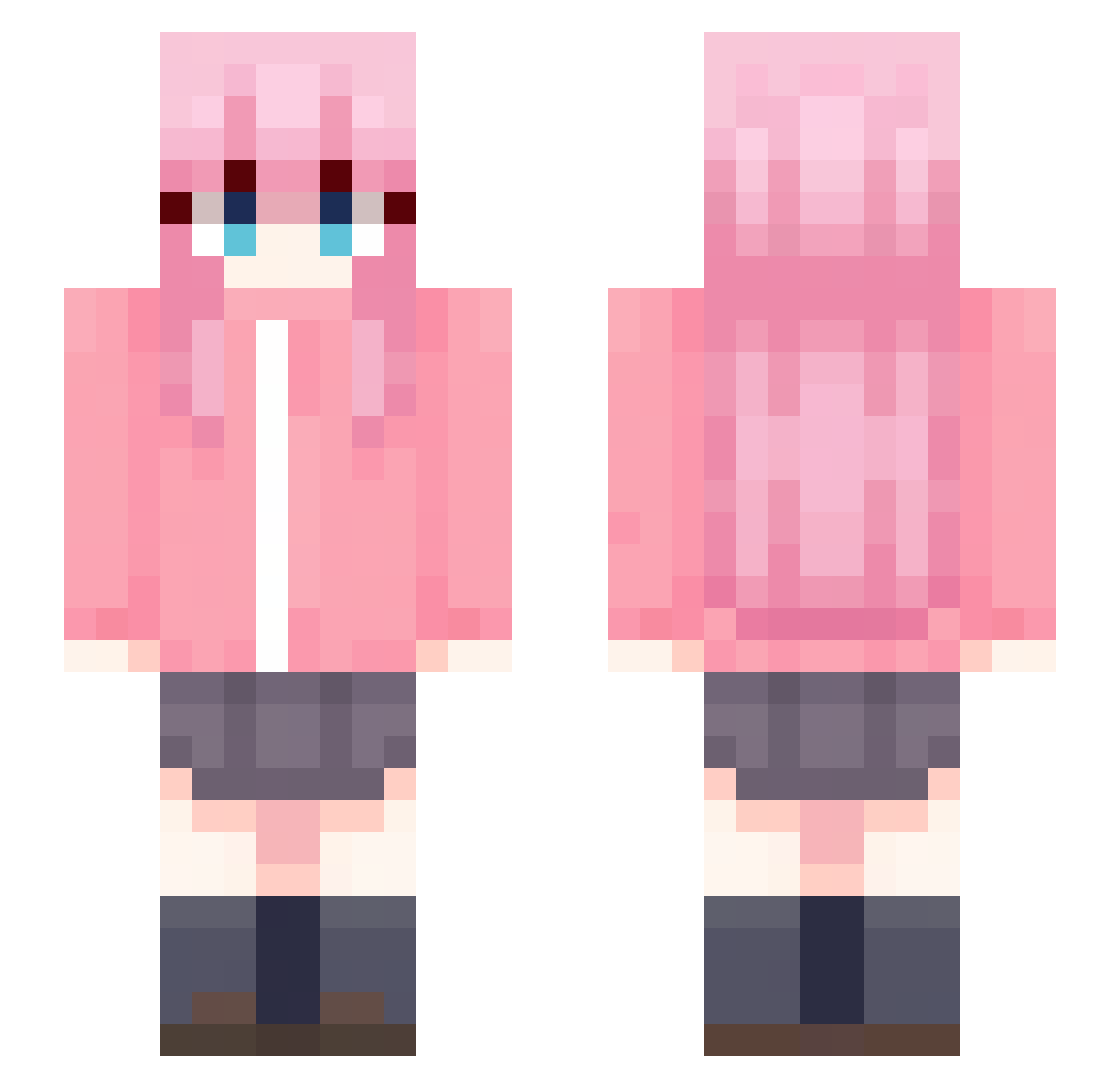
Current Minecraft skin of the player percoverload, loaded from the official Mojang API. Rotate the 3D model with your mouse or finger, then download the skin as a PNG file and use it in Minecraft: Bedrock Edition or Java Edition for free. When percoverload changes their skin, this page updates automatically and the old skin stays in the history below.
Other players with this skin (48)
percoverload was the 26th player we have seen with this skin, first spotted on 24.09.2026. The same skin was seen on these players. Open a nickname to see their current skin and skin history.
 jamackie AirEnjoyr Athenas_ cindiexd linthdrel tendi_2442 Metalix29gamer Matracker Hugo_Is_Here Tdatt09 XxKivoxX ceceily osucrilhos yeyexo YourShineOvO Taacckoo M0nkyu YelowBy09 Raekkkk Rammiii_ TheRookieGamer_ Doggness111 H4TSUNE__M1KU Action335 heoukdoo JohnWoodsman
 0gaa poopiemaster99
 Snowas Terukii BestStyling Jammin0617 BlackGoku0868 b0cchi_the_rock Ramuzzi 8KvoxD Bryl1_ Boccherr ale_jpg Room112 Ryancastroo soulhul _Nyzax_ BocchiChan0221 3nnn__0127 Silya_ Master__Yoda CosmoCatto
More School Uniform Minecraft skins
See all 6647 School Uniform skins
How to install the percoverload skin
- Press the Download button above to save the skin as a PNG file.
- Minecraft: Bedrock Edition (PE): open the Dressing Room from the main menu (or tap your character → Edit Character), go to Classic Skins → Owned, press the + (new skin) button, choose the downloaded PNG and pick the Slim (Alex) model. Works on PC and mobile; consoles cannot import custom skins.
- Minecraft: Java Edition: open the Minecraft Launcher, go to the Skins tab, click New Skin, load the PNG, pick the Slim (Alex) model and press Save & Use. You can also upload it at minecraft.net → Profile → Change Skin.
The skin does not show up after import - what should I do?
Restart Minecraft and open the Dressing Room again - imported skins sometimes appear only after a restart. Also make sure you selected the imported skin and picked the Slim (Alex) model.
Which model should I choose, Classic or Slim?
This skin is designed for the Slim (Alex) model. If you pick the wrong model, the arms of the skin will look stretched or squeezed.
Is the skin of percoverload free to download?
Yes. Press Download, save the PNG file and use it in Minecraft: Bedrock Edition or Java Edition - no payment or registration needed. The skin also works on multiplayer servers and Realms.
More skins
Looking for more? Go back to all Minecraft skins and check the top skins of the week, month and all time, or find any player's skin by nickname.