
pekochan5y - Minecraft Skins & Skin History
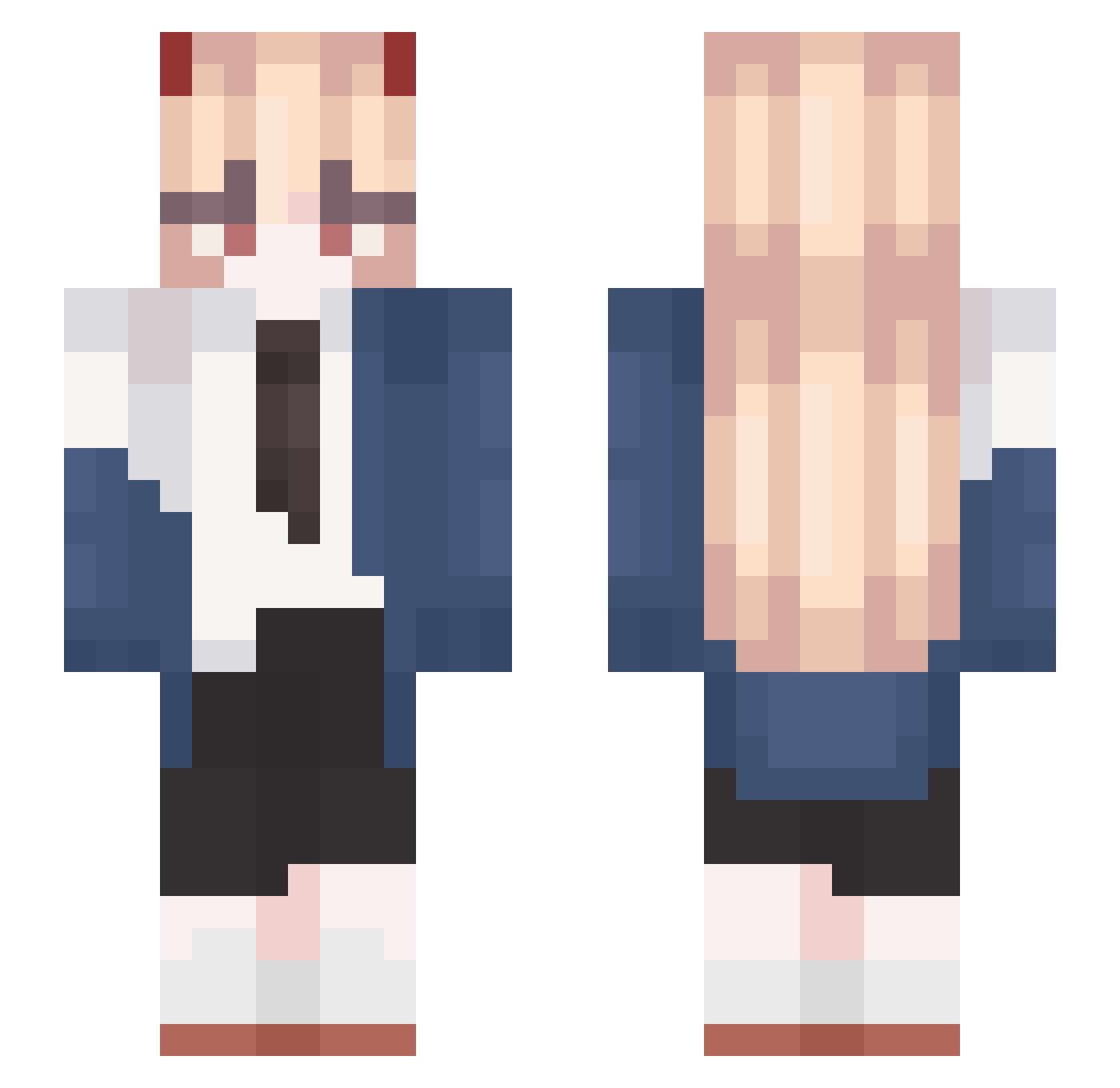
Current Minecraft skin of the player pekochan5y, loaded from the official Mojang API. Rotate the 3D model with your mouse or finger, then download the skin as a PNG file and use it in Minecraft: Bedrock Edition or Java Edition for free. When pekochan5y changes their skin, this page updates automatically and the old skin stays in the history below.
Other players with this skin (512)
pekochan5y was the 274th player we have seen with this skin, first spotted on 13.09.2026. The same skin was seen on these players. Open a nickname to see their current skin and skin history.
 RubyPc Chechenko Marlowe0823 MissedYen ahnin KarenPanda H__Ha Nix_Nat Rhyami k1kicia PowtatoXP K4eaxLy Rrashzep ICONkkp TaxFraudJunko yee_0417 _ROMA__ Arangteacher666 Mafla_V atomickick PiotrekToGrzybek 3Kz4 SahdiG paquw So_cra TetLisx oiolaire YuTang_TW UltiMortar Kyoya__ rayofdoom26 qkrwndnjs JongHyeon_n jasonformine Thericopapuh JuegaFelipe2 Ghlid Loreleita macone_ SKLOZERS1 kearum ZERO_R3 BobbiAlthoff Ronloved emchayeuanh Liao_x jeniway icedcabbeg678 Sh1zZz Bruh_couch spark_0415 p1ra__ lwlfa SweetEleven Everosey bbloodfiend cchikka mcsds VeryPastel Muhoboy98
More Power Minecraft skins
How to install the pekochan5y skin
- Press the Download button above to save the skin as a PNG file.
- Minecraft: Bedrock Edition (PE): open the Dressing Room from the main menu (or tap your character → Edit Character), go to Classic Skins → Owned, press the + (new skin) button, choose the downloaded PNG and pick the Slim (Alex) model. Works on PC and mobile; consoles cannot import custom skins.
- Minecraft: Java Edition: open the Minecraft Launcher, go to the Skins tab, click New Skin, load the PNG, pick the Slim (Alex) model and press Save & Use. You can also upload it at minecraft.net → Profile → Change Skin.
The skin does not show up after import - what should I do?
Restart Minecraft and open the Dressing Room again - imported skins sometimes appear only after a restart. Also make sure you selected the imported skin and picked the Slim (Alex) model.
Which model should I choose, Classic or Slim?
This skin is designed for the Slim (Alex) model. If you pick the wrong model, the arms of the skin will look stretched or squeezed.
Is the skin of pekochan5y free to download?
Yes. Press Download, save the PNG file and use it in Minecraft: Bedrock Edition or Java Edition - no payment or registration needed. The skin also works on multiplayer servers and Realms.
More skins
Looking for more? Go back to all Minecraft skins and check the top skins of the week, month and all time, or find any player's skin by nickname.