
pausintespaul - Minecraft Skins & Skin History
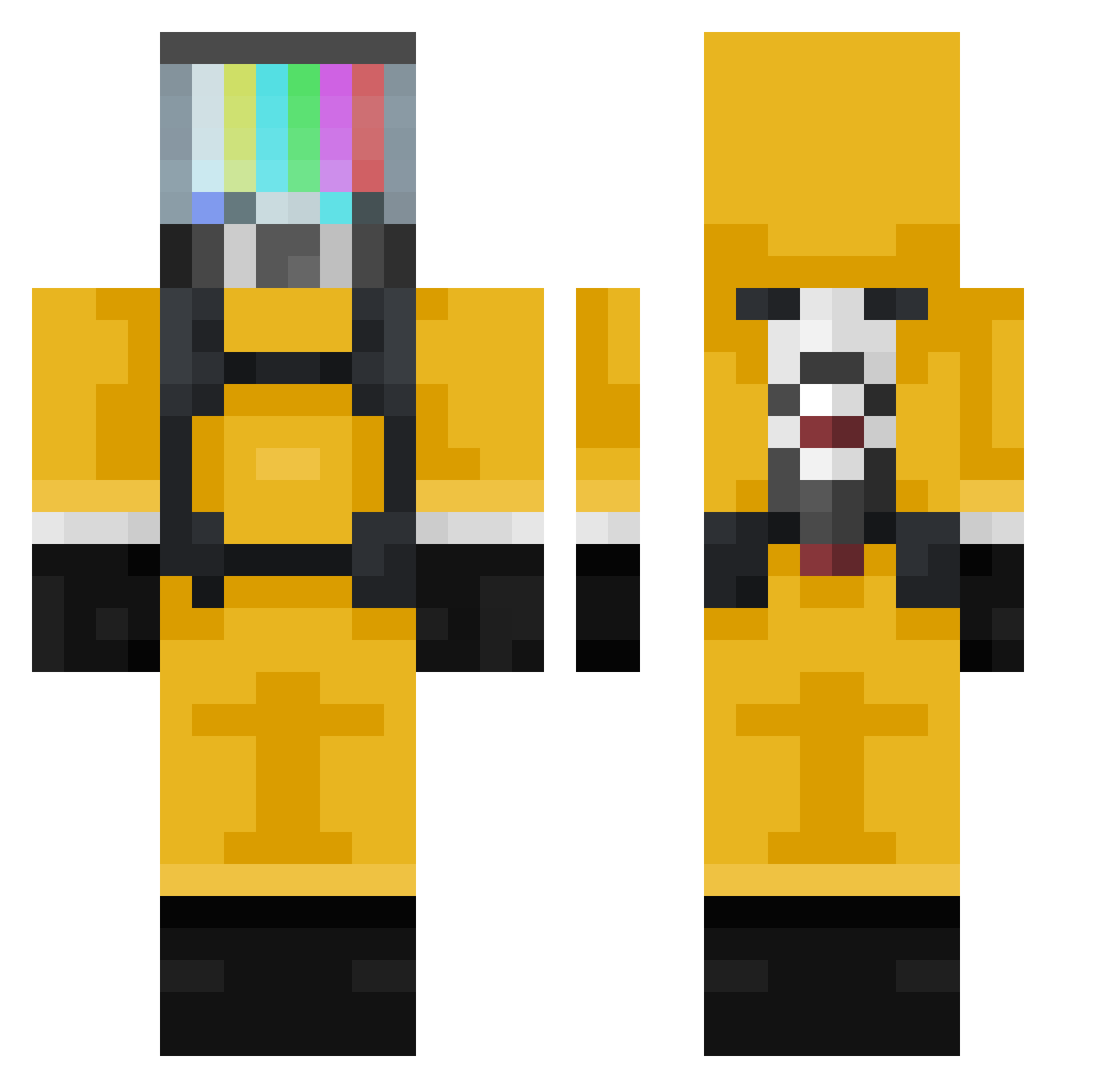
Current Minecraft skin of the player pausintespaul, loaded from the official Mojang API. Rotate the 3D model with your mouse or finger, then download the skin as a PNG file and use it in Minecraft: Bedrock Edition or Java Edition for free. When pausintespaul changes their skin, this page updates automatically and the old skin stays in the history below.
Other players with this skin (309)
pausintespaul was the 33rd player we have seen with this skin, first spotted on 04.08.2026. The same skin was seen on these players. Open a nickname to see their current skin and skin history.
 sakuranbo_noodle DeeMoonster Gulvard lilmarci KiraLeoMod iwasti TessyTeach soba_n00dle Dimitryhg Colton080605 RareRocket31647 Nujie mrdvv OfficialFurkan
 Ceeaso erdomor amin0min Dorm_K QueQue_ NotSid7 PantouflTWITCH kajiiiro Cyka_Squid Juberqp FroggyMelons HEADBOX8959
 steam36 Sr_Gafas ByMamu Meristeme _Botinas_ Avant11Palestra hugman76 WonderBoy9785 AgarHall Lanfra733 robinrobin1234 Ward778 Cosmiccroccodile juliodcampos Feklox NutIsLucky agit1 KacperDobosz eyitsyaboi m1lki MGamezF xVark fralam1103 chr0ww GustYBB ReikiSmith D4RKKNIFER GGbao2004 wizard9385 ACyzh5 Dannie_Chu VenomousT aBoSky2 Poletoo
More TV Head Minecraft skins
How to install the pausintespaul skin
- Press the Download button above to save the skin as a PNG file.
- Minecraft: Bedrock Edition (PE): open the Dressing Room from the main menu (or tap your character → Edit Character), go to Classic Skins → Owned, press the + (new skin) button, choose the downloaded PNG and pick the Classic (Steve) model. Works on PC and mobile; consoles cannot import custom skins.
- Minecraft: Java Edition: open the Minecraft Launcher, go to the Skins tab, click New Skin, load the PNG, pick the Classic (Steve) model and press Save & Use. You can also upload it at minecraft.net → Profile → Change Skin.
The skin does not show up after import - what should I do?
Restart Minecraft and open the Dressing Room again - imported skins sometimes appear only after a restart. Also make sure you selected the imported skin and picked the Classic (Steve) model.
Which model should I choose, Classic or Slim?
This skin is designed for the Classic (Steve) model. If you pick the wrong model, the arms of the skin will look stretched or squeezed.
Is the skin of pausintespaul free to download?
Yes. Press Download, save the PNG file and use it in Minecraft: Bedrock Edition or Java Edition - no payment or registration needed. The skin also works on multiplayer servers and Realms.
More skins
Looking for more? Go back to all Minecraft skins and check the top skins of the week, month and all time, or find any player's skin by nickname.