
parroctx2 - Minecraft Skins & Skin History
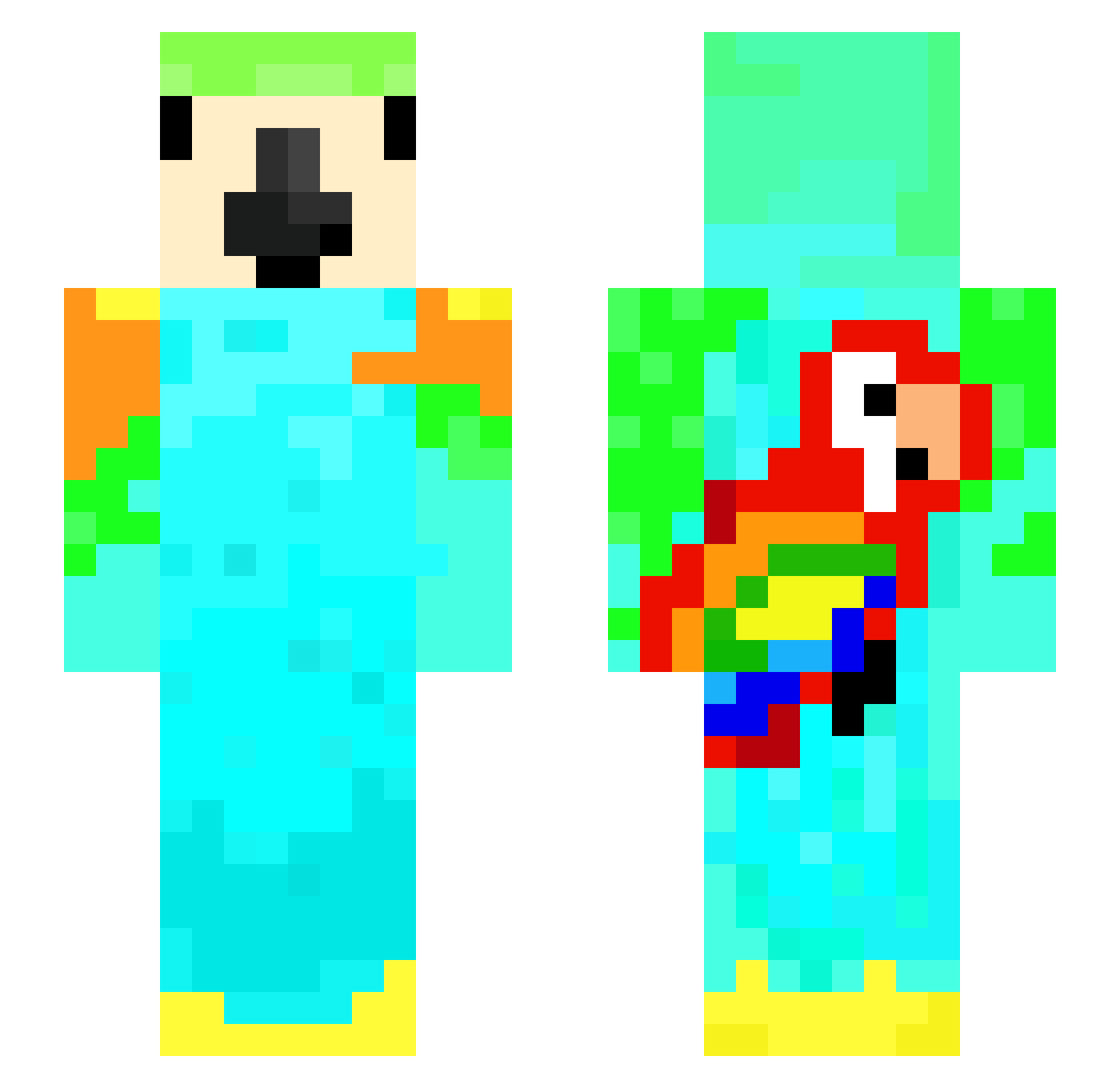
Current Minecraft skin of the player parroctx2, loaded from the official Mojang API. Rotate the 3D model with your mouse or finger, then download the skin as a PNG file and use it in Minecraft: Bedrock Edition or Java Edition for free. When parroctx2 changes their skin, this page updates automatically and the old skin stays in the history below.
Other players with this skin (169)
parroctx2 was the 112th player we have seen with this skin, first spotted on 02.10.2026. The same skin was seen on these players. Open a nickname to see their current skin and skin history.
 Shohei_Ohtani17 avdmrp Gokica13 parrct2 ithinkteaisnice adriandiamond coolawsomeparrot Grez2008 _Wemmbu piggo_rip ParRotTX3 KirkWahmett_ MaikuraMura na1den Quentin_Walker HorridHunter22 D_Parrot_D Kuattro silskilllz car2357 Pokenator787 TWITCHLVRGJORDY Stefke12xa HopeRising justaparrot1 krakdmonk Craft_MasterX preston293 FishesWay River100014 ollzie_mc SpokeWasHere2015 MRE1PLAYZ tordsbento Ene84 GokuSun11 breeadmaan DiIlpIckIe123 GXMBITisAfarmer fischer2013W snifran Nitriphy Lumca09_ Masterkey1980 JaydenXDLOL Niba_DE AnchobiX2 FFXR boberek59 LonesquidXT Slumpify69 minetimeprison Fabian0612 P1etro_ EgggyChany Richirm GryphonRoidjnr Jgrex10 Dr7hh JADR07
More Parrot Minecraft skins
How to install the parroctx2 skin
- Press the Download button above to save the skin as a PNG file.
- Minecraft: Bedrock Edition (PE): open the Dressing Room from the main menu (or tap your character → Edit Character), go to Classic Skins → Owned, press the + (new skin) button, choose the downloaded PNG and pick the Slim (Alex) model. Works on PC and mobile; consoles cannot import custom skins.
- Minecraft: Java Edition: open the Minecraft Launcher, go to the Skins tab, click New Skin, load the PNG, pick the Slim (Alex) model and press Save & Use. You can also upload it at minecraft.net → Profile → Change Skin.
The skin does not show up after import - what should I do?
Restart Minecraft and open the Dressing Room again - imported skins sometimes appear only after a restart. Also make sure you selected the imported skin and picked the Slim (Alex) model.
Which model should I choose, Classic or Slim?
This skin is designed for the Slim (Alex) model. If you pick the wrong model, the arms of the skin will look stretched or squeezed.
Is the skin of parroctx2 free to download?
Yes. Press Download, save the PNG file and use it in Minecraft: Bedrock Edition or Java Edition - no payment or registration needed. The skin also works on multiplayer servers and Realms.
More skins
Looking for more? Go back to all Minecraft skins and check the top skins of the week, month and all time, or find any player's skin by nickname.