
pancakelover51 - Minecraft Skins & Skin History
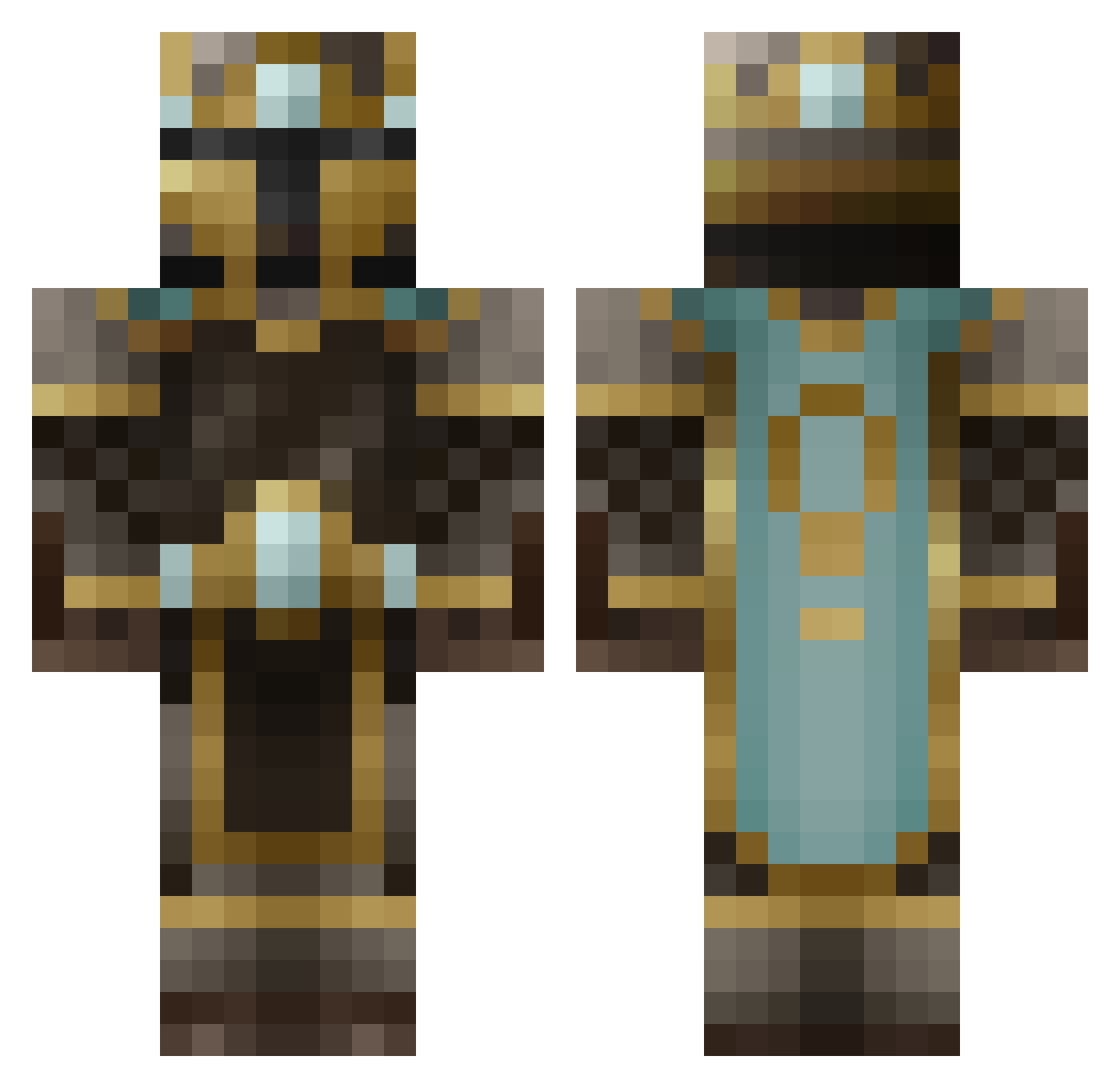
Current Minecraft skin of the player pancakelover51, loaded from the official Mojang API. Rotate the 3D model with your mouse or finger, then download the skin as a PNG file and use it in Minecraft: Bedrock Edition or Java Edition for free. When pancakelover51 changes their skin, this page updates automatically and the old skin stays in the history below.
Other players with this skin (484)
pancakelover51 was the 121st player we have seen with this skin, first spotted on 19.08.2026. The same skin was seen on these players. Open a nickname to see their current skin and skin history.
 iGold1337 DirtyDying Mysteriousfade gxLP Deletric MobiusKnight Galthier T1NM4N jfd56 fangwolfen geoskunk DerrtyDaniel109 TheBossOfBosses ShutUpMattew Astceboy MikesGotCake VictorMendes98 Towar15 Marusek ILokhart heroslasher101 erunn123 JUDOcool camerong127 mattias_handboll DabanPlaysGames bacon_ninja07 Mr_Balzak Zamurox DeathRaiser98 thegreatmiller MJNester LeOnIdAs4119 xxxDAMOxxx sethwayne LubricatedAcorn LtSprinkle cjohnsen01 Jajingo TheJoshin rpmostyn Goatboy2894 bigdevil93 Eigengeist ADrunkSquirrel gxd45 Acho441 Tomtide blipzz Cellsidus black_whole_sun caulpnrydc Hazza2906 LordSnezus Qwincee ZKVX olidenstore MagicAss FungalDragon Bengan720
More King Minecraft skins
How to install the pancakelover51 skin
- Press the Download button above to save the skin as a PNG file.
- Minecraft: Bedrock Edition (PE): open the Dressing Room from the main menu (or tap your character → Edit Character), go to Classic Skins → Owned, press the + (new skin) button, choose the downloaded PNG and pick the Classic (Steve) model. Works on PC and mobile; consoles cannot import custom skins.
- Minecraft: Java Edition: open the Minecraft Launcher, go to the Skins tab, click New Skin, load the PNG, pick the Classic (Steve) model and press Save & Use. You can also upload it at minecraft.net → Profile → Change Skin.
The skin does not show up after import - what should I do?
Restart Minecraft and open the Dressing Room again - imported skins sometimes appear only after a restart. Also make sure you selected the imported skin and picked the Classic (Steve) model.
Which model should I choose, Classic or Slim?
This skin is designed for the Classic (Steve) model. If you pick the wrong model, the arms of the skin will look stretched or squeezed.
Is the skin of pancakelover51 free to download?
Yes. Press Download, save the PNG file and use it in Minecraft: Bedrock Edition or Java Edition - no payment or registration needed. The skin also works on multiplayer servers and Realms.
More skins
Looking for more? Go back to all Minecraft skins and check the top skins of the week, month and all time, or find any player's skin by nickname.