
ozzie0o0 - Minecraft Skins & Skin History
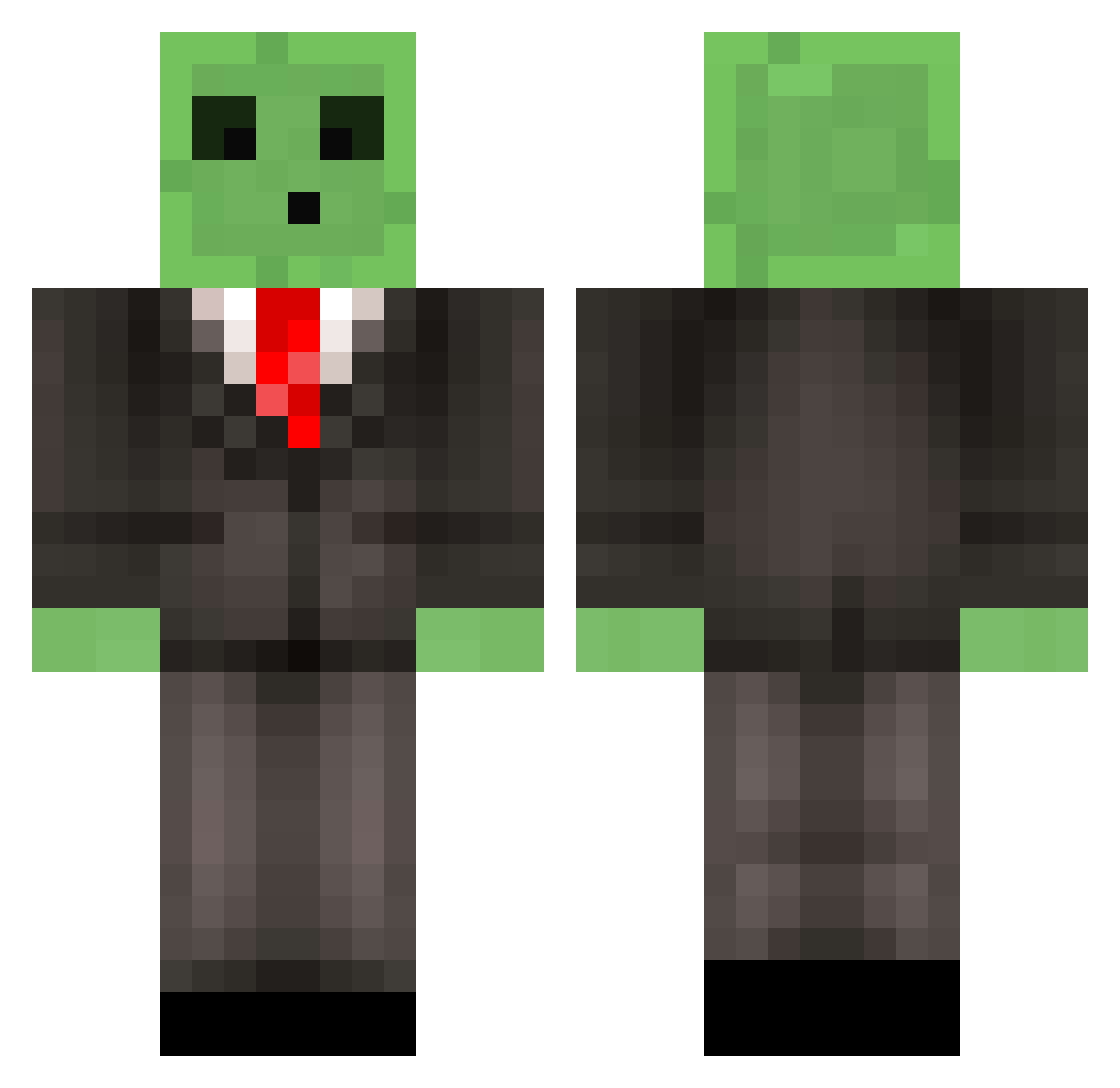
Current Minecraft skin of the player ozzie0o0, loaded from the official Mojang API. Rotate the 3D model with your mouse or finger, then download the skin as a PNG file and use it in Minecraft: Bedrock Edition or Java Edition for free. When ozzie0o0 changes their skin, this page updates automatically and the old skin stays in the history below.
Other players with this skin (598)
ozzie0o0 was the 551st player we have seen with this skin, first spotted on 12.11.2026. The same skin was seen on these players. Open a nickname to see their current skin and skin history.
 BostyBear ezraplays20 MrMarky RichterRSA LGN0 pizzapieboy SIRP07 lilawei521 bdang Huaxia777 Plopalop EpicTime69 GetYouSlimed WastlBastl4031 dy1713 misteriptide despasito6611 BestOfTheWorst Toboga17 ZT2524 nobu0510 EinsWilderWal SwiftCoco DTbash_0912 ToucanSamIsTrash Cartulinna GewapAlt14 Epsilon1476 MHX_12 Luksior1312 PumpkinTunic849 SQUIDWEED12 aclfx roti_destroyer Its_Blaise Ninenine199 VojinOtac Brother_Beck Valluseta_ seominho jak2161 Gummyy7 kevin_ggwp Midvit Wickman15 BeamBer Solaar__ plantofthepies lazy2001 Goosen1 kubarroo248 bmarko153 OPTIC_POMAJI mike_der_erste Bluefield1 TH_ZouFangZI GewapAlt3 Xandethepro Drainoooo 000_bookbag_000
More Slime Minecraft skins
How to install the ozzie0o0 skin
- Press the Download button above to save the skin as a PNG file.
- Minecraft: Bedrock Edition (PE): open the Dressing Room from the main menu (or tap your character → Edit Character), go to Classic Skins → Owned, press the + (new skin) button, choose the downloaded PNG and pick the Classic (Steve) model. Works on PC and mobile; consoles cannot import custom skins.
- Minecraft: Java Edition: open the Minecraft Launcher, go to the Skins tab, click New Skin, load the PNG, pick the Classic (Steve) model and press Save & Use. You can also upload it at minecraft.net → Profile → Change Skin.
The skin does not show up after import - what should I do?
Restart Minecraft and open the Dressing Room again - imported skins sometimes appear only after a restart. Also make sure you selected the imported skin and picked the Classic (Steve) model.
Which model should I choose, Classic or Slim?
This skin is designed for the Classic (Steve) model. If you pick the wrong model, the arms of the skin will look stretched or squeezed.
Is the skin of ozzie0o0 free to download?
Yes. Press Download, save the PNG file and use it in Minecraft: Bedrock Edition or Java Edition - no payment or registration needed. The skin also works on multiplayer servers and Realms.
More skins
Looking for more? Go back to all Minecraft skins and check the top skins of the week, month and all time, or find any player's skin by nickname.