
ozP569 - Minecraft Skins & Skin History
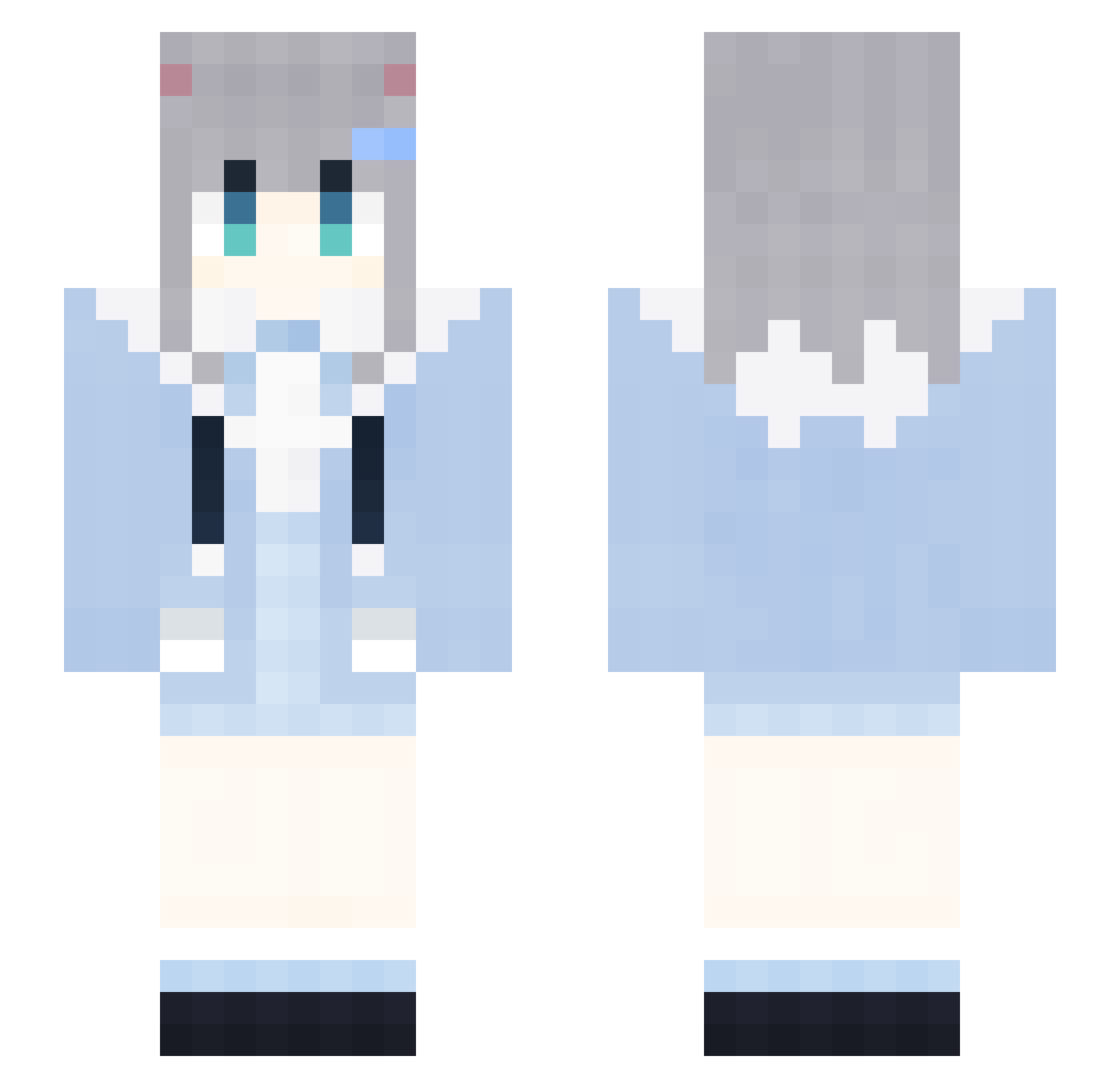
Current Minecraft skin of the player ozP569, loaded from the official Mojang API. Rotate the 3D model with your mouse or finger, then download the skin as a PNG file and use it in Minecraft: Bedrock Edition or Java Edition for free. When ozP569 changes their skin, this page updates automatically and the old skin stays in the history below.
Other players with this skin (2095)
ozP569 was the 2027th player we have seen with this skin, first spotted on 16.11.2026. The same skin was seen on these players. Open a nickname to see their current skin and skin history.
 NSf557 uPN957 eyz734 ZTl194 DontShoutPlsD200 ApB785 BingHongXAR292 IYR321 ytv983 DtS964 ZtC818 Svb27 RRv560 MeteorBurstC bMd693 Hhe271 pqr285 dWU315 XeC485 kokumo_1 soA875 FireFoxChorme974 Sleep_vCYkPrW477 JzA641 PleaseGomlzwe348 LAWSONCOFFEER257 KFC_V50_THURu216 FireFoxChorme195 AIRCUSHIONsIt460 XPv272 YZm942 rJY556 otr143 hWV503 uLU735 YlF899 dAM256 fEA993 vhm878 Ith102 gWg978 GapRapGpdNiVI984 GnB813 KFC_V50_THURR273 LoveZxyLikeCG799 0001112223334643 FAb679 zBG865 LAWSONCOFFEEL695 jMG759 rwS435 ABt138 tns602 LAWSONCOFFEEu920 Upn556 Ckm196 UUV720 RubberBandits420 0001112223334156 LAWSONCOFFEEh514
More Cat Ears Minecraft skins
How to install the ozP569 skin
- Press the Download button above to save the skin as a PNG file.
- Minecraft: Bedrock Edition (PE): open the Dressing Room from the main menu (or tap your character → Edit Character), go to Classic Skins → Owned, press the + (new skin) button, choose the downloaded PNG and pick the Slim (Alex) model. Works on PC and mobile; consoles cannot import custom skins.
- Minecraft: Java Edition: open the Minecraft Launcher, go to the Skins tab, click New Skin, load the PNG, pick the Slim (Alex) model and press Save & Use. You can also upload it at minecraft.net → Profile → Change Skin.
The skin does not show up after import - what should I do?
Restart Minecraft and open the Dressing Room again - imported skins sometimes appear only after a restart. Also make sure you selected the imported skin and picked the Slim (Alex) model.
Which model should I choose, Classic or Slim?
This skin is designed for the Slim (Alex) model. If you pick the wrong model, the arms of the skin will look stretched or squeezed.
Is the skin of ozP569 free to download?
Yes. Press Download, save the PNG file and use it in Minecraft: Bedrock Edition or Java Edition - no payment or registration needed. The skin also works on multiplayer servers and Realms.
More skins
Looking for more? Go back to all Minecraft skins and check the top skins of the week, month and all time, or find any player's skin by nickname.