
owiinter - Minecraft Skins & Skin History
Current Minecraft skin of the player owiinter, loaded from the official Mojang API. Rotate the 3D model with your mouse or finger, then download the skin as a PNG file and use it in Minecraft: Bedrock Edition or Java Edition for free. When owiinter changes their skin, this page updates automatically and the old skin stays in the history below.
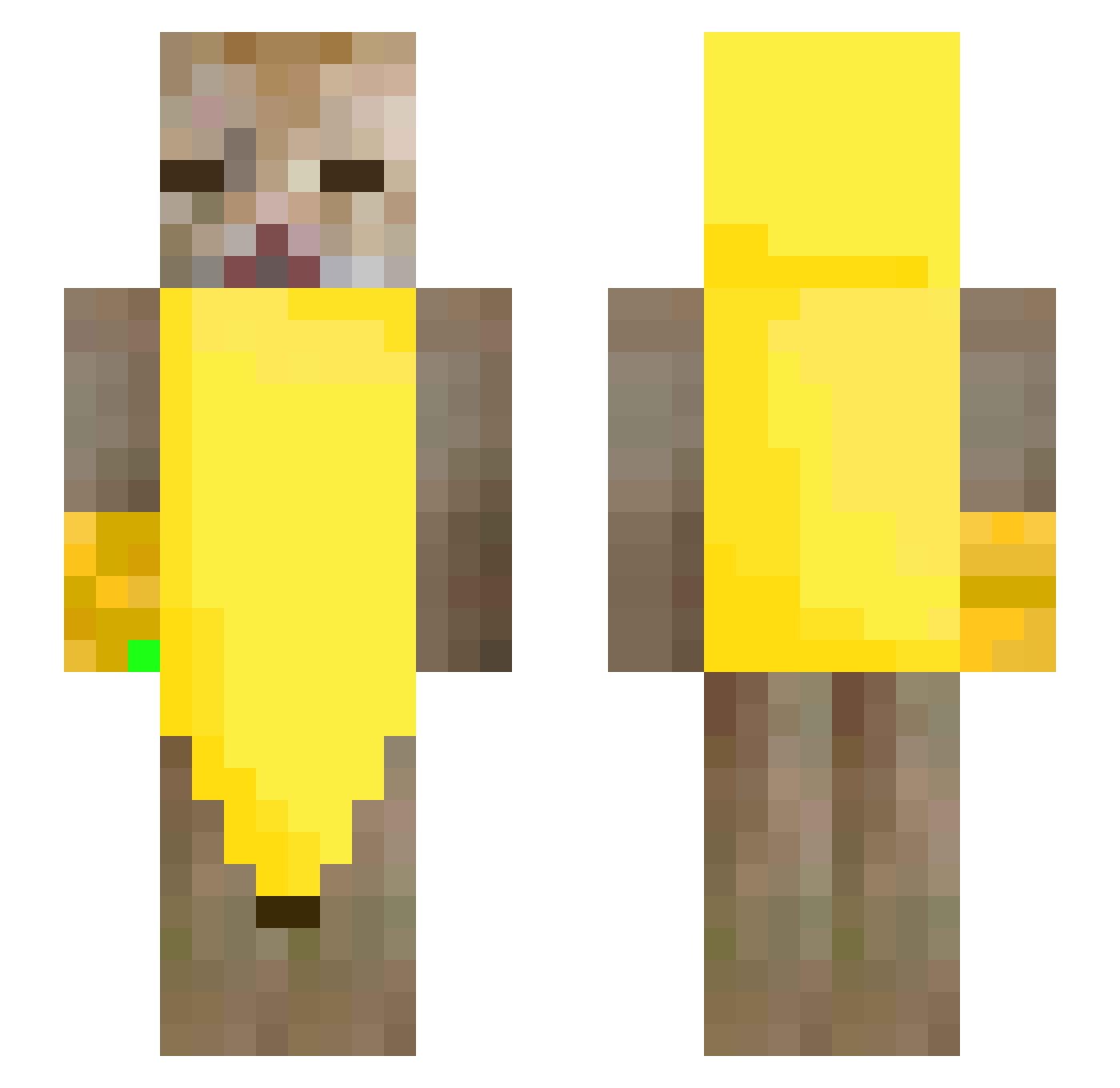
Other players with this skin (245)
owiinter was the 17th player we have seen with this skin, first spotted on 29.07.2026. The same skin was seen on these players. Open a nickname to see their current skin and skin history.
 WiTHiN422 Ajay_cornstar Koyomi13 Jus2Bagarre
 Eduard201101 ITeslal Juana_La_Cubana DilexZ annarisos Cartuch0 Jo_Princess _LmnoO_ StaryOdKaczki
 GizmoGremlin2110 Adriann__
 ImAzFAR
 RAFplayer thecargoculte astralysx_ NOTBRYAN_cjy JoshyDucky starilay Nounouille_15 maxminipax Okami101 Moussarazin SHIRLE7 WhatsUpWithAndy pavos6974 Lexstron12 Kayu01
 green000 AnSaxx
 DragonBoss00739 Huberoo0 bleubwrry mirtxs gullsahh Misanekeu hellf4iry KatsuFrance Weldsnalckson J_Mikan Kolork PotatoSalad000 Fintepek dawn_0w0_ Linhyq zayeder BoskiDiego ik_6557 BlackAndWhiteZ rimurix Raconx Kavunchyk Wan_E9 xteaqre Mr_jmk Syd Polaire2006
More Banana Minecraft skins
How to install the owiinter skin
- Press the Download button above to save the skin as a PNG file.
- Minecraft: Bedrock Edition (PE): open the Dressing Room from the main menu (or tap your character → Edit Character), go to Classic Skins → Owned, press the + (new skin) button, choose the downloaded PNG and pick the Slim (Alex) model. Works on PC and mobile; consoles cannot import custom skins.
- Minecraft: Java Edition: open the Minecraft Launcher, go to the Skins tab, click New Skin, load the PNG, pick the Slim (Alex) model and press Save & Use. You can also upload it at minecraft.net → Profile → Change Skin.
The skin does not show up after import - what should I do?
Restart Minecraft and open the Dressing Room again - imported skins sometimes appear only after a restart. Also make sure you selected the imported skin and picked the Slim (Alex) model.
Which model should I choose, Classic or Slim?
This skin is designed for the Slim (Alex) model. If you pick the wrong model, the arms of the skin will look stretched or squeezed.
Is the skin of owiinter free to download?
Yes. Press Download, save the PNG file and use it in Minecraft: Bedrock Edition or Java Edition - no payment or registration needed. The skin also works on multiplayer servers and Realms.
More skins
Looking for more? Go back to all Minecraft skins and check the top skins of the week, month and all time, or find any player's skin by nickname.