
ovkill - Minecraft Skins & Skin History
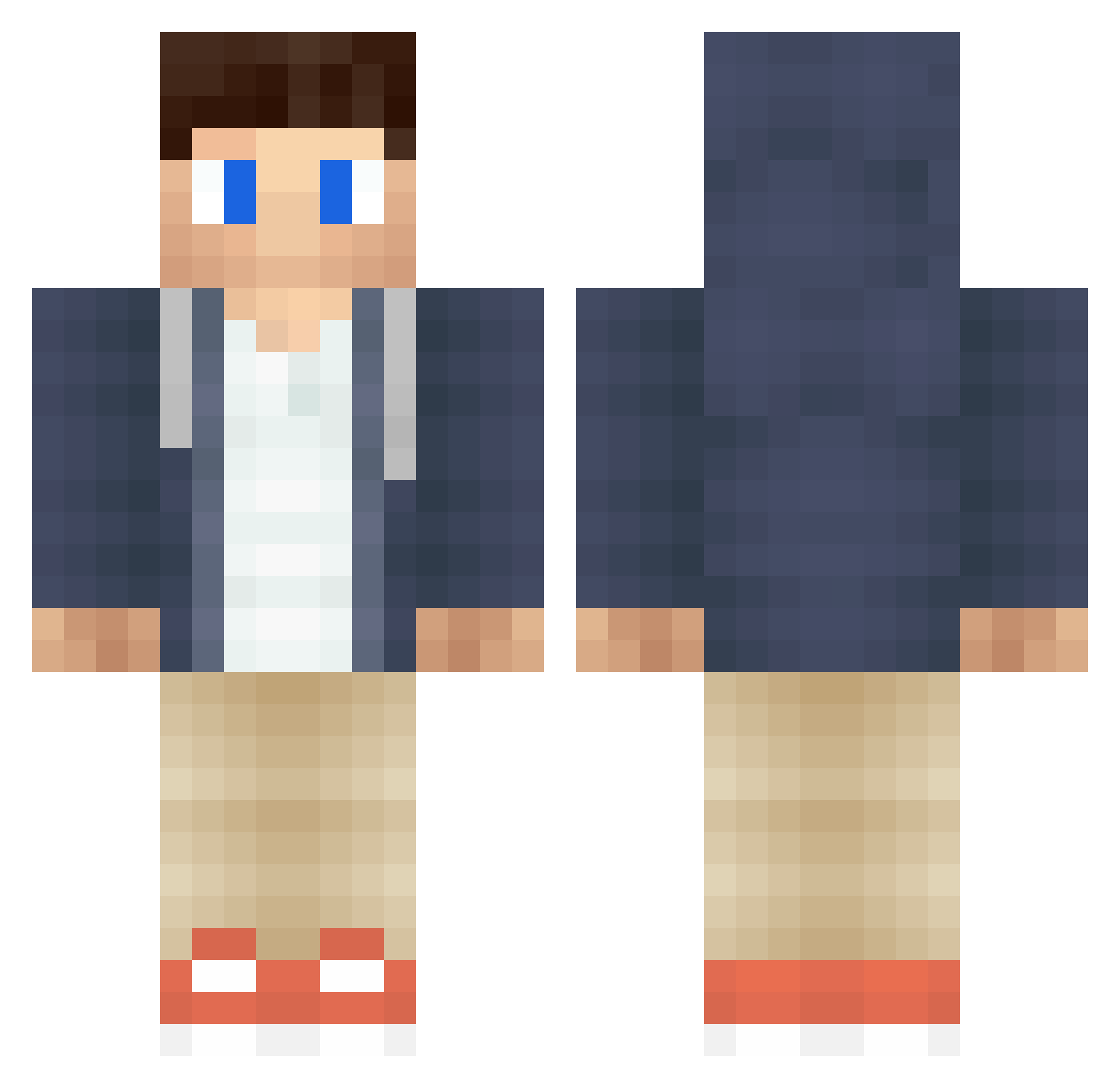
Current Minecraft skin of the player ovkill, loaded from the official Mojang API. Rotate the 3D model with your mouse or finger, then download the skin as a PNG file and use it in Minecraft: Bedrock Edition or Java Edition for free. When ovkill changes their skin, this page updates automatically and the old skin stays in the history below.
Other players with this skin (388)
ovkill was the 191st player we have seen with this skin, first spotted on 09.09.2026. The same skin was seen on these players. Open a nickname to see their current skin and skin history.
 MiniGonzo 1BadBobby Ejaculatinq TimKloezen Kqrtex dejongetje sofus1100 Taurus691 gabedog113 HollowsGhoul jrc7898 Mikkebooi Szeety Tosme rhymnenosauro NMLogray Trazfex theedge44 RestonsCalme React73 ryanjohns212 marvelo143 max123mm iiTimW Nobel_Gaming OttaFusion TehhCisco kushmidas MG_123 trebluch rick446 Twalig JayGonBeok maxen68 Hyper_Plays_Pc pluffsy JokerSquad55 jamesdawson08 mikrasmik Jockegahbaidiot SplittingYouBase FantomP dthib87 Fahs leng_feng_jun ChilekMonster dutch_bw SmokinTaters Rutgah kulla60 Brighton0629 SohanYT MikaspieltLP benjaminsijtsma Renuon02 HeroOTD richdraper RILEYbMINING Brian3484 YungHase
More Casual Minecraft skins
How to install the ovkill skin
- Press the Download button above to save the skin as a PNG file.
- Minecraft: Bedrock Edition (PE): open the Dressing Room from the main menu (or tap your character → Edit Character), go to Classic Skins → Owned, press the + (new skin) button, choose the downloaded PNG and pick the Classic (Steve) model. Works on PC and mobile; consoles cannot import custom skins.
- Minecraft: Java Edition: open the Minecraft Launcher, go to the Skins tab, click New Skin, load the PNG, pick the Classic (Steve) model and press Save & Use. You can also upload it at minecraft.net → Profile → Change Skin.
The skin does not show up after import - what should I do?
Restart Minecraft and open the Dressing Room again - imported skins sometimes appear only after a restart. Also make sure you selected the imported skin and picked the Classic (Steve) model.
Which model should I choose, Classic or Slim?
This skin is designed for the Classic (Steve) model. If you pick the wrong model, the arms of the skin will look stretched or squeezed.
Is the skin of ovkill free to download?
Yes. Press Download, save the PNG file and use it in Minecraft: Bedrock Edition or Java Edition - no payment or registration needed. The skin also works on multiplayer servers and Realms.
More skins
Looking for more? Go back to all Minecraft skins and check the top skins of the week, month and all time, or find any player's skin by nickname.