
otsoag - Minecraft Skins & Skin History
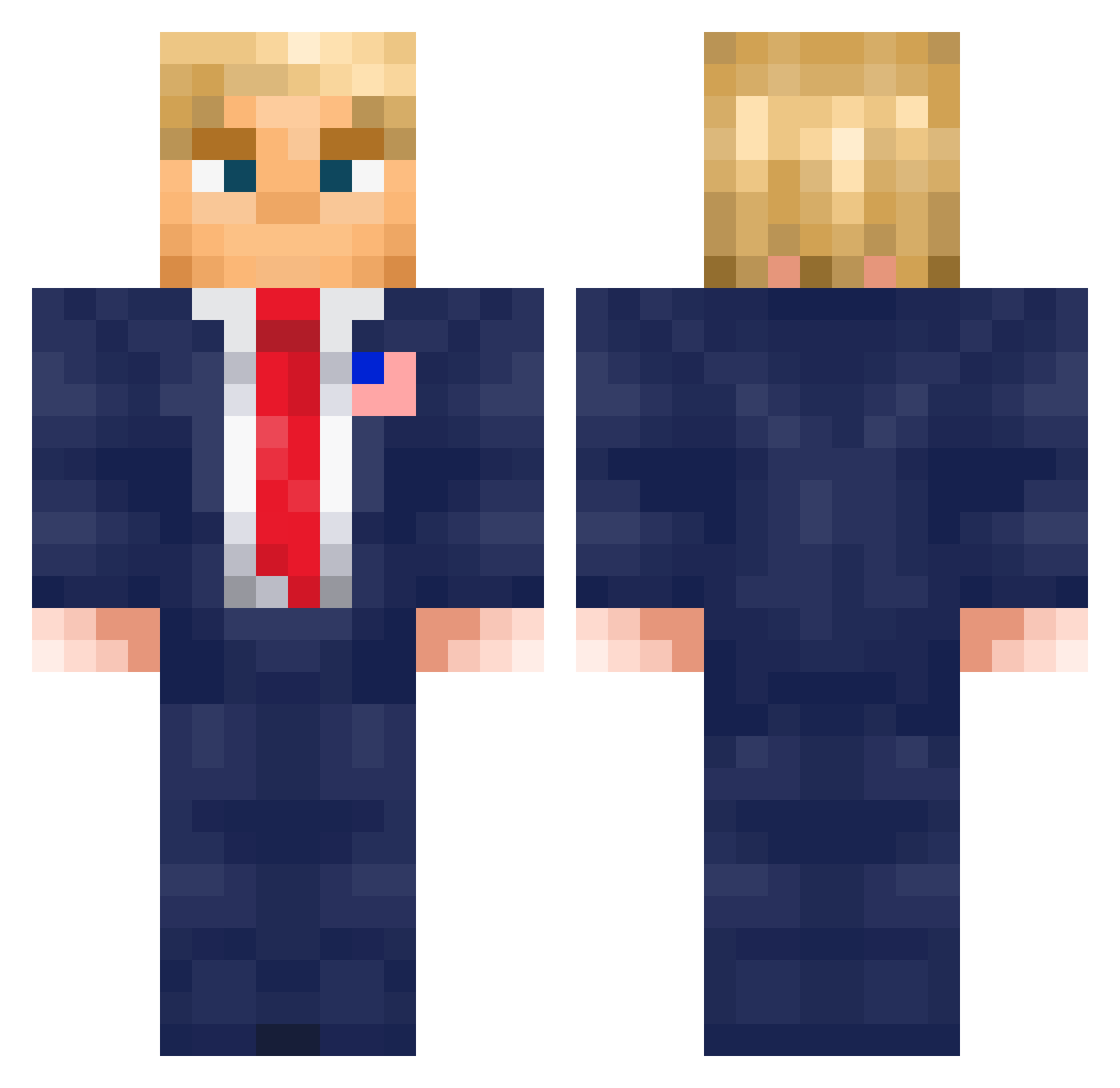
Current Minecraft skin of the player otsoag, loaded from the official Mojang API. Rotate the 3D model with your mouse or finger, then download the skin as a PNG file and use it in Minecraft: Bedrock Edition or Java Edition for free. When otsoag changes their skin, this page updates automatically and the old skin stays in the history below.
Other players with this skin (576)
otsoag was the 439th player we have seen with this skin, first spotted on 10.10.2026. The same skin was seen on these players. Open a nickname to see their current skin and skin history.
 LmayoDaMonke iPlayer0710 typest34 OGTill oDustty Muebementes ParallelCube168 CommandEight9 SnowingSoap Entomaa lbepo okx77 EoTrEemKrl idavid0616 rapha_1232 Creez47 frankychan Blizzardnight olschlegerpatrik DOKTOR_PRASE chxllout wewe4321 Lol_2010 xo3o5 PapaJ0hns bernilede MisuADN Bollyboy staraya_babka dylboy77 frambuesaaa3 RC9_Flame IdanKo SuxkMyHartz4 ValtoTheWhiteVan Kinboy09 SteveKgt SavageTurtle95 superballzzz Aghdami peterbod90 yu_shaO_ _tity_ aPietrak Softshake170809 olliecka skdaksrhdiddl iNotHelL Y0UNGK1NG19 fritzproject juan_paty_fiesta ZlEMNlAK PedroPe420 KarolYnasZ HeksYT HEADLIGHTS123 NitroBOT8 green124124 MrAssassin984 wanted_coloo
More Donald Trump Minecraft skins
See all 325 Donald Trump skins
How to install the otsoag skin
- Press the Download button above to save the skin as a PNG file.
- Minecraft: Bedrock Edition (PE): open the Dressing Room from the main menu (or tap your character → Edit Character), go to Classic Skins → Owned, press the + (new skin) button, choose the downloaded PNG and pick the Classic (Steve) model. Works on PC and mobile; consoles cannot import custom skins.
- Minecraft: Java Edition: open the Minecraft Launcher, go to the Skins tab, click New Skin, load the PNG, pick the Classic (Steve) model and press Save & Use. You can also upload it at minecraft.net → Profile → Change Skin.
The skin does not show up after import - what should I do?
Restart Minecraft and open the Dressing Room again - imported skins sometimes appear only after a restart. Also make sure you selected the imported skin and picked the Classic (Steve) model.
Which model should I choose, Classic or Slim?
This skin is designed for the Classic (Steve) model. If you pick the wrong model, the arms of the skin will look stretched or squeezed.
Is the skin of otsoag free to download?
Yes. Press Download, save the PNG file and use it in Minecraft: Bedrock Edition or Java Edition - no payment or registration needed. The skin also works on multiplayer servers and Realms.
More skins
Looking for more? Go back to all Minecraft skins and check the top skins of the week, month and all time, or find any player's skin by nickname.