
osse7 - Minecraft Skins & Skin History
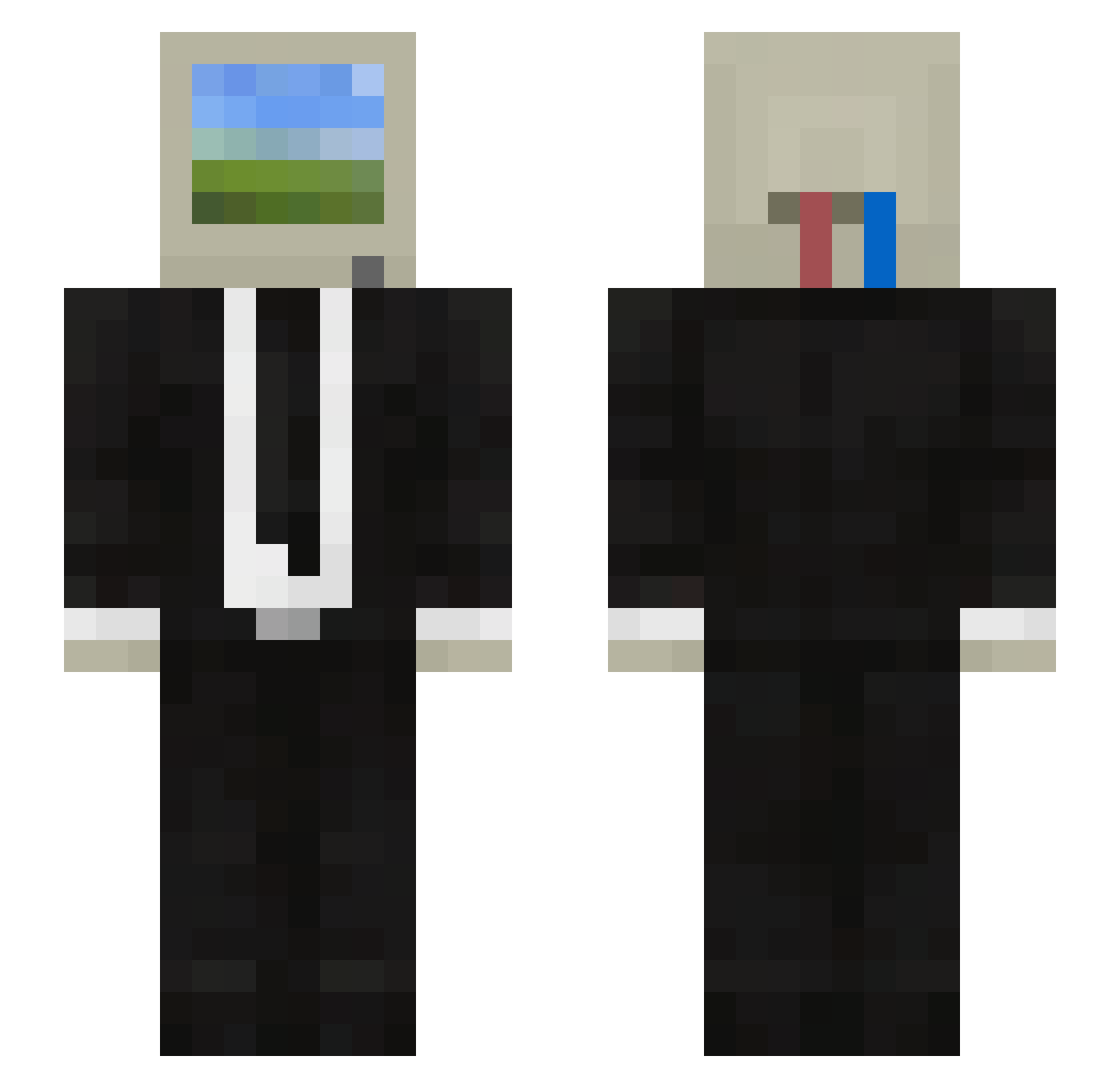
Current Minecraft skin of the player osse7, loaded from the official Mojang API. Rotate the 3D model with your mouse or finger, then download the skin as a PNG file and use it in Minecraft: Bedrock Edition or Java Edition for free. When osse7 changes their skin, this page updates automatically and the old skin stays in the history below.
Other players with this skin (119)
osse7 was the 79th player we have seen with this skin, first spotted on 06.10.2026. The same skin was seen on these players. Open a nickname to see their current skin and skin history.
 CH5927 Jaumesz Lowwin20 ianito Black__Spy Hexanekun WILDBERRIS EZZNH Atkyn setforsuccess Aloo110 TomTom949 RogueNeo Xiao_O1314 KUBZ4 FACUNDIOS1 mxgrs phs7718 Sarita2004 _No__No_ ckl6663 java_frappuccino Bingdonglaoba domosaur Srfantius BlandArmandillo GodinhoGoxtchoso SWR5561 simxn01 pixel0719 LuckyTheBoyy refreen CristianRC01 Caarioca stylishboob4 Areras PrianceZam ITRC wave0466 vssilvestre kriloc Rhael02 JosuSotz xJANEZ RandomsGG FanQie04 Adrikaka Guttenin Tstrong69 xXZephyPrEdAt0r Baekheo Onoks RamenNoodlen Pandataa GONE_DADDY_GONE alico28 Minecreepy Midarian4 tukenx RainBowGowt
More Computer Head Minecraft skins
See all 203 Computer Head skins
How to install the osse7 skin
- Press the Download button above to save the skin as a PNG file.
- Minecraft: Bedrock Edition (PE): open the Dressing Room from the main menu (or tap your character → Edit Character), go to Classic Skins → Owned, press the + (new skin) button, choose the downloaded PNG and pick the Slim (Alex) model. Works on PC and mobile; consoles cannot import custom skins.
- Minecraft: Java Edition: open the Minecraft Launcher, go to the Skins tab, click New Skin, load the PNG, pick the Slim (Alex) model and press Save & Use. You can also upload it at minecraft.net → Profile → Change Skin.
The skin does not show up after import - what should I do?
Restart Minecraft and open the Dressing Room again - imported skins sometimes appear only after a restart. Also make sure you selected the imported skin and picked the Slim (Alex) model.
Which model should I choose, Classic or Slim?
This skin is designed for the Slim (Alex) model. If you pick the wrong model, the arms of the skin will look stretched or squeezed.
Is the skin of osse7 free to download?
Yes. Press Download, save the PNG file and use it in Minecraft: Bedrock Edition or Java Edition - no payment or registration needed. The skin also works on multiplayer servers and Realms.
More skins
Looking for more? Go back to all Minecraft skins and check the top skins of the week, month and all time, or find any player's skin by nickname.