
orelsw - Minecraft Skins & Skin History
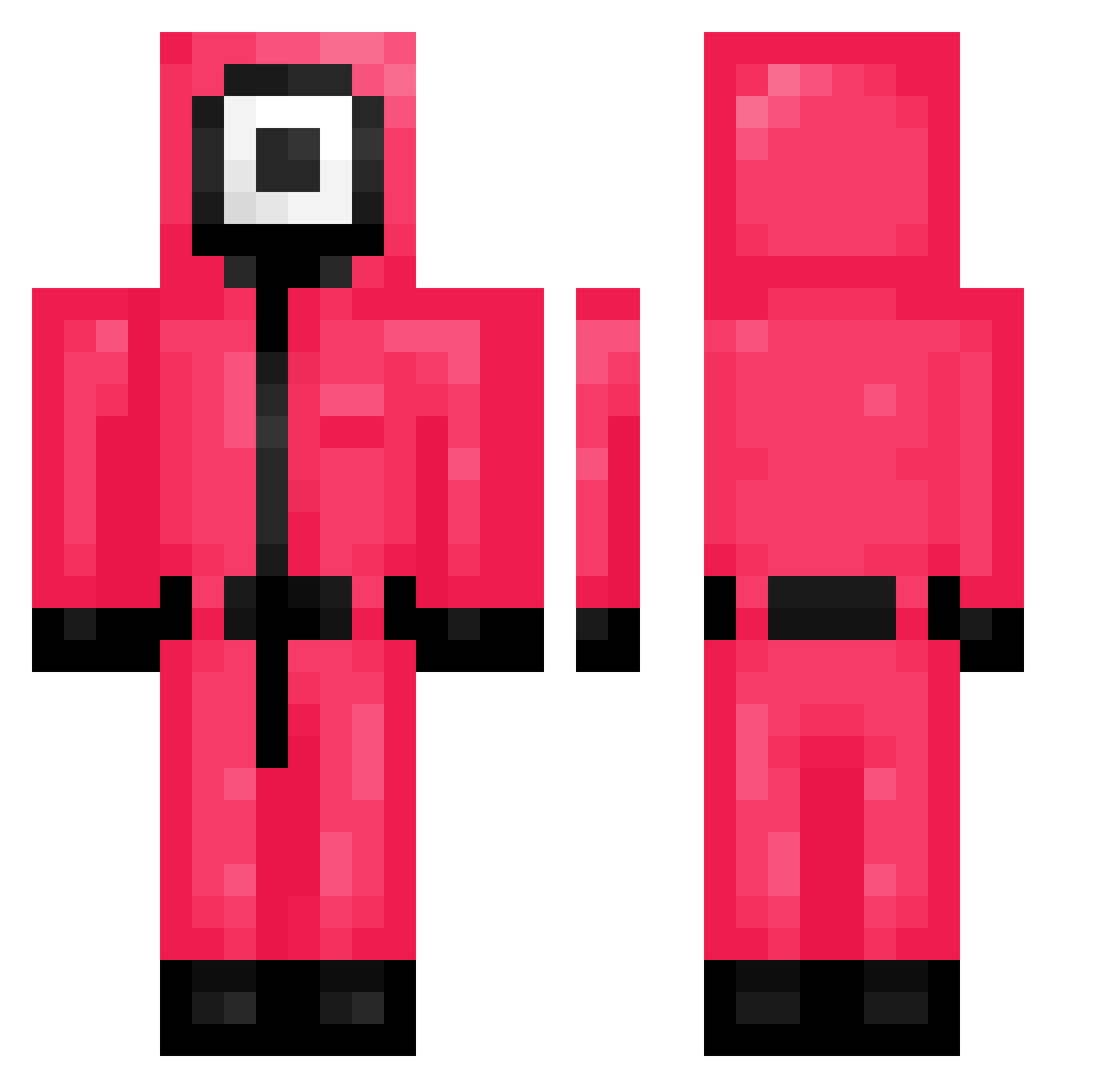
Current Minecraft skin of the player orelsw, loaded from the official Mojang API. Rotate the 3D model with your mouse or finger, then download the skin as a PNG file and use it in Minecraft: Bedrock Edition or Java Edition for free. When orelsw changes their skin, this page updates automatically and the old skin stays in the history below.
Other players with this skin (214)
orelsw was the 189th player we have seen with this skin, first spotted on 11.10.2026. The same skin was seen on these players. Open a nickname to see their current skin and skin history.
 pwd123_op FraggleJr JH0317 CosierMite87393 Galaxito mikalaj12 Alan_HTL rlaekagus spa1t JeY00N PixelRaf Mfontova FaceBuk jntm_kun DaniPalle gatopilled Baeonyx Skenzy burntpoptart sharf77 B_Crong Legitted xl8r freeloveman ghxstsss HaGauSiuMai Maidenss Xnightark quinnnnnn_ dragonguy515 Django_Is_Dead Wooju1225 20210216 IGN_Yisral UrMother2 Elklike nicedeneault 3mbloo9 AliGamezYT No_573 Hiriya1110 abdouuDz PriestlyDuke Mwrk__ EMTBryan k_eep PHONGPISUT TONTNG Goodjhonpark Rozitaa __trick TaylorGraham94 _Chipeng Samify47 Karrupan cacuva Oswat216 inthelab1 ConstipatedOrix Pixelon135
More Guard Minecraft skins
How to install the orelsw skin
- Press the Download button above to save the skin as a PNG file.
- Minecraft: Bedrock Edition (PE): open the Dressing Room from the main menu (or tap your character → Edit Character), go to Classic Skins → Owned, press the + (new skin) button, choose the downloaded PNG and pick the Classic (Steve) model. Works on PC and mobile; consoles cannot import custom skins.
- Minecraft: Java Edition: open the Minecraft Launcher, go to the Skins tab, click New Skin, load the PNG, pick the Classic (Steve) model and press Save & Use. You can also upload it at minecraft.net → Profile → Change Skin.
The skin does not show up after import - what should I do?
Restart Minecraft and open the Dressing Room again - imported skins sometimes appear only after a restart. Also make sure you selected the imported skin and picked the Classic (Steve) model.
Which model should I choose, Classic or Slim?
This skin is designed for the Classic (Steve) model. If you pick the wrong model, the arms of the skin will look stretched or squeezed.
Is the skin of orelsw free to download?
Yes. Press Download, save the PNG file and use it in Minecraft: Bedrock Edition or Java Edition - no payment or registration needed. The skin also works on multiplayer servers and Realms.
More skins
Looking for more? Go back to all Minecraft skins and check the top skins of the week, month and all time, or find any player's skin by nickname.