
omgitzjeffxd - Minecraft Skins & Skin History
Current Minecraft skin of the player omgitzjeffxd, loaded from the official Mojang API. Rotate the 3D model with your mouse or finger, then download the skin as a PNG file and use it in Minecraft: Bedrock Edition or Java Edition for free. When omgitzjeffxd changes their skin, this page updates automatically and the old skin stays in the history below.
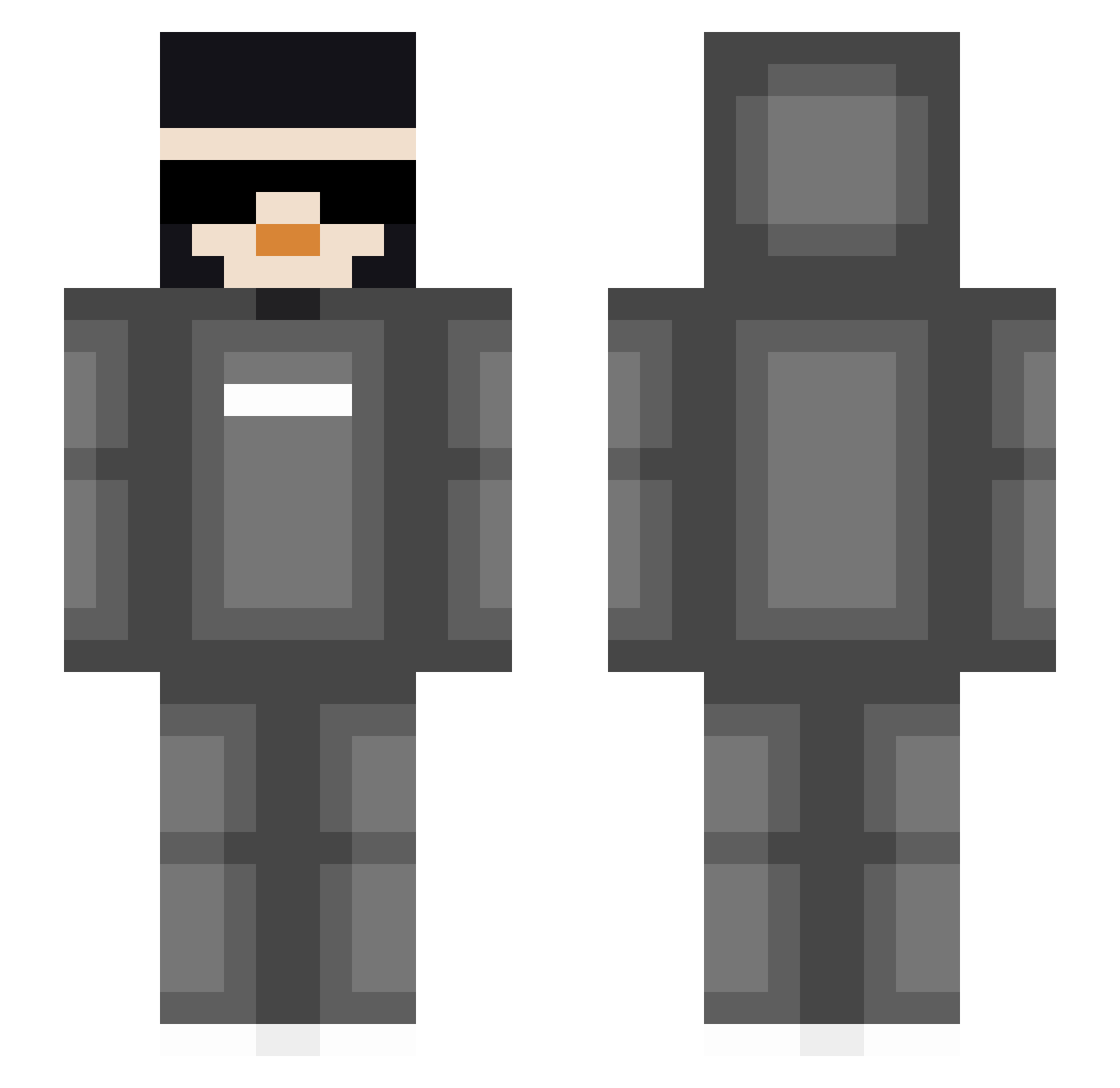
Other players with this skin (85)
omgitzjeffxd was the 39th player we have seen with this skin, first spotted on 10.09.2026. The same skin was seen on these players. Open a nickname to see their current skin and skin history.
 strangerpenguin thepingmaster CherryDinoYT NotHackJustRod SHIKHARvg02 BRANDON13709 woch_ JustPB GROG_KD Jasiek2x Jasonmaghunde3 Dream1dream2 kinglelle Oopsie_hand_slip Garfield120 kam_687 Me_kingx Caydenshuff16 reubenbackwords HakimMert Craftable2 Xx_RousyDoggy csrogue A_Chief_Guy lawson478
 Evangelical1456 ItsAman_ nisLMAO RYANB123FF14 FUNNYKID269 BradenLarsen MadBoy23 Enderblade6923 bozkurtroot unKnown_yt_9
 Newpio Sleetycorgi7106 Tantadoo sneaky_golem0395 carryjustus Telisss angry_ant84 ChuchoChuwy22
 SirPorker_ Znxvro LogCraft30 BillyHonk NightInvader970 nzk217 Alfred_H PizzaMan374 noice123456 Murraldo7 Pixel_Artist1 DoddyPlayz Dr_Duc TNT1024 LightTheLamp MrBeanling
 Lizarazux
How to install the omgitzjeffxd skin
- Press the Download button above to save the skin as a PNG file.
- Minecraft: Bedrock Edition (PE): open the Dressing Room from the main menu (or tap your character → Edit Character), go to Classic Skins → Owned, press the + (new skin) button, choose the downloaded PNG and pick the Slim (Alex) model. Works on PC and mobile; consoles cannot import custom skins.
- Minecraft: Java Edition: open the Minecraft Launcher, go to the Skins tab, click New Skin, load the PNG, pick the Slim (Alex) model and press Save & Use. You can also upload it at minecraft.net → Profile → Change Skin.
The skin does not show up after import - what should I do?
Restart Minecraft and open the Dressing Room again - imported skins sometimes appear only after a restart. Also make sure you selected the imported skin and picked the Slim (Alex) model.
Which model should I choose, Classic or Slim?
This skin is designed for the Slim (Alex) model. If you pick the wrong model, the arms of the skin will look stretched or squeezed.
Is the skin of omgitzjeffxd free to download?
Yes. Press Download, save the PNG file and use it in Minecraft: Bedrock Edition or Java Edition - no payment or registration needed. The skin also works on multiplayer servers and Realms.
More skins
Looking for more? Go back to all Minecraft skins and check the top skins of the week, month and all time, or find any player's skin by nickname.