
olafka_a - Minecraft Skins & Skin History
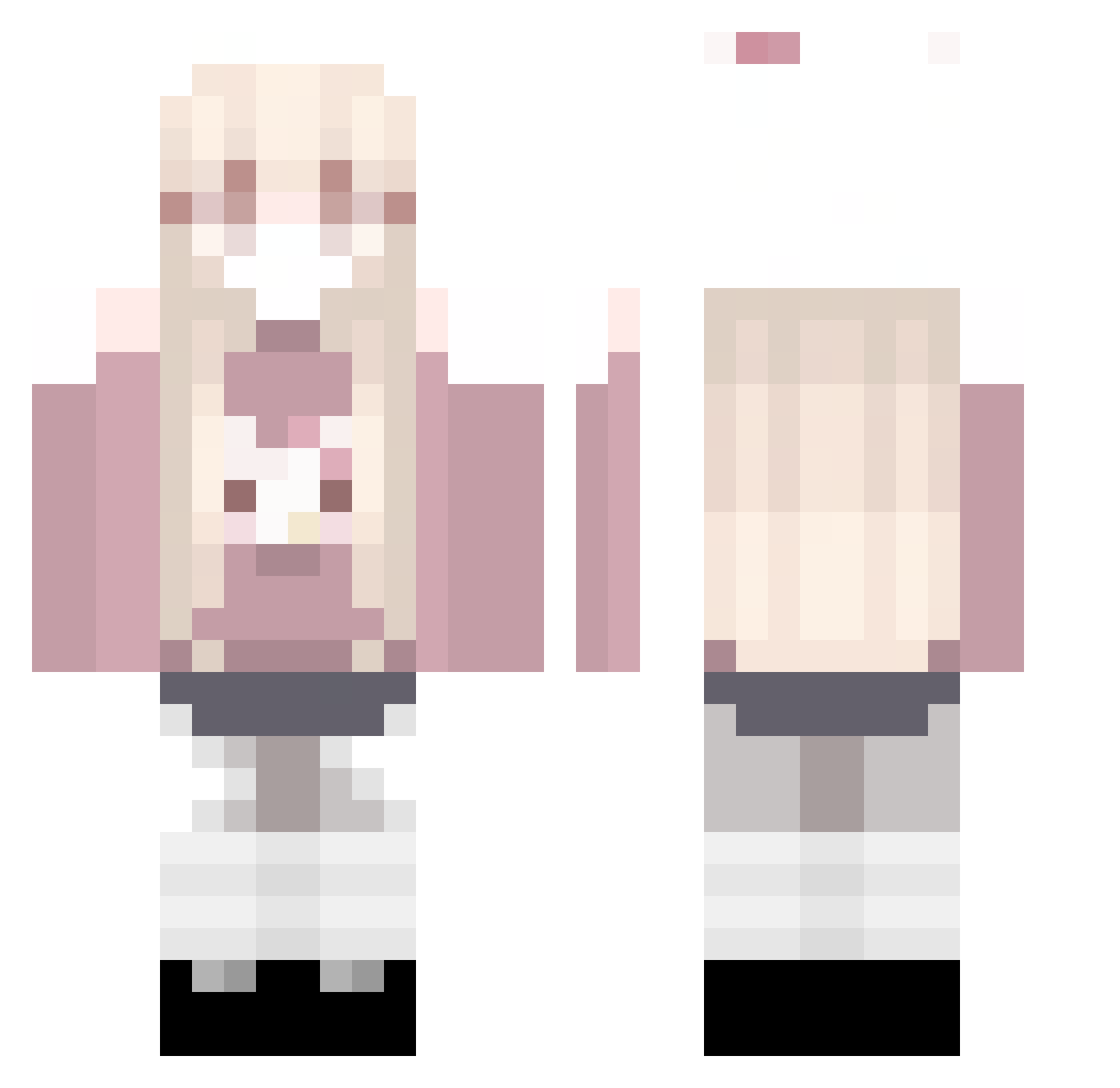
Current Minecraft skin of the player olafka_a, loaded from the official Mojang API. Rotate the 3D model with your mouse or finger, then download the skin as a PNG file and use it in Minecraft: Bedrock Edition or Java Edition for free. When olafka_a changes their skin, this page updates automatically and the old skin stays in the history below.
Other players with this skin (109)
olafka_a was the 103rd player we have seen with this skin, first spotted on 10.11.2026. The same skin was seen on these players. Open a nickname to see their current skin and skin history.
 Borjom_s_Bomjom AngeleMag neruh1337 loirinhagym Kitty01049 mm_04xx _YJT_ folixd1 iosfrog nicolciaaaxx happyrobie jenaestyles Danyh07 intaention PatrikHviezdica xiaohei333 DrTaker _brb_666 O8Q JGQMJ Eviiee_ _Sh0r1 OIEI6974 elr0a_ EnjojoYT Paulllliiii MER_1224 LDShadowliady Whamm_ YANGSWELL sbapy Dizmin kir4e polar_bear56DS Mahikuwu newlynn Sub5Foid67 An3czqa wjjhh Y4m11ii BluEPiG_9 emelyju nat4lka __m1yang Game3600 Rainsto bilu33x Xiao_Lu_DG DangerICZM Mylovealgie 0721188 zeeyna YooN103 aaqtinaw hyunyoung_ qtWater xSyne_ WiwWee DragonEma1234 TUNIK52
More Anime Girl Minecraft skins
See all 15169 Anime Girl skins
How to install the olafka_a skin
- Press the Download button above to save the skin as a PNG file.
- Minecraft: Bedrock Edition (PE): open the Dressing Room from the main menu (or tap your character → Edit Character), go to Classic Skins → Owned, press the + (new skin) button, choose the downloaded PNG and pick the Classic (Steve) model. Works on PC and mobile; consoles cannot import custom skins.
- Minecraft: Java Edition: open the Minecraft Launcher, go to the Skins tab, click New Skin, load the PNG, pick the Classic (Steve) model and press Save & Use. You can also upload it at minecraft.net → Profile → Change Skin.
The skin does not show up after import - what should I do?
Restart Minecraft and open the Dressing Room again - imported skins sometimes appear only after a restart. Also make sure you selected the imported skin and picked the Classic (Steve) model.
Which model should I choose, Classic or Slim?
This skin is designed for the Classic (Steve) model. If you pick the wrong model, the arms of the skin will look stretched or squeezed.
Is the skin of olafka_a free to download?
Yes. Press Download, save the PNG file and use it in Minecraft: Bedrock Edition or Java Edition - no payment or registration needed. The skin also works on multiplayer servers and Realms.
More skins
Looking for more? Go back to all Minecraft skins and check the top skins of the week, month and all time, or find any player's skin by nickname.