
okitoxx - Minecraft Skins & Skin History
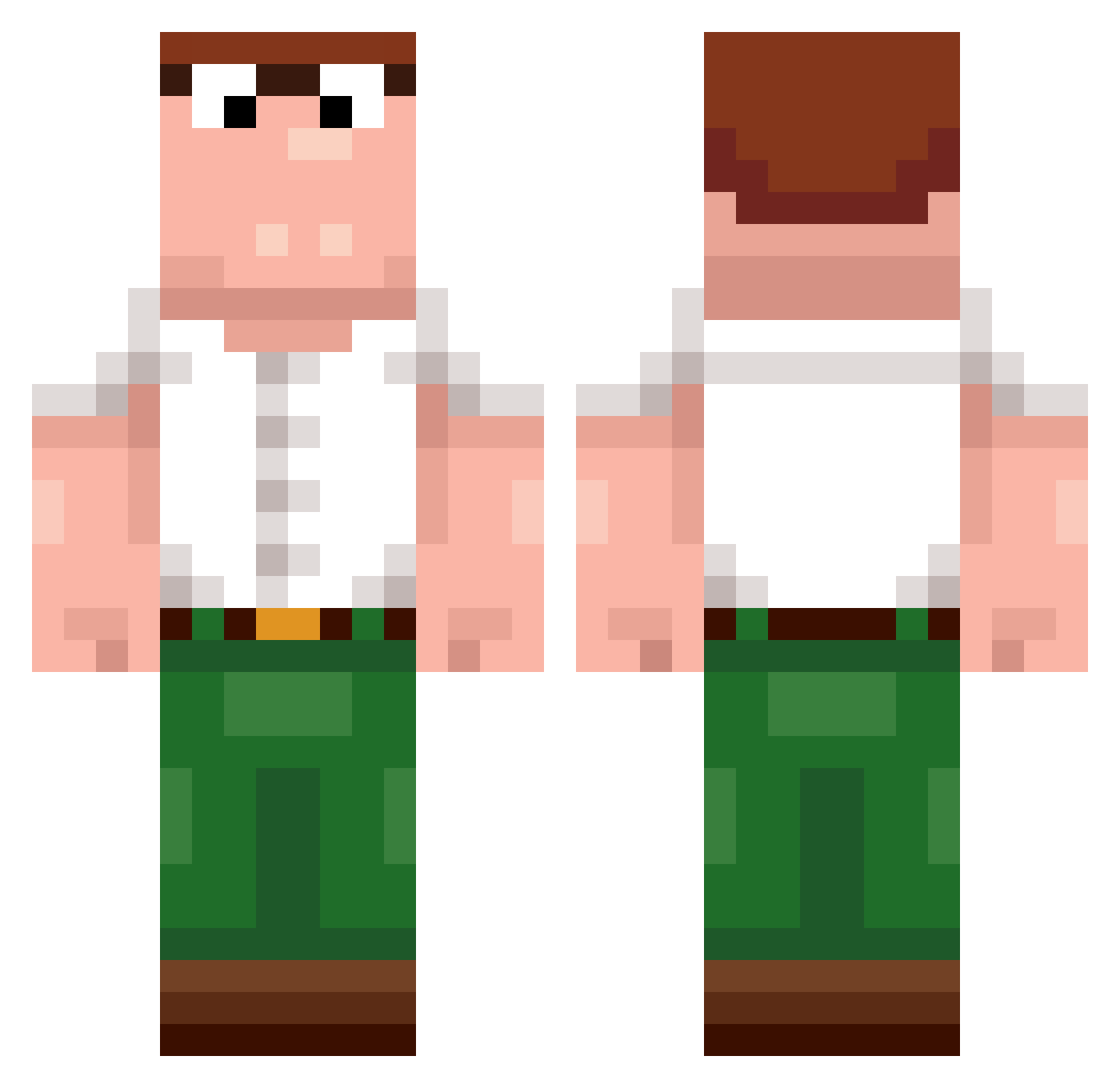
Current Minecraft skin of the player okitoxx, loaded from the official Mojang API. Rotate the 3D model with your mouse or finger, then download the skin as a PNG file and use it in Minecraft: Bedrock Edition or Java Edition for free. When okitoxx changes their skin, this page updates automatically and the old skin stays in the history below.
Other players with this skin (389)
okitoxx was the 200th player we have seen with this skin, first spotted on 08.09.2026. The same skin was seen on these players. Open a nickname to see their current skin and skin history.
 senarathna Zhaoder
 HahnSolo0 Trsp VCGGDJFD AlMaZiKx Satellite72 danny__green L_Henry_ Itz_Shloky___ Swarding dewbedwarsbaddie MafiaSlime_ illwasted JunoD2 Dewier098 fwahh mihaha Lefloe_123 Kentackymini MoggedByMrSticks zangez
 SilentGhostX SmokeyWorld74490 the_l0nely_guy Jbux7 okaytimm Xameleontas 213n 0Dewier JohnRave huaAying Holy_____ d4y_Huzz_yf2 SivAdr2607 nosoposo GOOFnOFF Pr0player77 Toekage_ LovingDog Z2Nathan196 BayQvI hpunesu lilanas Randalehoernchen Flurff kimmo5833 jojopinky badwers Chicken0722 MinecraftBest189 bojack_horsman anton_po frogggyman123 IcedArrow LODODO MaydayMorrison zuado Sidaaaaa Braun_zydzi
More Peter Griffin Minecraft skins
See all 204 Peter Griffin skins
How to install the okitoxx skin
- Press the Download button above to save the skin as a PNG file.
- Minecraft: Bedrock Edition (PE): open the Dressing Room from the main menu (or tap your character → Edit Character), go to Classic Skins → Owned, press the + (new skin) button, choose the downloaded PNG and pick the Classic (Steve) model. Works on PC and mobile; consoles cannot import custom skins.
- Minecraft: Java Edition: open the Minecraft Launcher, go to the Skins tab, click New Skin, load the PNG, pick the Classic (Steve) model and press Save & Use. You can also upload it at minecraft.net → Profile → Change Skin.
The skin does not show up after import - what should I do?
Restart Minecraft and open the Dressing Room again - imported skins sometimes appear only after a restart. Also make sure you selected the imported skin and picked the Classic (Steve) model.
Which model should I choose, Classic or Slim?
This skin is designed for the Classic (Steve) model. If you pick the wrong model, the arms of the skin will look stretched or squeezed.
Is the skin of okitoxx free to download?
Yes. Press Download, save the PNG file and use it in Minecraft: Bedrock Edition or Java Edition - no payment or registration needed. The skin also works on multiplayer servers and Realms.
More skins
Looking for more? Go back to all Minecraft skins and check the top skins of the week, month and all time, or find any player's skin by nickname.