
ohriyang - Minecraft Skins & Skin History
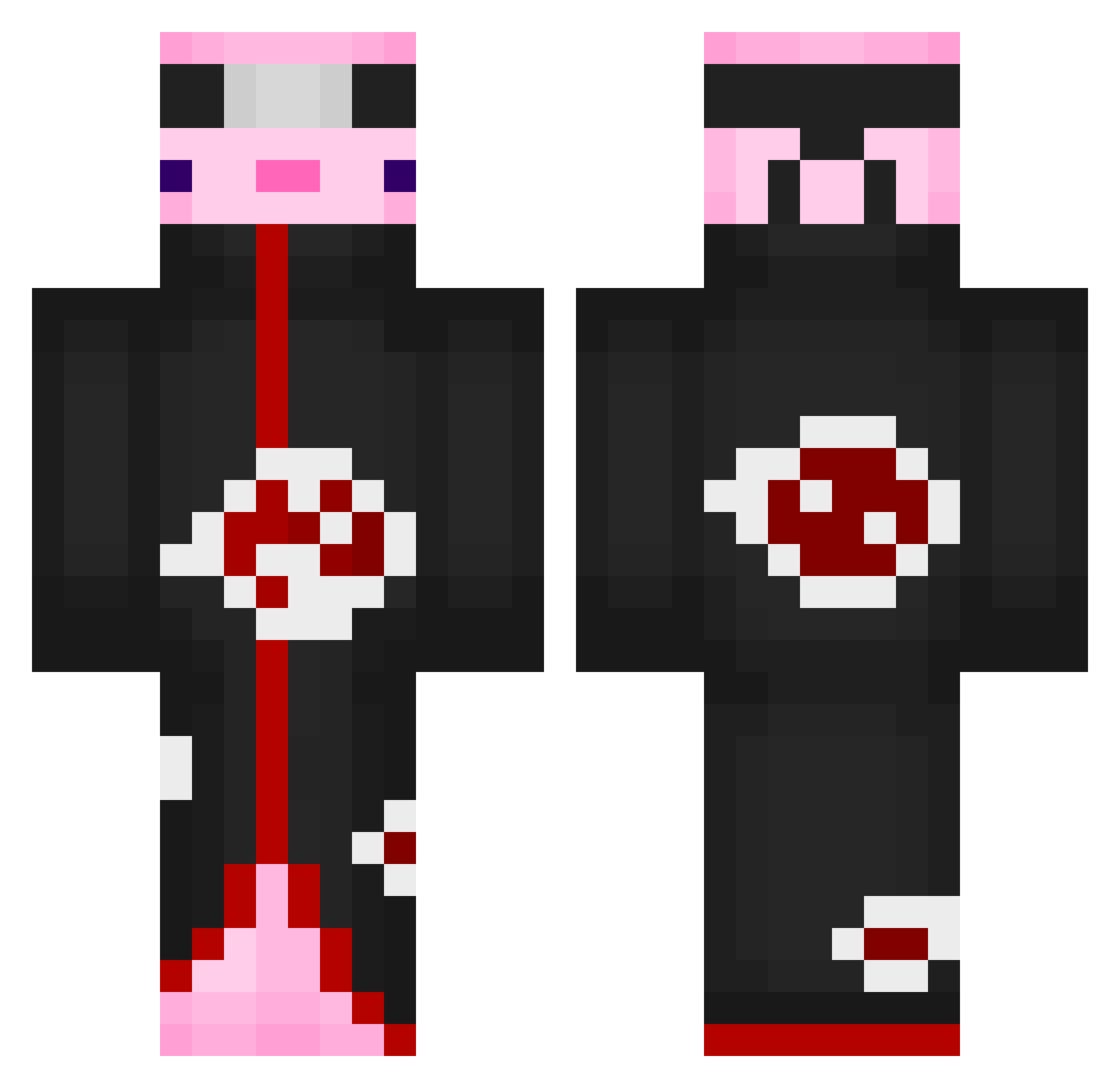
Current Minecraft skin of the player ohriyang, loaded from the official Mojang API. Rotate the 3D model with your mouse or finger, then download the skin as a PNG file and use it in Minecraft: Bedrock Edition or Java Edition for free. When ohriyang changes their skin, this page updates automatically and the old skin stays in the history below.
Other players with this skin (698)
ohriyang was the 542nd player we have seen with this skin, first spotted on 19.10.2026. The same skin was seen on these players. Open a nickname to see their current skin and skin history.
 Adriancito20 charteris14 CombatMoosey SUPERCOSCI7 Markothy Worrik alruna_ xuine24 bennibo16 raceeeeeee Jorplexus sirnoobzalot Azaliii De2Tension Vissking CASHTIME AngelPvP Auto_Power EdgyShark84 benson921012 Rylrin JustADuck9032 Great_Ysh VettoErPastello DorukDor DoTaeIn Ares0564 ioposso FiZz_Chimi_ CesarYixt Daddy_Eccipse xhiorii letuxia Nick237 Klocu4Life Cant2011 Kageox mickel27 Yammaka Marroer19 Mattadero Ibuki_hiyo meesi3436 CXKNBWOW CelestialRust Nelress38 Waffly123 DippityPoo NINGMANN noteli094799 Xanthraz2033 Koohuru chessgrater2533 Pastafrola289 JoanMLG Spriteyikes21 vitinhho joepal45 KatsumeShinzo Shamanxhunter
More Akatsuki Minecraft skins
How to install the ohriyang skin
- Press the Download button above to save the skin as a PNG file.
- Minecraft: Bedrock Edition (PE): open the Dressing Room from the main menu (or tap your character → Edit Character), go to Classic Skins → Owned, press the + (new skin) button, choose the downloaded PNG and pick the Classic (Steve) model. Works on PC and mobile; consoles cannot import custom skins.
- Minecraft: Java Edition: open the Minecraft Launcher, go to the Skins tab, click New Skin, load the PNG, pick the Classic (Steve) model and press Save & Use. You can also upload it at minecraft.net → Profile → Change Skin.
The skin does not show up after import - what should I do?
Restart Minecraft and open the Dressing Room again - imported skins sometimes appear only after a restart. Also make sure you selected the imported skin and picked the Classic (Steve) model.
Which model should I choose, Classic or Slim?
This skin is designed for the Classic (Steve) model. If you pick the wrong model, the arms of the skin will look stretched or squeezed.
Is the skin of ohriyang free to download?
Yes. Press Download, save the PNG file and use it in Minecraft: Bedrock Edition or Java Edition - no payment or registration needed. The skin also works on multiplayer servers and Realms.
More skins
Looking for more? Go back to all Minecraft skins and check the top skins of the week, month and all time, or find any player's skin by nickname.