
ogfee1s - Minecraft Skins & Skin History
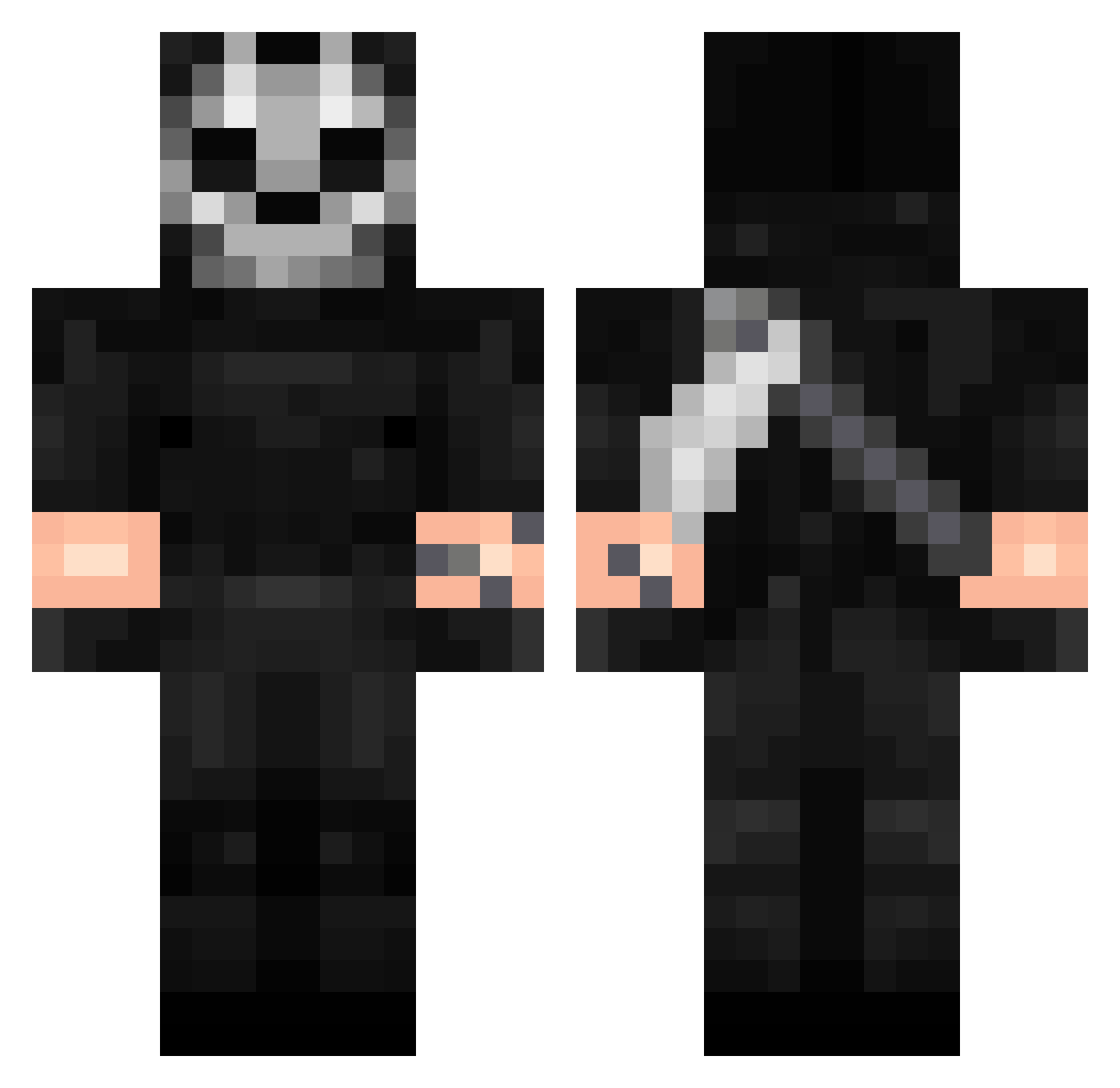
Current Minecraft skin of the player ogfee1s, loaded from the official Mojang API. Rotate the 3D model with your mouse or finger, then download the skin as a PNG file and use it in Minecraft: Bedrock Edition or Java Edition for free. When ogfee1s changes their skin, this page updates automatically and the old skin stays in the history below.
Other players with this skin (423)
ogfee1s was the 346th player we have seen with this skin, first spotted on 02.11.2026. The same skin was seen on these players. Open a nickname to see their current skin and skin history.
 AkaMarkuz EnVy_012 Husky0401 YORIICHI_EDO Wimasmuv Zsh711 gKriyos onlyXVII nightwolfxxd RVL9 Stan_ss65 Ghost_Sr12 CoolSlider4 TroubleTroy cevorial_ LivingInPain x_elpinchialva_x gStrixx __Rylex__ Dem0NN1 SSnake26 NOWUERR DaRaiderIRL DeiMom Kukarasho69 MenKiller_11 AirMaksss Dark_God05 Immanuel9999 riseclientngger Czz4r easedsquid SabzG thedeserteye A994 XYandx radclay Themayneman Tegriidyy Alvnzs xz_62 CatWalker Kwiat40 Moevler87 gio202rgio minisma2000 Forvist_ archq1 GXgamer6881 IDanielParkI SELAWI_962 cineeeK RavenHenry jhoset0787 ornella3110 200901 REO42 marczak00 Fixip Rknei
More Call Of Duty Minecraft skins
See all 186 Call Of Duty skins
How to install the ogfee1s skin
- Press the Download button above to save the skin as a PNG file.
- Minecraft: Bedrock Edition (PE): open the Dressing Room from the main menu (or tap your character → Edit Character), go to Classic Skins → Owned, press the + (new skin) button, choose the downloaded PNG and pick the Classic (Steve) model. Works on PC and mobile; consoles cannot import custom skins.
- Minecraft: Java Edition: open the Minecraft Launcher, go to the Skins tab, click New Skin, load the PNG, pick the Classic (Steve) model and press Save & Use. You can also upload it at minecraft.net → Profile → Change Skin.
The skin does not show up after import - what should I do?
Restart Minecraft and open the Dressing Room again - imported skins sometimes appear only after a restart. Also make sure you selected the imported skin and picked the Classic (Steve) model.
Which model should I choose, Classic or Slim?
This skin is designed for the Classic (Steve) model. If you pick the wrong model, the arms of the skin will look stretched or squeezed.
Is the skin of ogfee1s free to download?
Yes. Press Download, save the PNG file and use it in Minecraft: Bedrock Edition or Java Edition - no payment or registration needed. The skin also works on multiplayer servers and Realms.
More skins
Looking for more? Go back to all Minecraft skins and check the top skins of the week, month and all time, or find any player's skin by nickname.