
obg487 - Minecraft Skins & Skin History
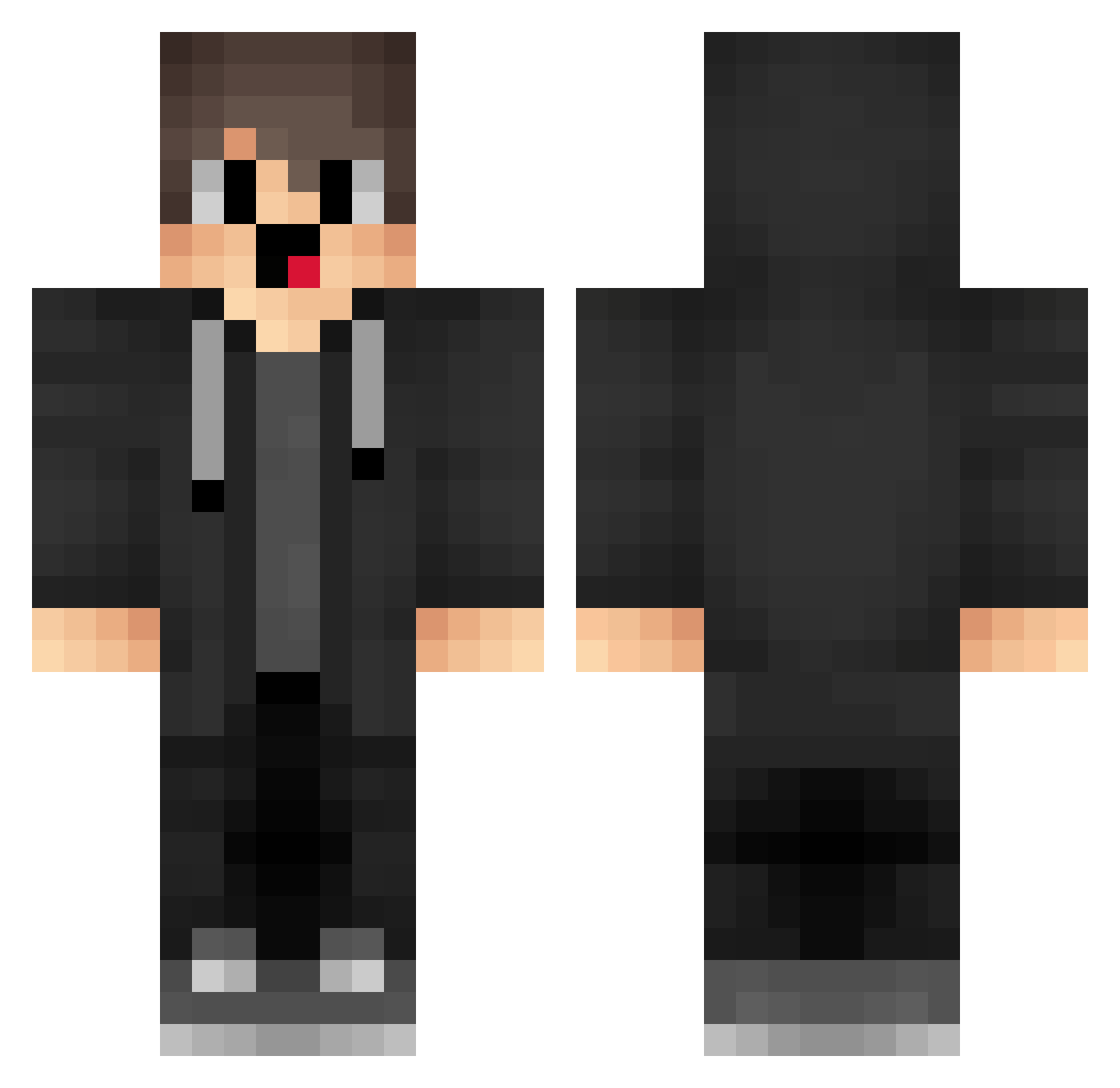
Current Minecraft skin of the player obg487, loaded from the official Mojang API. Rotate the 3D model with your mouse or finger, then download the skin as a PNG file and use it in Minecraft: Bedrock Edition or Java Edition for free. When obg487 changes their skin, this page updates automatically and the old skin stays in the history below.
Other players with this skin (1718)
obg487 was the 1295th player we have seen with this skin, first spotted on 17.10.2026. The same skin was seen on these players. Open a nickname to see their current skin and skin history.
 nobarajjk JDu675 kja998 box_kwwUQYNOw533 Handscroll Fjc787 zIU71 wKv866 BNQ119 dRk112 smP622 xXk609 Krae36 merzipacks UnG888 iZM525 oWL397 MUT812 uIh425 WBS_RTX23 frL828 qtV848 SB_y3Djut meq80 kim651907 GUL551 ezStitch borismaloo ItzMangoz TJe661 reyisthegoat aqs792 IrQ731 csX44 SXN_P DNO524 StudentWen1 SirYeet__ etK272 QKR664 eLq909 ozs253 rdp728 box_YQXkbXuXI172 CtG92 dKs52 Emirhanan B_H_O_P_T_X jgd483 nUdqCuI NPF349 OOOOOOOOOOOOFF cqc197 APt52 _merryzz1337_ iMN416 Ppr783 BiliBiliDaHaiTX cVY214 sWx409
How to install the obg487 skin
- Press the Download button above to save the skin as a PNG file.
- Minecraft: Bedrock Edition (PE): open the Dressing Room from the main menu (or tap your character → Edit Character), go to Classic Skins → Owned, press the + (new skin) button, choose the downloaded PNG and pick the Classic (Steve) model. Works on PC and mobile; consoles cannot import custom skins.
- Minecraft: Java Edition: open the Minecraft Launcher, go to the Skins tab, click New Skin, load the PNG, pick the Classic (Steve) model and press Save & Use. You can also upload it at minecraft.net → Profile → Change Skin.
The skin does not show up after import - what should I do?
Restart Minecraft and open the Dressing Room again - imported skins sometimes appear only after a restart. Also make sure you selected the imported skin and picked the Classic (Steve) model.
Which model should I choose, Classic or Slim?
This skin is designed for the Classic (Steve) model. If you pick the wrong model, the arms of the skin will look stretched or squeezed.
Is the skin of obg487 free to download?
Yes. Press Download, save the PNG file and use it in Minecraft: Bedrock Edition or Java Edition - no payment or registration needed. The skin also works on multiplayer servers and Realms.
More skins
Looking for more? Go back to all Minecraft skins and check the top skins of the week, month and all time, or find any player's skin by nickname.