
not_connor_ - Minecraft Skins & Skin History
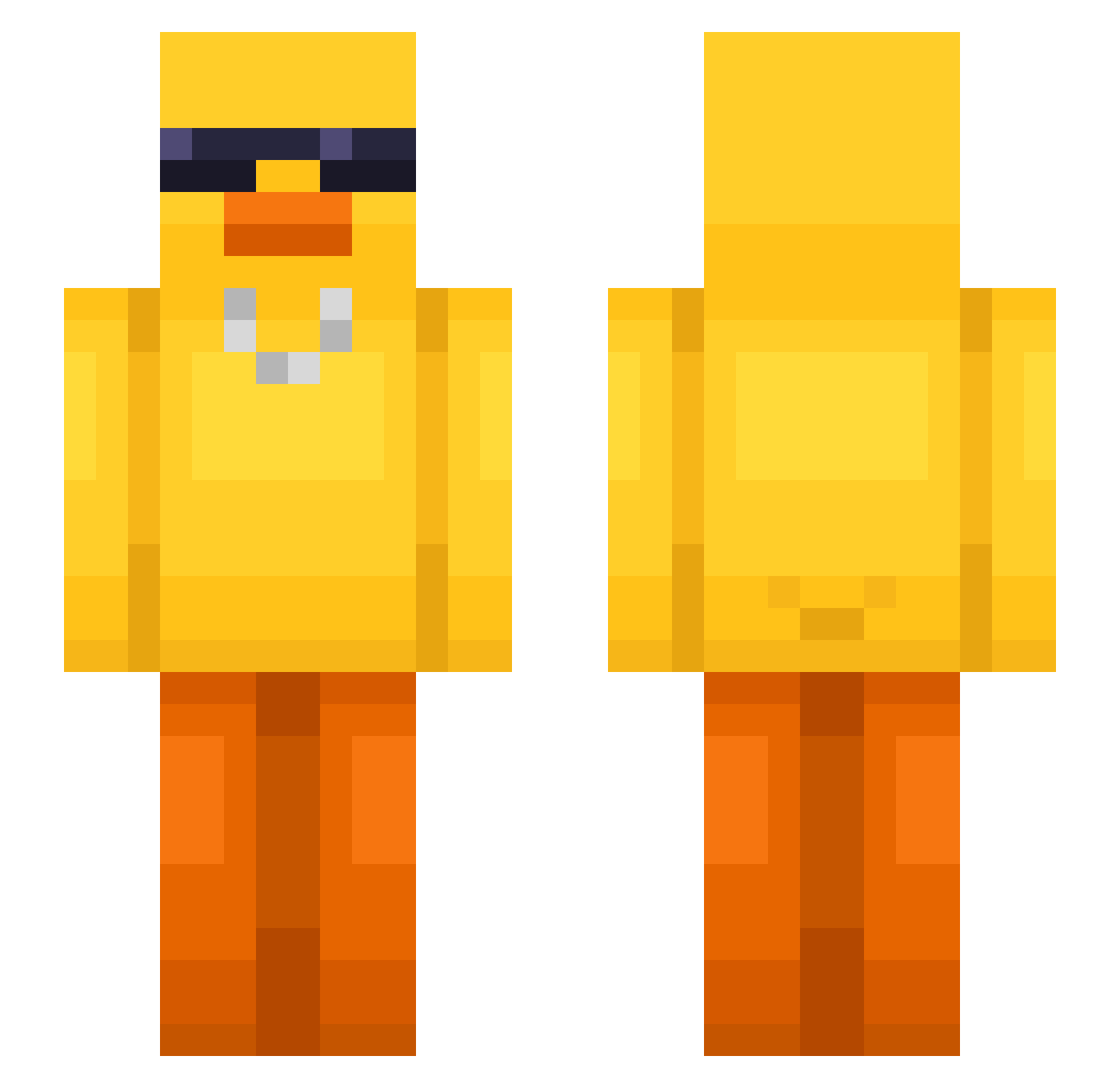
Current Minecraft skin of the player not_connor_, loaded from the official Mojang API. Rotate the 3D model with your mouse or finger, then download the skin as a PNG file and use it in Minecraft: Bedrock Edition or Java Edition for free. When not_connor_ changes their skin, this page updates automatically and the old skin stays in the history below.
Other players with this skin (549)
not_connor_ was the 17th player we have seen with this skin, first spotted on 27.07.2026. The same skin was seen on these players. Open a nickname to see their current skin and skin history.
 SHOUGG7 PlayBoiMarko OchIng_ for4j AwkwardMonk Bookkeepers rep112 Persillia JUN38 hw123 Courge_ zYukiko jhyxn_K toripiyo18 IAmLalu burning2969 zeynepay zultron96 alessandrohd17 Scaffold_1337 oPereiraaa ymer777 Loempia_Deeg JohnW1ck_CN SoloSnail2023 KAARIIYAA MidNightClub7 RulerClip21 JJuega Stillercity cheshko1 atesmelez seong1122
 vitheflea joeri_kh fireballin1745 Hylision ColuiCheScava WitoslaW Martin1011 Olivich paszkiNN TausendGHG OLEKTOKOKS QweenSharky Noname4899 Gustav246 Jambolin Yung_Ying TDaddy695 XMAS_milan Taynist galaxyman666 Phosphor06 IIChenII
 SWAGBrother11 Quycc sugar_doux getcha147 ADAlreadyDead
More Chain Minecraft skins
How to install the not_connor_ skin
- Press the Download button above to save the skin as a PNG file.
- Minecraft: Bedrock Edition (PE): open the Dressing Room from the main menu (or tap your character → Edit Character), go to Classic Skins → Owned, press the + (new skin) button, choose the downloaded PNG and pick the Slim (Alex) model. Works on PC and mobile; consoles cannot import custom skins.
- Minecraft: Java Edition: open the Minecraft Launcher, go to the Skins tab, click New Skin, load the PNG, pick the Slim (Alex) model and press Save & Use. You can also upload it at minecraft.net → Profile → Change Skin.
The skin does not show up after import - what should I do?
Restart Minecraft and open the Dressing Room again - imported skins sometimes appear only after a restart. Also make sure you selected the imported skin and picked the Slim (Alex) model.
Which model should I choose, Classic or Slim?
This skin is designed for the Slim (Alex) model. If you pick the wrong model, the arms of the skin will look stretched or squeezed.
Is the skin of not_connor_ free to download?
Yes. Press Download, save the PNG file and use it in Minecraft: Bedrock Edition or Java Edition - no payment or registration needed. The skin also works on multiplayer servers and Realms.
More skins
Looking for more? Go back to all Minecraft skins and check the top skins of the week, month and all time, or find any player's skin by nickname.