
noobsaibot06 - Minecraft Skins & Skin History
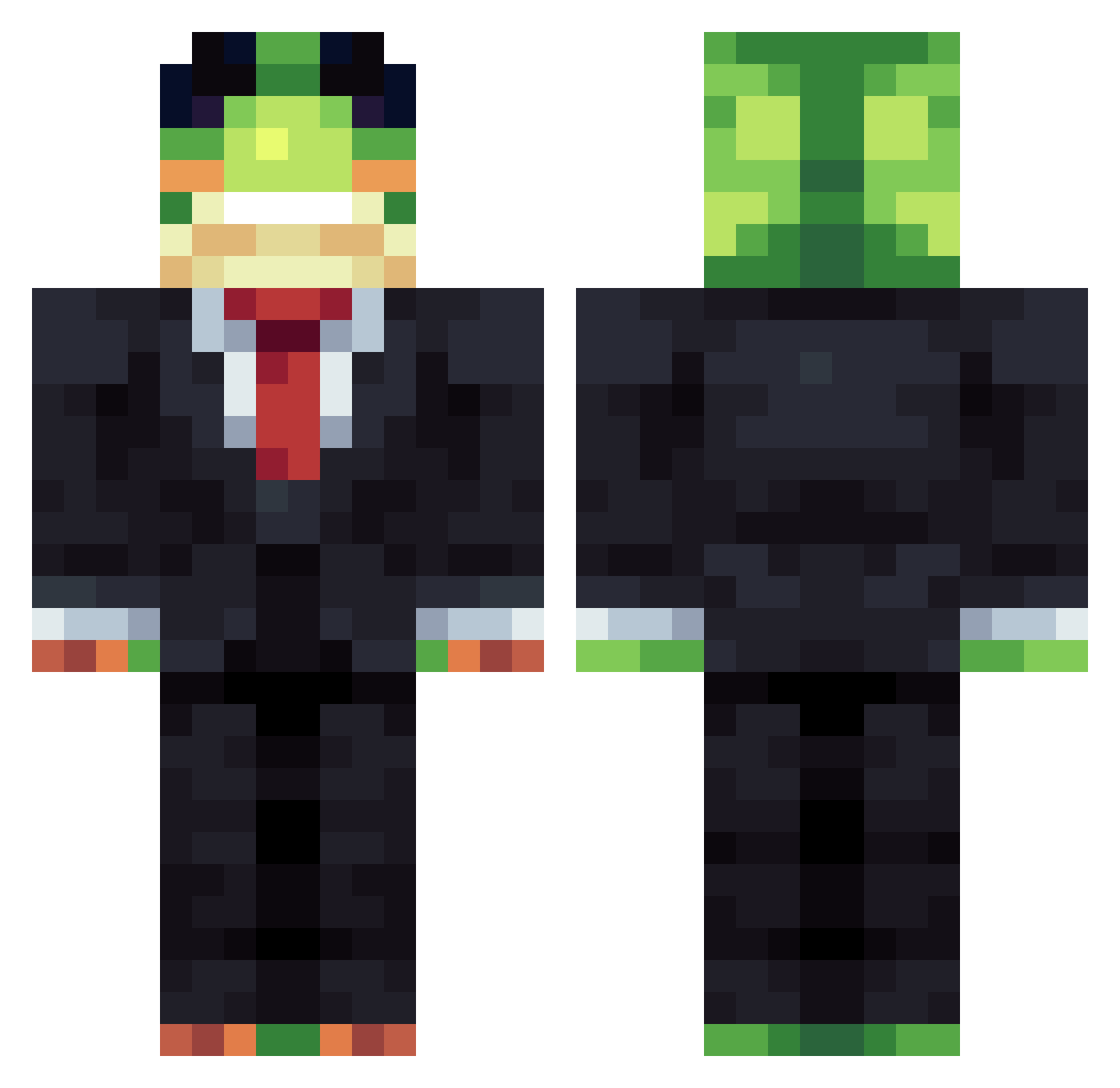
Current Minecraft skin of the player noobsaibot06, loaded from the official Mojang API. Rotate the 3D model with your mouse or finger, then download the skin as a PNG file and use it in Minecraft: Bedrock Edition or Java Edition for free. When noobsaibot06 changes their skin, this page updates automatically and the old skin stays in the history below.
Other players with this skin (1340)
noobsaibot06 was the 661st player we have seen with this skin, first spotted on 17.09.2026. The same skin was seen on these players. Open a nickname to see their current skin and skin history.
 Mothana3 ky0k0k1r1g1r1 TAKA_T3 SrWakaRetrix Ericplayer wcnm007 WqW1xxi Noctite zai8 kfpanda12 elcamotes Hyresse Ein_Niemand_ JerryAndTerry Frosch_10 LittlePotato24 ElDarks9879 BOBBYBROWN2014 GRUMPYCAT1947 Azizthe nichgaa1 C00PZ_ ParkJMin DetectivePop VynrosTheEmperor camer555reyes sytobrooo DeathRaptor007 Deadly_9 RedSkiesOfficial OddZx Tsu_ ThebunkerBoyz 2ds3366 XmgfZlh Epstain_10 Gaspariukas3000 MootComic1 cableland Grantopotamus Zangibiwi123 Torugoh Safesword13 Iam_chamba HavocCalmer ProGrinder RequiredMars60 cauabonitao MoongralABC1234 51SS xiaoyurourou sofiane11600 xAlbertox123 Haecker911 Chacha1459 Gussiboyxxxx gring0aprea Ascensiorecta 100eu Ahmaredt
More Frog Minecraft skins
How to install the noobsaibot06 skin
- Press the Download button above to save the skin as a PNG file.
- Minecraft: Bedrock Edition (PE): open the Dressing Room from the main menu (or tap your character → Edit Character), go to Classic Skins → Owned, press the + (new skin) button, choose the downloaded PNG and pick the Classic (Steve) model. Works on PC and mobile; consoles cannot import custom skins.
- Minecraft: Java Edition: open the Minecraft Launcher, go to the Skins tab, click New Skin, load the PNG, pick the Classic (Steve) model and press Save & Use. You can also upload it at minecraft.net → Profile → Change Skin.
The skin does not show up after import - what should I do?
Restart Minecraft and open the Dressing Room again - imported skins sometimes appear only after a restart. Also make sure you selected the imported skin and picked the Classic (Steve) model.
Which model should I choose, Classic or Slim?
This skin is designed for the Classic (Steve) model. If you pick the wrong model, the arms of the skin will look stretched or squeezed.
Is the skin of noobsaibot06 free to download?
Yes. Press Download, save the PNG file and use it in Minecraft: Bedrock Edition or Java Edition - no payment or registration needed. The skin also works on multiplayer servers and Realms.
More skins
Looking for more? Go back to all Minecraft skins and check the top skins of the week, month and all time, or find any player's skin by nickname.