
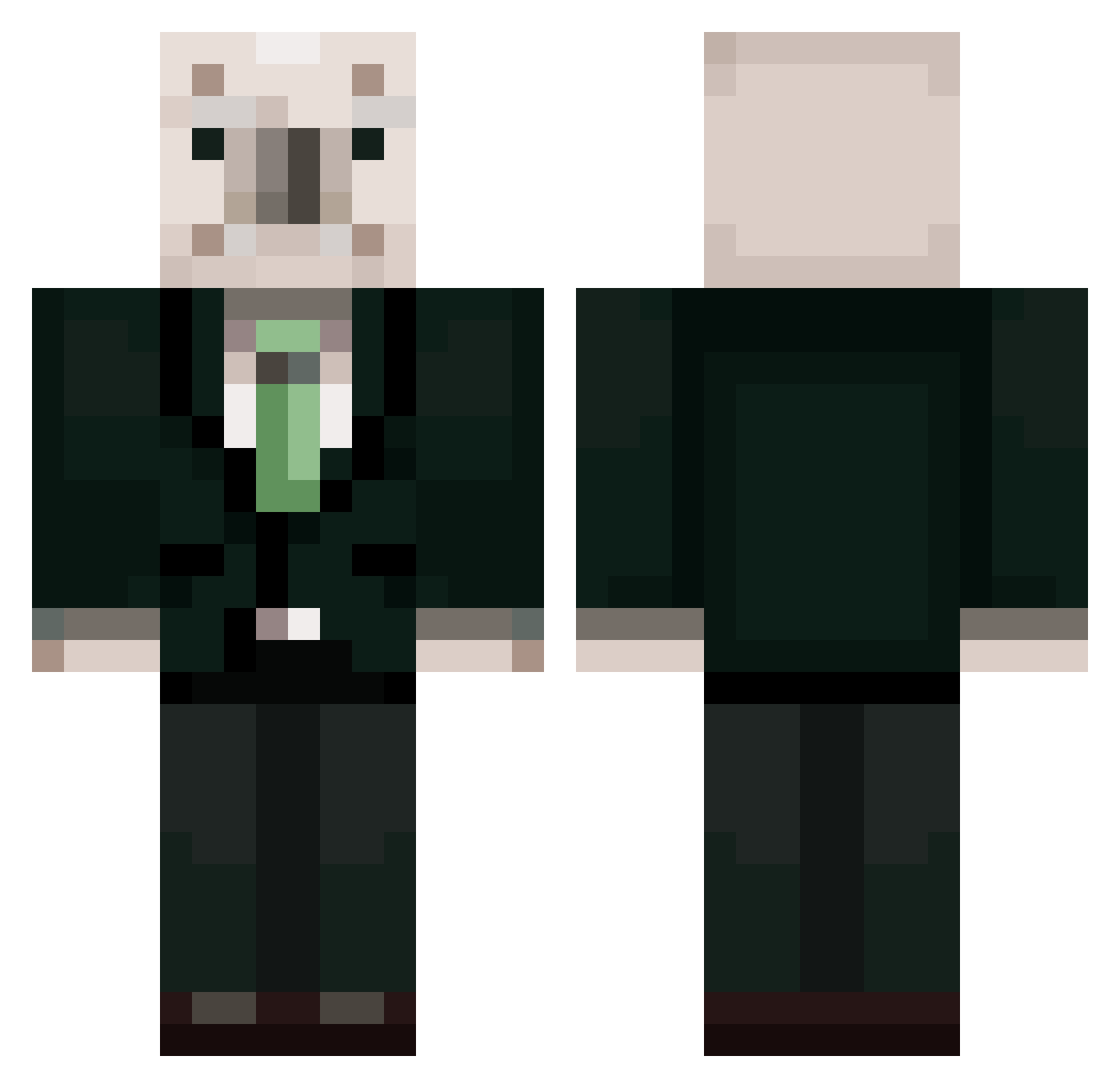
Current Minecraft skin of the player nolynchan, loaded from the official Mojang API. Rotate the 3D model with your mouse or finger, then download the skin as a PNG file and use it in Minecraft: Bedrock Edition or Java Edition for free. When nolynchan changes their skin, this page updates automatically and the old skin stays in the history below.
Other players with this skin (368)
nolynchan was the 78th player we have seen with this skin, first spotted on 14.08.2026. The same skin was seen on these players. Open a nickname to see their current skin and skin history.
 shinjeongmin Rho_jungwoo Aron_00 goddoyoon houn_nam satto_bob paur301 TANK1BOY LeeGilgeun leeta123 unjiroh liwoo1231 Wooheung_ jh18829a ehgusemdmdel taroll07 Mal_bnPFGS seongoi38 n1ami Sakiloaf hgh123
 Shy_Babamba NMH12235 bongjunho wonho0910 ddalgyukun Kungstin1125 Kremlin1945 jeeho0126 GODTAEK seyun228 juhwan26 eqprqwi
 seung_4642 dlawnsgh1451 romuhyun1352 ROHMUHYEONUNJI sowors DYS6974 GaeHang KMJ9118AAA ummalove Kingpikachu127 leejunshu RoHmukun523 Tyeru_ rjsgn11 bbabbico76 andromen0122 vilian05 bendysihoo
 hukgacha papakia MChabe FFFYYYUUUPP YeongJunn namyoungjoo Jeon_Doo_Gwang foundhail053735 yasHeart
More Koala Minecraft skins
How to install the nolynchan skin
- Press the Download button above to save the skin as a PNG file.
- Minecraft: Bedrock Edition (PE): open the Dressing Room from the main menu (or tap your character → Edit Character), go to Classic Skins → Owned, press the + (new skin) button, choose the downloaded PNG and pick the Classic (Steve) model. Works on PC and mobile; consoles cannot import custom skins.
- Minecraft: Java Edition: open the Minecraft Launcher, go to the Skins tab, click New Skin, load the PNG, pick the Classic (Steve) model and press Save & Use. You can also upload it at minecraft.net → Profile → Change Skin.
The skin does not show up after import - what should I do?
Restart Minecraft and open the Dressing Room again - imported skins sometimes appear only after a restart. Also make sure you selected the imported skin and picked the Classic (Steve) model.
Which model should I choose, Classic or Slim?
This skin is designed for the Classic (Steve) model. If you pick the wrong model, the arms of the skin will look stretched or squeezed.
Is the skin of nolynchan free to download?
Yes. Press Download, save the PNG file and use it in Minecraft: Bedrock Edition or Java Edition - no payment or registration needed. The skin also works on multiplayer servers and Realms.
More skins
Looking for more? Go back to all Minecraft skins and check the top skins of the week, month and all time, or find any player's skin by nickname.