
Current Minecraft skin of the player nokdoo1, loaded from the official Mojang API. Rotate the 3D model with your mouse or finger, then download the skin as a PNG file and use it in Minecraft: Bedrock Edition or Java Edition for free. When nokdoo1 changes their skin, this page updates automatically and the old skin stays in the history below.
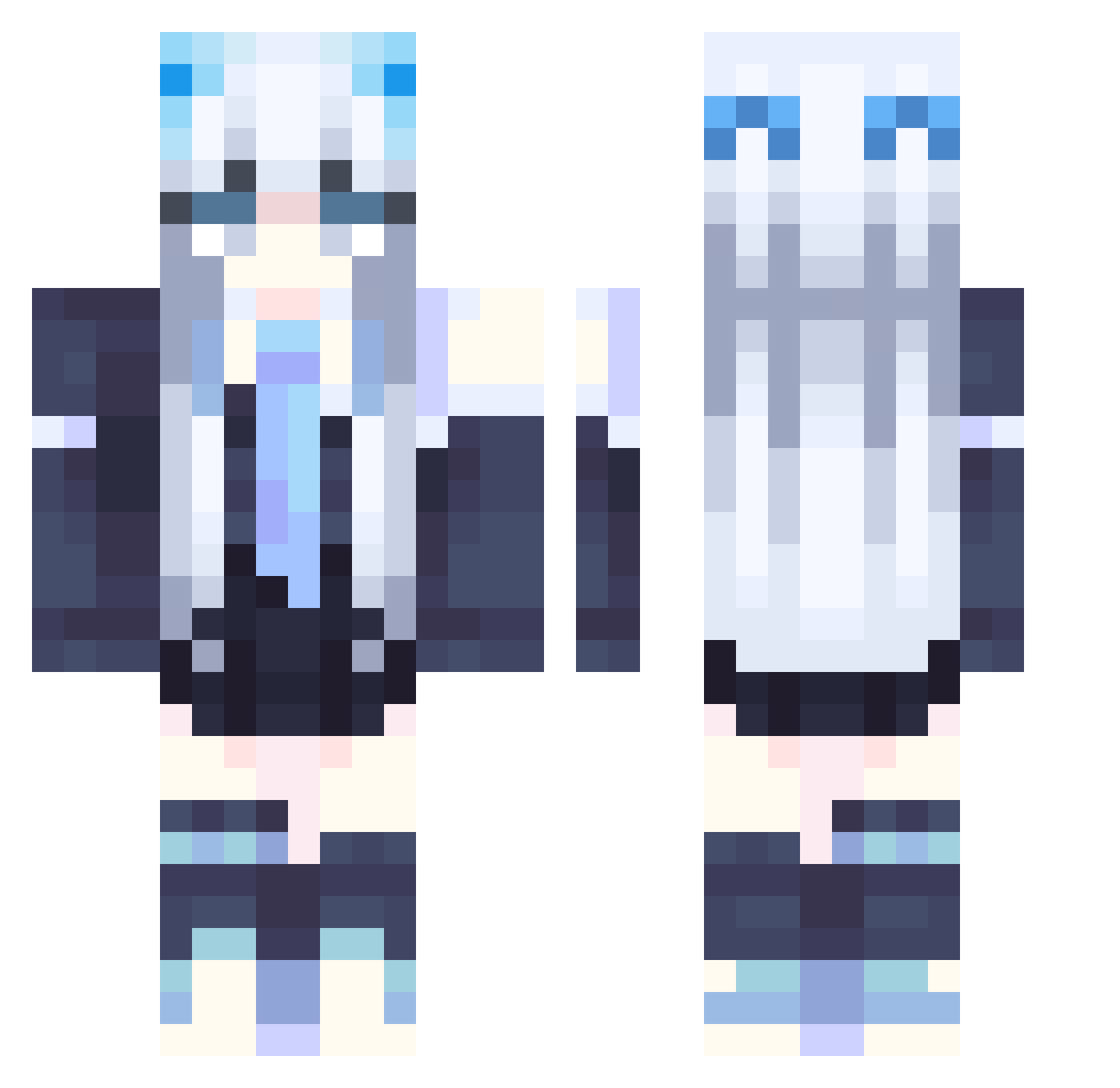
Other players with this skin (124)
The same skin was seen on these players. Open a nickname to see their current skin and skin history.
 Selfangel irislia0315 shizunagi_33 Yuuki_99 Insolente STARDUST1049 daifukmochi96743 Fato10 vivilush GrislyBand58216 2_Hachi Crystal_forever ZestyCatboy sadjka fenix_ice yellowsibo limulu0422 bosinHU Smeliy Quinn0405 FLVM_ M0xiehd chen08309 koko121 Popymo0n yulianess23 Vesperbell gazer314 origin_A NonameOSTK cappuccinoble WinterNight0211 Willow_Vallen KatDawgg3956 Wata_5922 ANYING01 EmilyChang1208 Winniesu TrendStars yunoblk mei_23 azlmna Hiragi_ yfjvjf aper_more xialili siyeongTLDUD Lautaroh_ claxchi HeXi_CJJ endless_neko ICE_Dgsp TokaiTeio33 jts702 haleuwu ROPHFR ddeadlyx Asilys_ Hamburger094 Katananing
More School Uniform Minecraft skins
See all 3226 School Uniform skins
How to install the nokdoo1 skin
- Press the Download button above to save the skin as a PNG file.
- Minecraft: Bedrock Edition (PE): open the Dressing Room from the main menu (or tap your character → Edit Character), go to Classic Skins → Owned, press the + (new skin) button, choose the downloaded PNG and pick the Classic (Steve) model. Works on PC and mobile; consoles cannot import custom skins.
- Minecraft: Java Edition: open the Minecraft Launcher, go to the Skins tab, click New Skin, load the PNG, pick the Classic (Steve) model and press Save & Use. You can also upload it at minecraft.net → Profile → Change Skin.
The skin does not show up after import - what should I do?
Restart Minecraft and open the Dressing Room again - imported skins sometimes appear only after a restart. Also make sure you selected the imported skin and picked the Classic (Steve) model.
Which model should I choose, Classic or Slim?
This skin is designed for the Classic (Steve) model. If you pick the wrong model, the arms of the skin will look stretched or squeezed.
Is the skin of nokdoo1 free to download?
Yes. Press Download, save the PNG file and use it in Minecraft: Bedrock Edition or Java Edition - no payment or registration needed. The skin also works on multiplayer servers and Realms.
More skins
Looking for more? Go back to all Minecraft skins and check the top skins of the week, month and all time, or find any player's skin by nickname.