
nobodyx_x - Minecraft Skins & Skin History
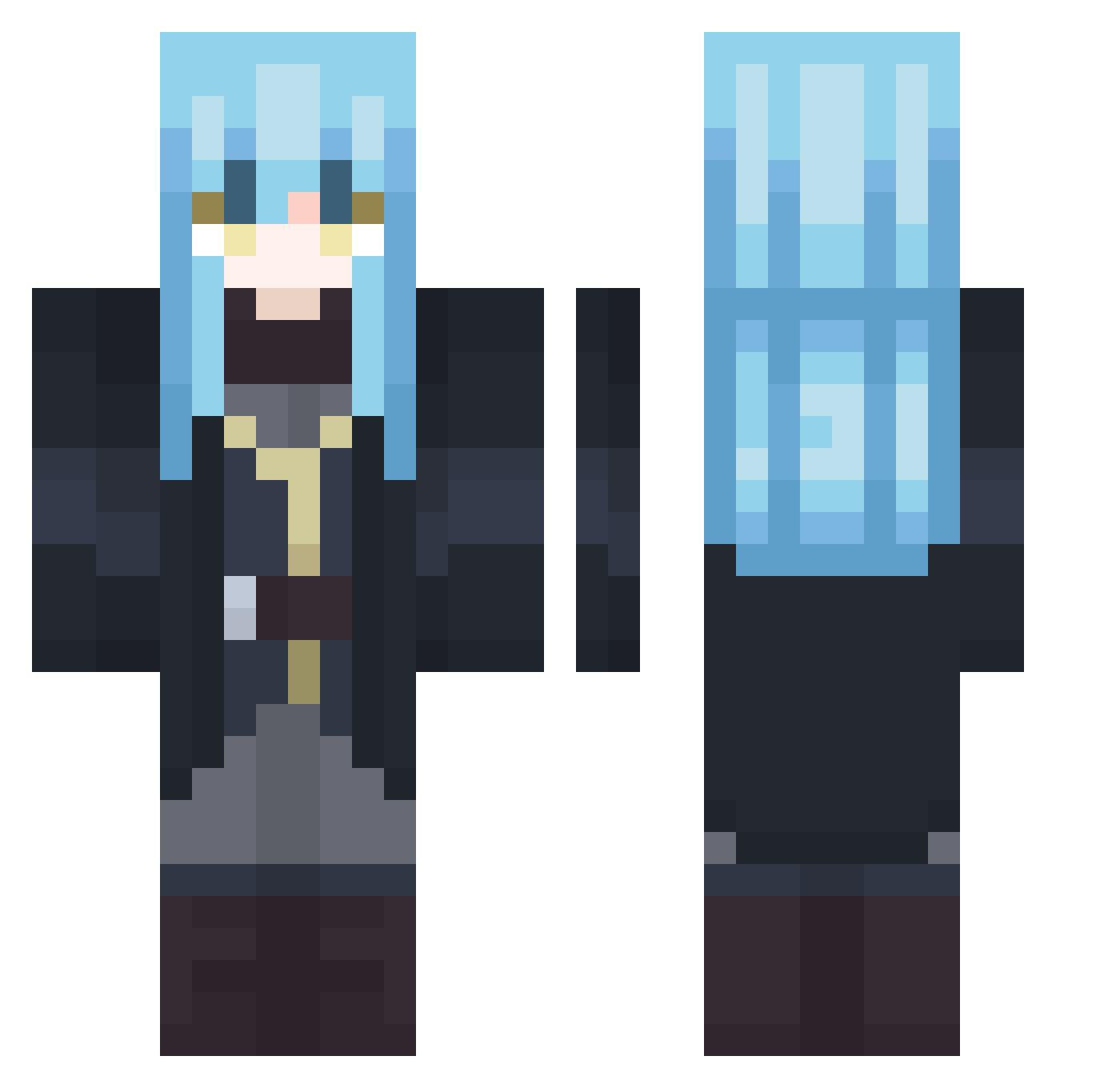
Current Minecraft skin of the player nobodyx_x, loaded from the official Mojang API. Rotate the 3D model with your mouse or finger, then download the skin as a PNG file and use it in Minecraft: Bedrock Edition or Java Edition for free. When nobodyx_x changes their skin, this page updates automatically and the old skin stays in the history below.
Other players with this skin (407)
nobodyx_x was the 364th player we have seen with this skin, first spotted on 22.10.2026. The same skin was seen on these players. Open a nickname to see their current skin and skin history.
 MAPLEZ_16BIT Cynuzi XeDoBenny03 _Rangiku_ Ataraxiiaa Ikkyu29450 Cristalius koaer12 Infinity_bit Dkaiserg l34kn1 TheRealRimuru123 Basta_001 YYVONNE Akuymi picsou36 N0body_2510 KiloOptimist29 TheOriginalOzz KiiYou_ Barumunku starlightelysium iTensura KingLazyX mattun_18 CF_FIRE Senpaigod Endy95 SawaAniki Raven22XD IchBinDeutsch Tanyoju_ rodas1982 MHH98 smolmight01 ENVYENT17Y MCHR2112 Ranmru djinq kop7792 DovahGamer1994 theofty Yxka Ruby_0125 NaturedRhyme625 Wow_Blake MIKE753951 Nido_sb Xel1to Daromir095 Kuzoi qwxv AstralBlade07 Grimso61 ookouloo MRMATTSON o2nian RudyTempest The_Retro_MaJe Danxer47
More Rimuru Tempest Minecraft skins
See all 250 Rimuru Tempest skins
How to install the nobodyx_x skin
- Press the Download button above to save the skin as a PNG file.
- Minecraft: Bedrock Edition (PE): open the Dressing Room from the main menu (or tap your character → Edit Character), go to Classic Skins → Owned, press the + (new skin) button, choose the downloaded PNG and pick the Classic (Steve) model. Works on PC and mobile; consoles cannot import custom skins.
- Minecraft: Java Edition: open the Minecraft Launcher, go to the Skins tab, click New Skin, load the PNG, pick the Classic (Steve) model and press Save & Use. You can also upload it at minecraft.net → Profile → Change Skin.
The skin does not show up after import - what should I do?
Restart Minecraft and open the Dressing Room again - imported skins sometimes appear only after a restart. Also make sure you selected the imported skin and picked the Classic (Steve) model.
Which model should I choose, Classic or Slim?
This skin is designed for the Classic (Steve) model. If you pick the wrong model, the arms of the skin will look stretched or squeezed.
Is the skin of nobodyx_x free to download?
Yes. Press Download, save the PNG file and use it in Minecraft: Bedrock Edition or Java Edition - no payment or registration needed. The skin also works on multiplayer servers and Realms.
More skins
Looking for more? Go back to all Minecraft skins and check the top skins of the week, month and all time, or find any player's skin by nickname.