
nmariadi17 - Minecraft Skins & Skin History
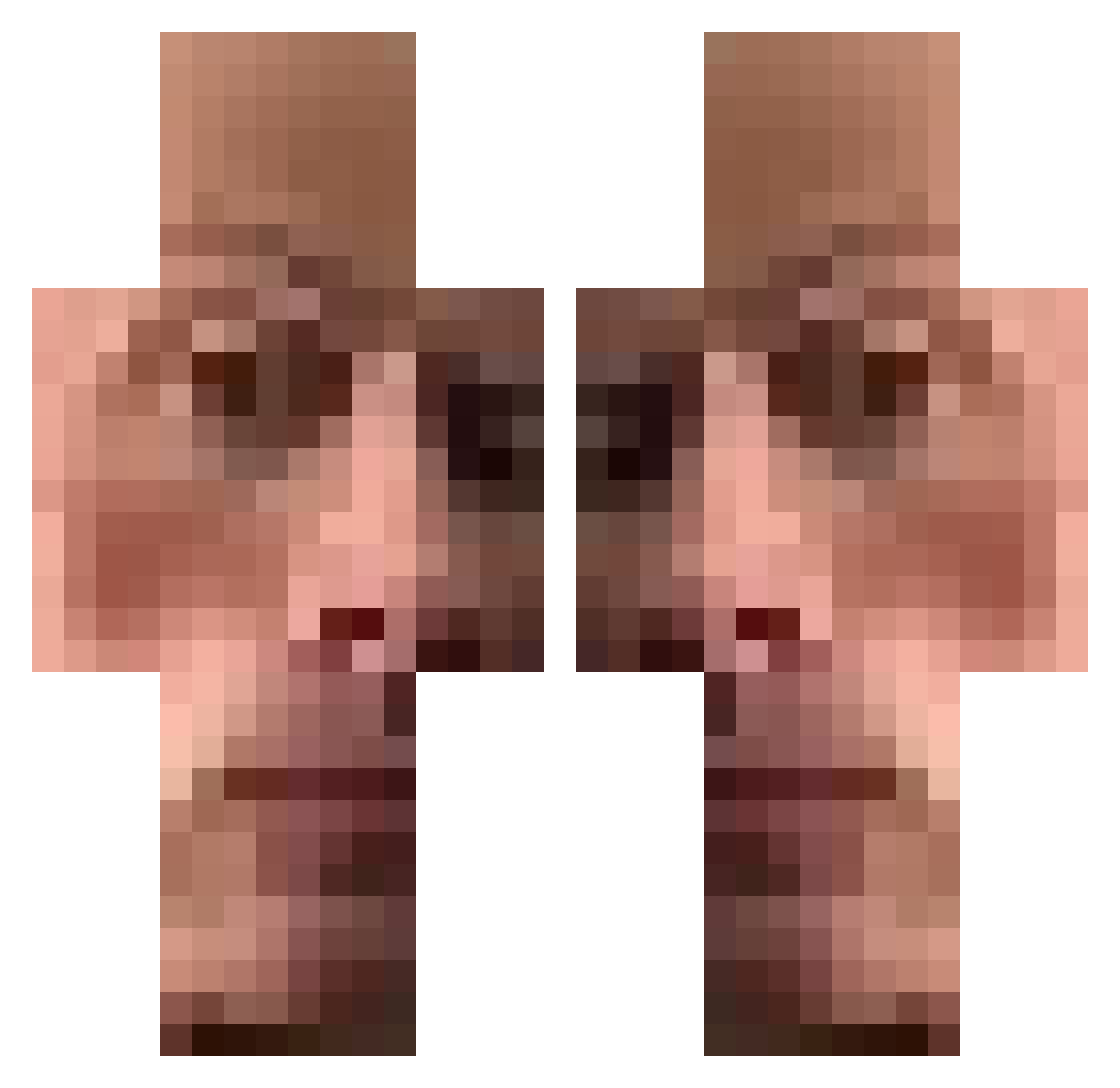
Current Minecraft skin of the player nmariadi17, loaded from the official Mojang API. Rotate the 3D model with your mouse or finger, then download the skin as a PNG file and use it in Minecraft: Bedrock Edition or Java Edition for free. When nmariadi17 changes their skin, this page updates automatically and the old skin stays in the history below.
Other players with this skin (474)
nmariadi17 was the 117th player we have seen with this skin, first spotted on 20.08.2026. The same skin was seen on these players. Open a nickname to see their current skin and skin history.
 Maxi912007 santosWRLD bultenboi ChevreFou galaxy02r Jericoock Arty_mpp zHyper7 mercedescla76amg DeityCris elrefertx hehehahahe Jayaluck MeinKampf114 CHONA_14 cocoapun
 TR_GABRY96 M0oNk3y smokezzlol ricardolovepepsi SumBoomus BigestYogurt DrPhil783 MLGeesus EnderFabian djw357 pahomplay ANUNCIE_AQUI _Dims tramvaj99 Dougie_MK WelcomeToJMTT muxzzi sylev KameelKasteel KevWinn Kosaga DeluxePickles stevenhaus edbanger2 sawy6r HekkoH96 macsucharek MrSoggySquash lofah kuskunkedi_281
 lblixildl ButWholeInhaler AbrahamLincoln5 Digger_____ Jcapp_ Mont1k_ baraio DopeSoapySoap MaX4ix M0NK3Y299 _S_E_V_E_N_ migi404 Kirii1_ Kokas06
How to install the nmariadi17 skin
- Press the Download button above to save the skin as a PNG file.
- Minecraft: Bedrock Edition (PE): open the Dressing Room from the main menu (or tap your character → Edit Character), go to Classic Skins → Owned, press the + (new skin) button, choose the downloaded PNG and pick the Classic (Steve) model. Works on PC and mobile; consoles cannot import custom skins.
- Minecraft: Java Edition: open the Minecraft Launcher, go to the Skins tab, click New Skin, load the PNG, pick the Classic (Steve) model and press Save & Use. You can also upload it at minecraft.net → Profile → Change Skin.
The skin does not show up after import - what should I do?
Restart Minecraft and open the Dressing Room again - imported skins sometimes appear only after a restart. Also make sure you selected the imported skin and picked the Classic (Steve) model.
Which model should I choose, Classic or Slim?
This skin is designed for the Classic (Steve) model. If you pick the wrong model, the arms of the skin will look stretched or squeezed.
Is the skin of nmariadi17 free to download?
Yes. Press Download, save the PNG file and use it in Minecraft: Bedrock Edition or Java Edition - no payment or registration needed. The skin also works on multiplayer servers and Realms.
More skins
Looking for more? Go back to all Minecraft skins and check the top skins of the week, month and all time, or find any player's skin by nickname.