
nibbo000 - Minecraft Skins & Skin History
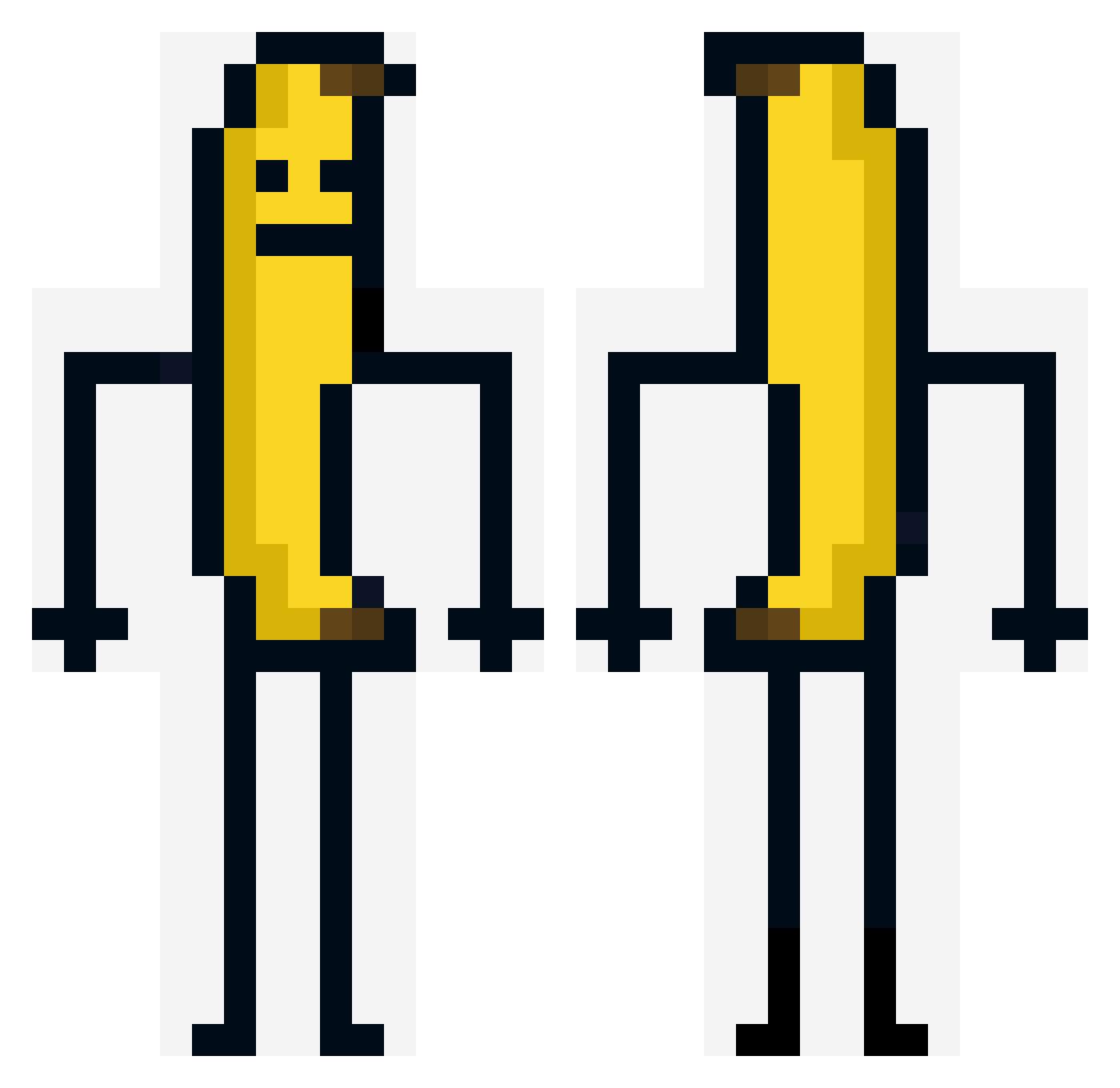
Current Minecraft skin of the player nibbo000, loaded from the official Mojang API. Rotate the 3D model with your mouse or finger, then download the skin as a PNG file and use it in Minecraft: Bedrock Edition or Java Edition for free. When nibbo000 changes their skin, this page updates automatically and the old skin stays in the history below.
Other players with this skin (262)
nibbo000 was the 117th player we have seen with this skin, first spotted on 02.09.2026. The same skin was seen on these players. Open a nickname to see their current skin and skin history.
 CopyLocuras Leon981 KewlOreo shauls_2010 PAPI_FIX BananaRusher Jelatros Vortex5759 Thomse777 Fantatroll74 savytenant Shark_MT Thorngar_ POMNI500 samipluh OggieV2 copnnn Kingjulien_133 ThatGuy89789 TwoCello Hafricansnek hyperx126 A8____ ShadowKingbo sroppp kwgamer2002 xombiii_ kayan1678 like1204 KevinIsTheBestAf Andyomgtt spqwn darebear129 zzainz Aleassino NAD505 Prime_Pongwen RONNYJOD Kayhi14 Beehi ScaryBananaFungu i_am_bmad CyanOnPC Stonks4S0 hyunseo1001 zarnth caelynfc yanked_ rock_eater69 cheesyriver KoKiToss wiwik BlockyPeely legopancake JordanUK dernilz drsimiVEVO DrCohavi ZombieDonut123 SirThamer
More Banana Minecraft skins
How to install the nibbo000 skin
- Press the Download button above to save the skin as a PNG file.
- Minecraft: Bedrock Edition (PE): open the Dressing Room from the main menu (or tap your character → Edit Character), go to Classic Skins → Owned, press the + (new skin) button, choose the downloaded PNG and pick the Classic (Steve) model. Works on PC and mobile; consoles cannot import custom skins.
- Minecraft: Java Edition: open the Minecraft Launcher, go to the Skins tab, click New Skin, load the PNG, pick the Classic (Steve) model and press Save & Use. You can also upload it at minecraft.net → Profile → Change Skin.
The skin does not show up after import - what should I do?
Restart Minecraft and open the Dressing Room again - imported skins sometimes appear only after a restart. Also make sure you selected the imported skin and picked the Classic (Steve) model.
Which model should I choose, Classic or Slim?
This skin is designed for the Classic (Steve) model. If you pick the wrong model, the arms of the skin will look stretched or squeezed.
Is the skin of nibbo000 free to download?
Yes. Press Download, save the PNG file and use it in Minecraft: Bedrock Edition or Java Edition - no payment or registration needed. The skin also works on multiplayer servers and Realms.
More skins
Looking for more? Go back to all Minecraft skins and check the top skins of the week, month and all time, or find any player's skin by nickname.