
neoducky - Minecraft Skins & Skin History
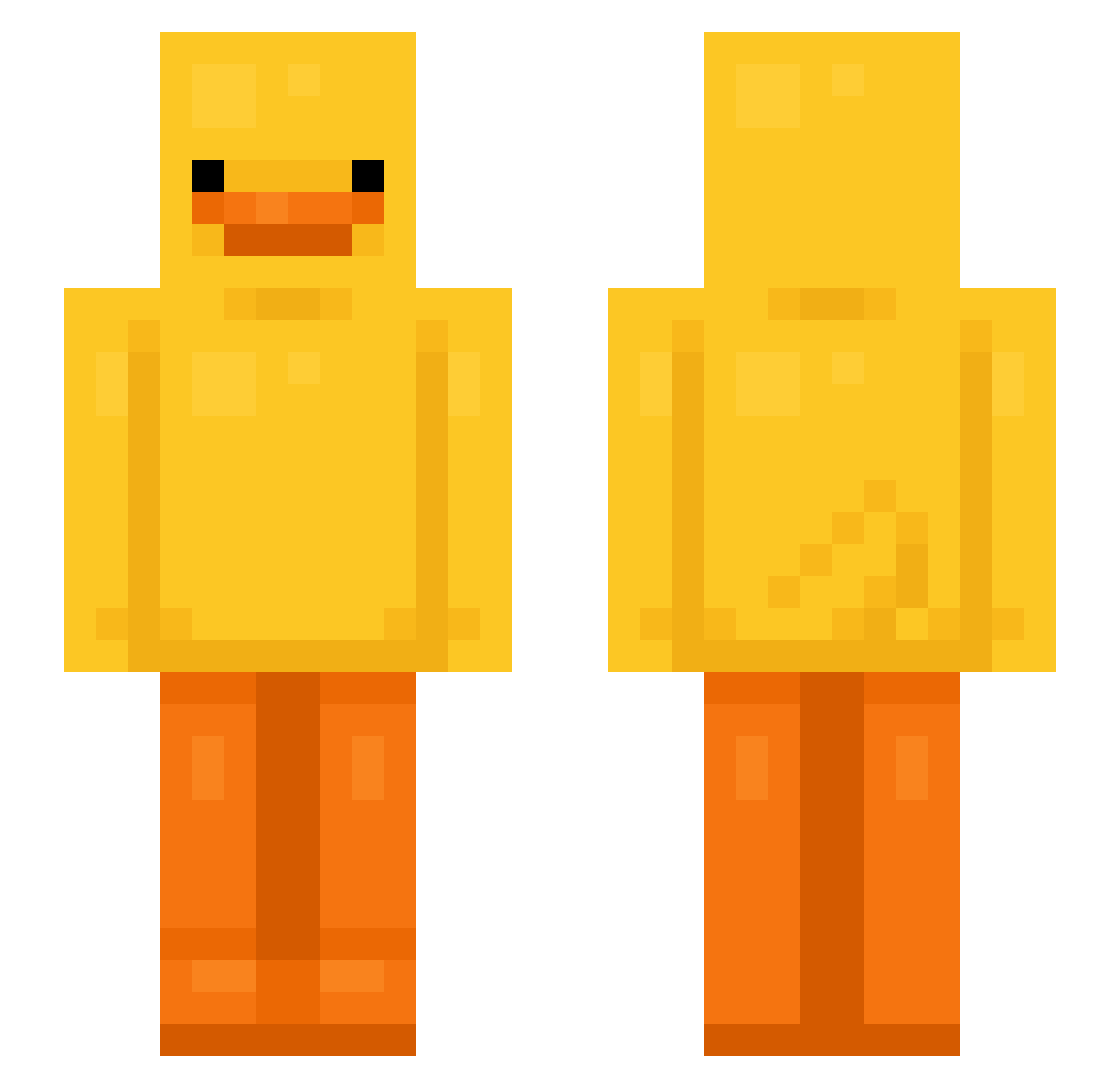
Current Minecraft skin of the player neoducky, loaded from the official Mojang API. Rotate the 3D model with your mouse or finger, then download the skin as a PNG file and use it in Minecraft: Bedrock Edition or Java Edition for free. When neoducky changes their skin, this page updates automatically and the old skin stays in the history below.
Other players with this skin (799)
neoducky was the 718th player we have seen with this skin, first spotted on 31.10.2026. The same skin was seen on these players. Open a nickname to see their current skin and skin history.
 kkamkka obito00 Blacktemn RemiCajayena Termism angiemariel12 Karmafy usausakuma MisterHunger WdsFly heryko featuregrand Acc15 TippedKnight northxdn tmfdk02 destroyerman491 Broncos2393 rocksquirtel ZeroKnight_5 thomas36460 drofmud swordslayer200 The0nlyDuck123 Simply_Shelly Alpine0203 zabcheck almacska KuanZK Lichtkop kjv0626 G1veUp 4lvita olivarden DancingDragon15 llicit aMartin_ kim052244 gloobysnoobert IJJOP MasouShojo zMariano amaterasublue Bobby45632 BungleJook Lunaay AnjaAnoa RoBlock69 DemonsAres futurejuice YuriCurry13 micahmicmic SaRaEi Wildelorian BeniRED WitV ruby13333 LGP9787 Jcmcg001 TipreDator
More Bird Minecraft skins
How to install the neoducky skin
- Press the Download button above to save the skin as a PNG file.
- Minecraft: Bedrock Edition (PE): open the Dressing Room from the main menu (or tap your character → Edit Character), go to Classic Skins → Owned, press the + (new skin) button, choose the downloaded PNG and pick the Slim (Alex) model. Works on PC and mobile; consoles cannot import custom skins.
- Minecraft: Java Edition: open the Minecraft Launcher, go to the Skins tab, click New Skin, load the PNG, pick the Slim (Alex) model and press Save & Use. You can also upload it at minecraft.net → Profile → Change Skin.
The skin does not show up after import - what should I do?
Restart Minecraft and open the Dressing Room again - imported skins sometimes appear only after a restart. Also make sure you selected the imported skin and picked the Slim (Alex) model.
Which model should I choose, Classic or Slim?
This skin is designed for the Slim (Alex) model. If you pick the wrong model, the arms of the skin will look stretched or squeezed.
Is the skin of neoducky free to download?
Yes. Press Download, save the PNG file and use it in Minecraft: Bedrock Edition or Java Edition - no payment or registration needed. The skin also works on multiplayer servers and Realms.
More skins
Looking for more? Go back to all Minecraft skins and check the top skins of the week, month and all time, or find any player's skin by nickname.