
nabbl - Minecraft Skins & Skin History
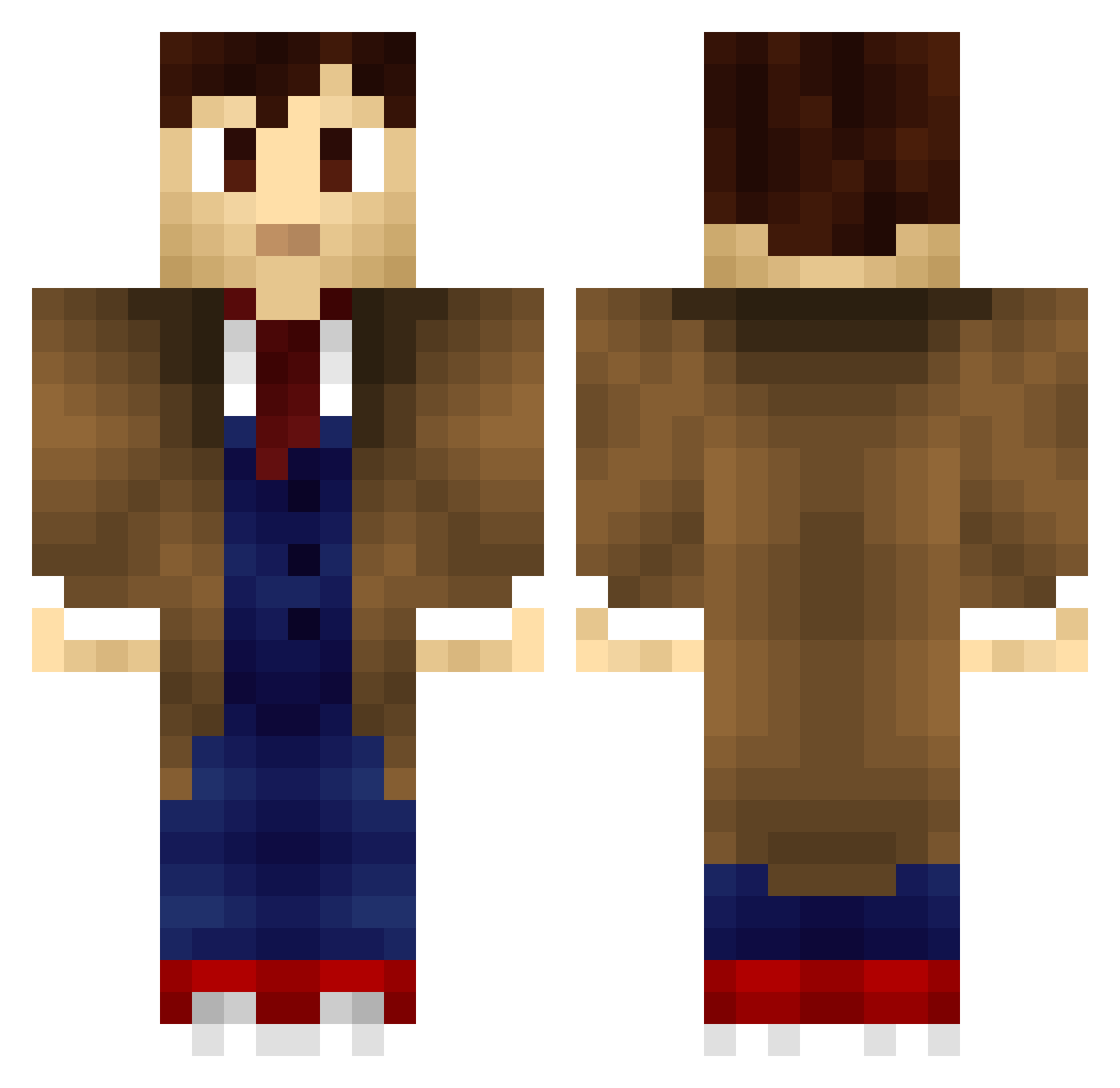
Current Minecraft skin of the player nabbl, loaded from the official Mojang API. Rotate the 3D model with your mouse or finger, then download the skin as a PNG file and use it in Minecraft: Bedrock Edition or Java Edition for free. When nabbl changes their skin, this page updates automatically and the old skin stays in the history below.
Other players with this skin (198)
nabbl was the 25th player we have seen with this skin, first spotted on 03.08.2026. The same skin was seen on these players. Open a nickname to see their current skin and skin history.
 Garyboss39 sumowskid chickenbrownies Wuppstock Isinus Wild_Cerebrus Monty175 Kampfzwerg8 BB_Ryan TheRealGanon GreFraG slowminer14 sniperator leBeastian Orons DoctorWho_10th Exalian Watusi1234 GadgetShooter Motoxstooge DoctorDonut27 Breakimus AL_CC BigFluffyBear70 SebPlissken ArneDas chemiserouge Coffee_Phill PieMoo23 RogueDoctor Tlitlixcala Jackgray36 MYL0N Finyque Alfalfa115 WWWWWVWWWWWWWWWW baddegrasse I_dont_know121 Takka11 Wantan136 jelmar102 Blodhead rojojar Milonsk JackRabbit903 SoNic1726 doldemort Arikyl Leonahu0306 HeavyHarper BetaLoader Dorymoon VENSIT HotPuffzz
 IdiotNotHere MrOwenTheGreat The_Doctor777 ImKenough StarTracks OWWWMYBUTTTT
More Tenth Doctor Minecraft skins
See all 197 Tenth Doctor skins
How to install the nabbl skin
- Press the Download button above to save the skin as a PNG file.
- Minecraft: Bedrock Edition (PE): open the Dressing Room from the main menu (or tap your character → Edit Character), go to Classic Skins → Owned, press the + (new skin) button, choose the downloaded PNG and pick the Classic (Steve) model. Works on PC and mobile; consoles cannot import custom skins.
- Minecraft: Java Edition: open the Minecraft Launcher, go to the Skins tab, click New Skin, load the PNG, pick the Classic (Steve) model and press Save & Use. You can also upload it at minecraft.net → Profile → Change Skin.
The skin does not show up after import - what should I do?
Restart Minecraft and open the Dressing Room again - imported skins sometimes appear only after a restart. Also make sure you selected the imported skin and picked the Classic (Steve) model.
Which model should I choose, Classic or Slim?
This skin is designed for the Classic (Steve) model. If you pick the wrong model, the arms of the skin will look stretched or squeezed.
Is the skin of nabbl free to download?
Yes. Press Download, save the PNG file and use it in Minecraft: Bedrock Edition or Java Edition - no payment or registration needed. The skin also works on multiplayer servers and Realms.
More skins
Looking for more? Go back to all Minecraft skins and check the top skins of the week, month and all time, or find any player's skin by nickname.