
nFzdvWDjbKBNz847 - Minecraft Skins & Skin History
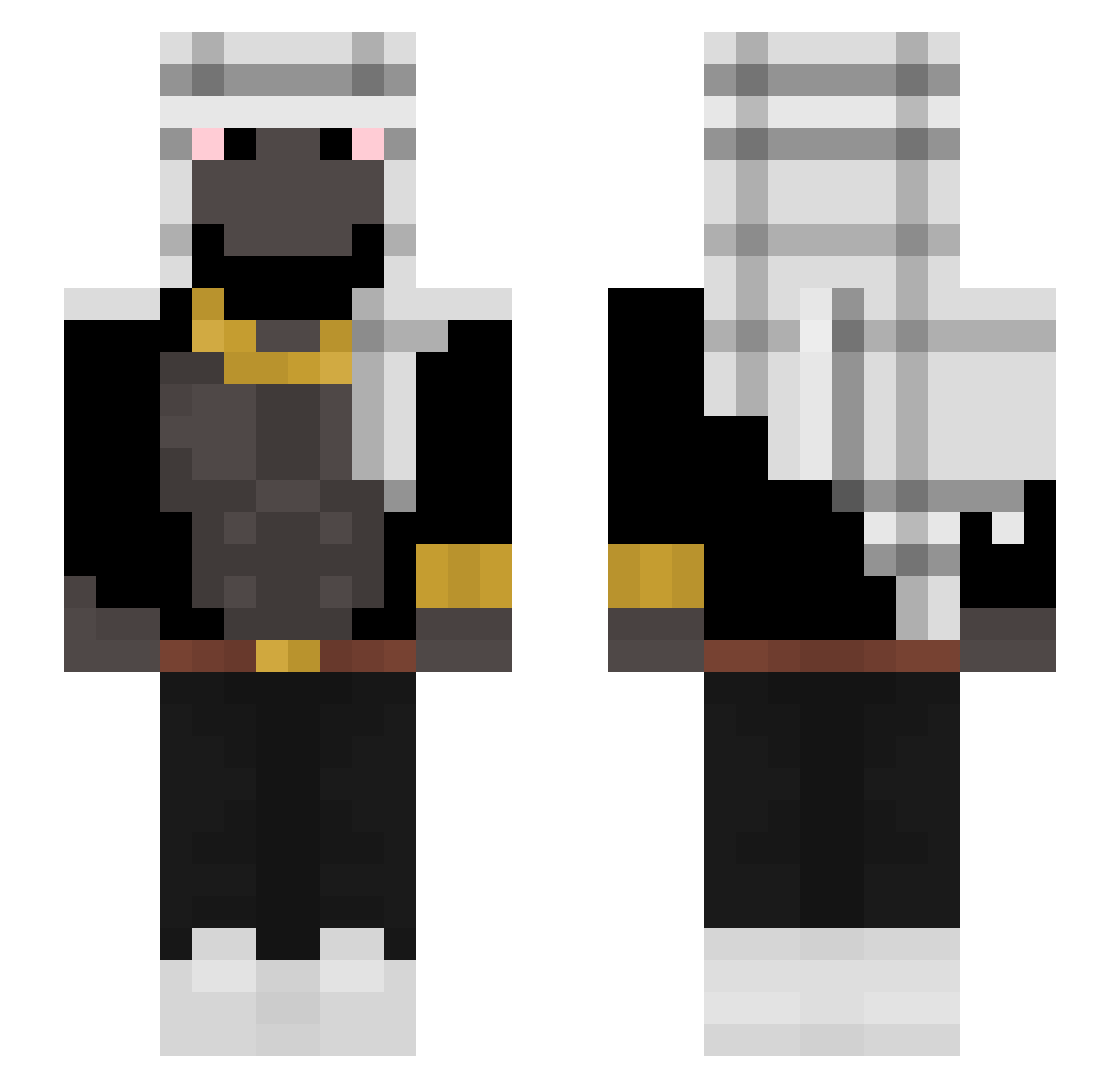
Current Minecraft skin of the player nFzdvWDjbKBNz847, loaded from the official Mojang API. Rotate the 3D model with your mouse or finger, then download the skin as a PNG file and use it in Minecraft: Bedrock Edition or Java Edition for free. When nFzdvWDjbKBNz847 changes their skin, this page updates automatically and the old skin stays in the history below.
Other players with this skin (296)
nFzdvWDjbKBNz847 was the 250th player we have seen with this skin, first spotted on 16.10.2026. The same skin was seen on these players. Open a nickname to see their current skin and skin history.
 BiggieSchmallsJa potatomantiger LordBob679 BigBlakBoyMonkey Businesssmonkey VXVanja MonkeyClaraKiss YnR KissWani Lonly_Dennis iJuaannx_ ilovefoood9 Matt6215 Taczex_ ilNene17x Lobezinho pro100murash NixieTroll TaKzYzY ALPHASOCK1 benja531 gabrielxzxx Koaokram dungeonowner Omerta47___ WhoisOnix PrensKMD zMxrvinTz PauloGol geekrweekrtweakr DermoyedGovnoyed STR2709 Exxodia15 Golpazo zyshix GuyFromTheMounts XXXNAKAZUKING420 VGNATARIAN WARW1CK_ n0va_A2 quakings AgentMonkey998 StarvingMonkey bobexz dfmnzess Zikllop_RG BigFloyd694 Tara__Goryl zxFergus VROUMMEUH Grvl11 zenovaa Fxco EvenX_ svcheats_exe GAMEOVERc Witse ImGiovaah vaquyyy YoanLL
More Shemagh Minecraft skins
How to install the nFzdvWDjbKBNz847 skin
- Press the Download button above to save the skin as a PNG file.
- Minecraft: Bedrock Edition (PE): open the Dressing Room from the main menu (or tap your character → Edit Character), go to Classic Skins → Owned, press the + (new skin) button, choose the downloaded PNG and pick the Slim (Alex) model. Works on PC and mobile; consoles cannot import custom skins.
- Minecraft: Java Edition: open the Minecraft Launcher, go to the Skins tab, click New Skin, load the PNG, pick the Slim (Alex) model and press Save & Use. You can also upload it at minecraft.net → Profile → Change Skin.
The skin does not show up after import - what should I do?
Restart Minecraft and open the Dressing Room again - imported skins sometimes appear only after a restart. Also make sure you selected the imported skin and picked the Slim (Alex) model.
Which model should I choose, Classic or Slim?
This skin is designed for the Slim (Alex) model. If you pick the wrong model, the arms of the skin will look stretched or squeezed.
Is the skin of nFzdvWDjbKBNz847 free to download?
Yes. Press Download, save the PNG file and use it in Minecraft: Bedrock Edition or Java Edition - no payment or registration needed. The skin also works on multiplayer servers and Realms.
More skins
Looking for more? Go back to all Minecraft skins and check the top skins of the week, month and all time, or find any player's skin by nickname.