
mulle9102 - Minecraft Skins & Skin History
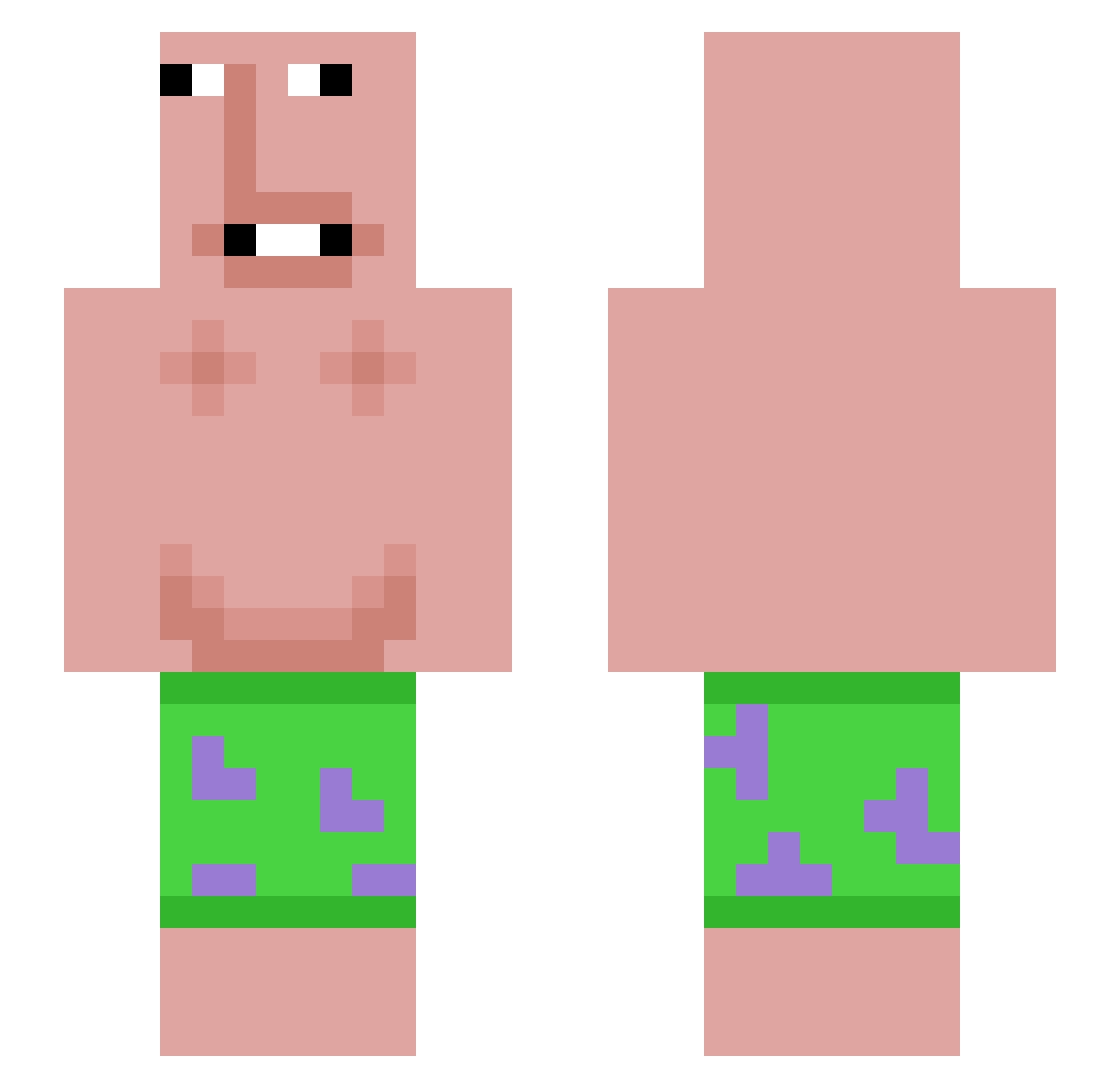
Current Minecraft skin of the player mulle9102, loaded from the official Mojang API. Rotate the 3D model with your mouse or finger, then download the skin as a PNG file and use it in Minecraft: Bedrock Edition or Java Edition for free. When mulle9102 changes their skin, this page updates automatically and the old skin stays in the history below.
Other players with this skin (56)
mulle9102 was the 24th player we have seen with this skin, first spotted on 08.09.2026. The same skin was seen on these players. Open a nickname to see their current skin and skin history.
 big_batty_bob LiISigma IgnoritalEw reynenight FynnderGeile23 kauskeh 1nfin1teBlue Mat30_MC flaxyfrontal Su4kaWaifu42 muulch_ SHISIZHOU LuizCucurela fr0st7_ zive302z9 ninbuse Zoomar Marejbt Malechai mayss245 MrSprinkles2012 T1ZY 16Joni RayZeiin Bigily UUKSIEL Kostyantin pilau808 SaimoMP Pixks PiroBhai69 Printeo rexheyhey1213
 VortexBrother kiruha777 ghadian12 __Sp33dy Smoggiwilcat313 Obciongaczka6767 SpaceRat00
 modsnice JOBISU utkan3169 Softyx xSharley hidly freeli10 leAyri northstayrsu Jigboo_Jonsey 0xStillWater potitoron WrestlePro15 Vermentis99 st4rlos7 mrdaddy151
More Patrick Star Minecraft skins
See all 612 Patrick Star skins
How to install the mulle9102 skin
- Press the Download button above to save the skin as a PNG file.
- Minecraft: Bedrock Edition (PE): open the Dressing Room from the main menu (or tap your character → Edit Character), go to Classic Skins → Owned, press the + (new skin) button, choose the downloaded PNG and pick the Slim (Alex) model. Works on PC and mobile; consoles cannot import custom skins.
- Minecraft: Java Edition: open the Minecraft Launcher, go to the Skins tab, click New Skin, load the PNG, pick the Slim (Alex) model and press Save & Use. You can also upload it at minecraft.net → Profile → Change Skin.
The skin does not show up after import - what should I do?
Restart Minecraft and open the Dressing Room again - imported skins sometimes appear only after a restart. Also make sure you selected the imported skin and picked the Slim (Alex) model.
Which model should I choose, Classic or Slim?
This skin is designed for the Slim (Alex) model. If you pick the wrong model, the arms of the skin will look stretched or squeezed.
Is the skin of mulle9102 free to download?
Yes. Press Download, save the PNG file and use it in Minecraft: Bedrock Edition or Java Edition - no payment or registration needed. The skin also works on multiplayer servers and Realms.
More skins
Looking for more? Go back to all Minecraft skins and check the top skins of the week, month and all time, or find any player's skin by nickname.