
mubiseu123 - Minecraft Skins & Skin History
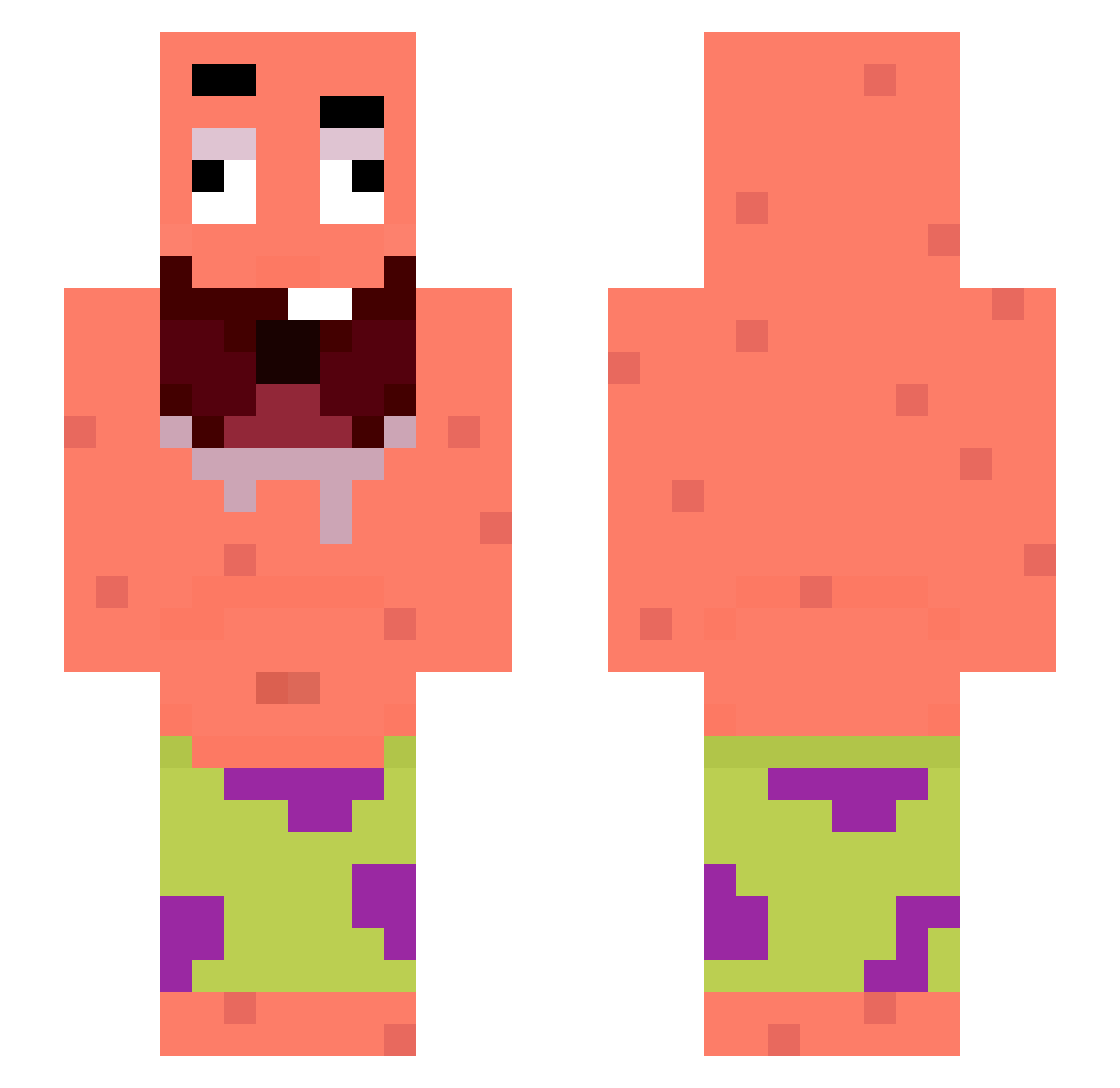
Current Minecraft skin of the player mubiseu123, loaded from the official Mojang API. Rotate the 3D model with your mouse or finger, then download the skin as a PNG file and use it in Minecraft: Bedrock Edition or Java Edition for free. When mubiseu123 changes their skin, this page updates automatically and the old skin stays in the history below.
Other players with this skin (334)
mubiseu123 was the 318th player we have seen with this skin, first spotted on 13.11.2026. The same skin was seen on these players. Open a nickname to see their current skin and skin history.
 blm4 doritos67 LaDaronneAerick Nhatmittobit ItsLexx777 Papa_Spaghetti_ BigSloppy6769 jakob2009 Sazyxxx SnakeTail8888 RimexXs koobe24 archzintopi hvqen ClumzyOFF Novaxz Screzioo MrSRY JusteUnPoussin Afonsinho2005 skrzypas77 Janekfcb JaeminC Pantouline erenodoski CubanGyal69 WizDreamS Goldiiiloks JacksonianELT Lubieplacki69 chibron2 Bornorne ItsLuca12 pskten10 Lovis1 Stylzerr roler12637 talicove Okupaoooo 240914 HandsomeGuyL BOMBER133 __Esmar_ minimessi2620 FXX43 rbhz bililou eldar1405 hailsto 7ales ouloucoupter15 PAPIEROS190 eqeh hanbit123 piwo67 kayroxx ninja1brgamer CHAN33333 ElTilau ShapiroOnTylenol
More Patrick Star Minecraft skins
See all 712 Patrick Star skins
How to install the mubiseu123 skin
- Press the Download button above to save the skin as a PNG file.
- Minecraft: Bedrock Edition (PE): open the Dressing Room from the main menu (or tap your character → Edit Character), go to Classic Skins → Owned, press the + (new skin) button, choose the downloaded PNG and pick the Slim (Alex) model. Works on PC and mobile; consoles cannot import custom skins.
- Minecraft: Java Edition: open the Minecraft Launcher, go to the Skins tab, click New Skin, load the PNG, pick the Slim (Alex) model and press Save & Use. You can also upload it at minecraft.net → Profile → Change Skin.
The skin does not show up after import - what should I do?
Restart Minecraft and open the Dressing Room again - imported skins sometimes appear only after a restart. Also make sure you selected the imported skin and picked the Slim (Alex) model.
Which model should I choose, Classic or Slim?
This skin is designed for the Slim (Alex) model. If you pick the wrong model, the arms of the skin will look stretched or squeezed.
Is the skin of mubiseu123 free to download?
Yes. Press Download, save the PNG file and use it in Minecraft: Bedrock Edition or Java Edition - no payment or registration needed. The skin also works on multiplayer servers and Realms.
More skins
Looking for more? Go back to all Minecraft skins and check the top skins of the week, month and all time, or find any player's skin by nickname.