
mortisers - Minecraft Skins & Skin History
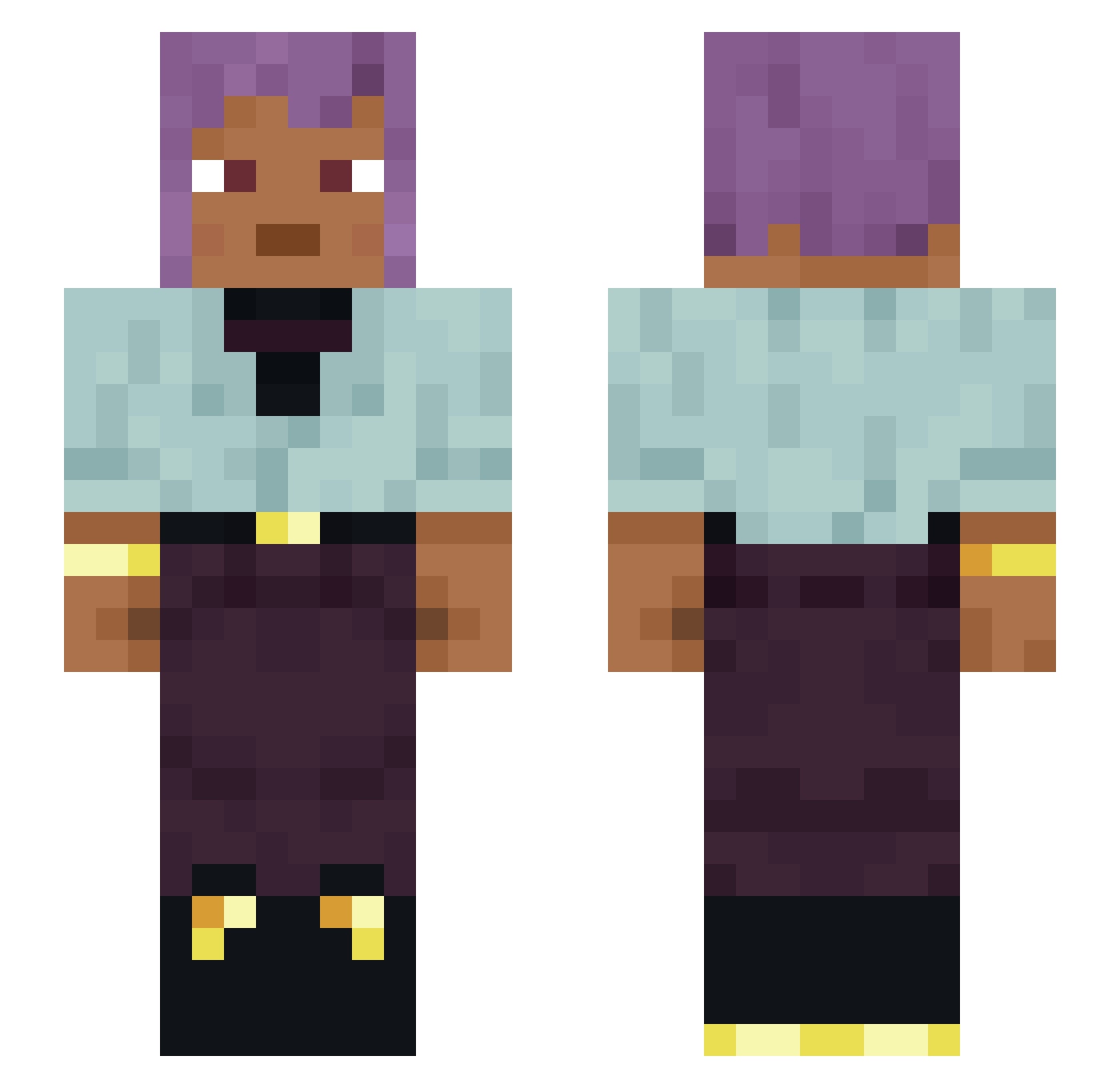
Current Minecraft skin of the player mortisers, loaded from the official Mojang API. Rotate the 3D model with your mouse or finger, then download the skin as a PNG file and use it in Minecraft: Bedrock Edition or Java Edition for free. When mortisers changes their skin, this page updates automatically and the old skin stays in the history below.
Other players with this skin (1337)
mortisers was the 911th player we have seen with this skin, first spotted on 08.10.2026. The same skin was seen on these players. Open a nickname to see their current skin and skin history.
 Leviwzl99 NEUROTOME gluconate xDrag0_ GH85 Lagerstroemia Quacked___ Staubsaugerhomie qvlk peemwinwin yamha365 JayD3z Grandlok rakkenes Vancomycin AudreyBomBomdrey Stefanl86 sherbets Sparklekittia Vormen Shears LadyCorvid Empaling _unamenable_ Centralizes sphygmomanometry SophiaP mechanomorphic Pilin jotinha33_ jc21000 VisualWarrior DiCHOtoMIZE mzar3h cajon The_Turik_Nane _ortie Sweaty_Pie208 galbi_ sbrk07 shaynna Creep_2007 madnesses Madds123 Lukewarmish SynPro Volunteer FishPond Pirozhok09 Totalizator Ivey9 MegaMammeta annoyingbrakura BasicSkillz FreakyHexa Warden___ Cool_Guy62 Steverinski GabrMene GONZAFB
How to install the mortisers skin
- Press the Download button above to save the skin as a PNG file.
- Minecraft: Bedrock Edition (PE): open the Dressing Room from the main menu (or tap your character → Edit Character), go to Classic Skins → Owned, press the + (new skin) button, choose the downloaded PNG and pick the Slim (Alex) model. Works on PC and mobile; consoles cannot import custom skins.
- Minecraft: Java Edition: open the Minecraft Launcher, go to the Skins tab, click New Skin, load the PNG, pick the Slim (Alex) model and press Save & Use. You can also upload it at minecraft.net → Profile → Change Skin.
The skin does not show up after import - what should I do?
Restart Minecraft and open the Dressing Room again - imported skins sometimes appear only after a restart. Also make sure you selected the imported skin and picked the Slim (Alex) model.
Which model should I choose, Classic or Slim?
This skin is designed for the Slim (Alex) model. If you pick the wrong model, the arms of the skin will look stretched or squeezed.
Is the skin of mortisers free to download?
Yes. Press Download, save the PNG file and use it in Minecraft: Bedrock Edition or Java Edition - no payment or registration needed. The skin also works on multiplayer servers and Realms.
More skins
Looking for more? Go back to all Minecraft skins and check the top skins of the week, month and all time, or find any player's skin by nickname.