
mojochocho - Minecraft Skins & Skin History
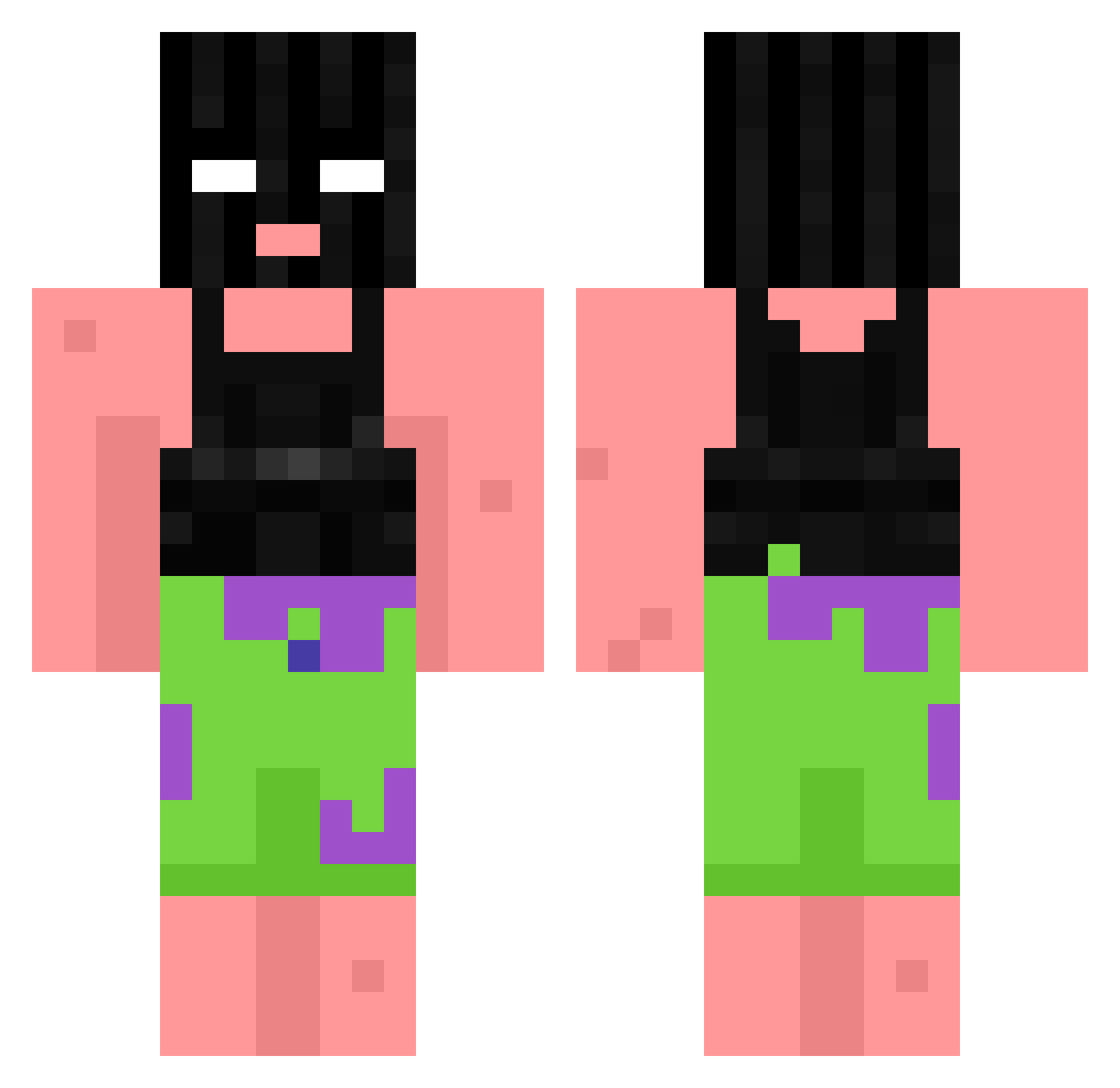
Current Minecraft skin of the player mojochocho, loaded from the official Mojang API. Rotate the 3D model with your mouse or finger, then download the skin as a PNG file and use it in Minecraft: Bedrock Edition or Java Edition for free. When mojochocho changes their skin, this page updates automatically and the old skin stays in the history below.
Other players with this skin (1061)
mojochocho was the 893rd player we have seen with this skin, first spotted on 03.11.2026. The same skin was seen on these players. Open a nickname to see their current skin and skin history.
 sobenm Nickspark66 SubSoldado35 Culcita nathan1258 Blu3Balls idk_Xeon Keqay KAYAKQUEEN42069 DDusin0614 Bonais_1313 AerialTorque saulea_ Zeruel001 Jaz005 RgNxHagrid XxLegionnaireX RandmDude Masonizer3811 freddyboiii0 jaydenpalmer321 slimesosa VitoK1NGKONG Nozumo_ FlameOfDivinity BananenBieger16 Tubarau007 Padday WaffleToucher hAQYiX fmgsdh KAUEEEEE oRxbby cuckmaster99 666kun RedDay_ YoungNygus Sebbe1704 fritzi03 Rifflettn_ALT04 GlizzyGooblin _luuka_ Mytixq szymvo IMFREZINCOLD cansinete ANHELL666 coachprime Sw3t3r Ironik_Spirit Scott_Bot69 XDGammaXD Mossied TTVpizzaroll Bademmat BaruaFBN JavidIstKrass FlyingFlopper35 ITSMILKBOI SmartCowGaming
More Ski Mask Minecraft skins
How to install the mojochocho skin
- Press the Download button above to save the skin as a PNG file.
- Minecraft: Bedrock Edition (PE): open the Dressing Room from the main menu (or tap your character → Edit Character), go to Classic Skins → Owned, press the + (new skin) button, choose the downloaded PNG and pick the Classic (Steve) model. Works on PC and mobile; consoles cannot import custom skins.
- Minecraft: Java Edition: open the Minecraft Launcher, go to the Skins tab, click New Skin, load the PNG, pick the Classic (Steve) model and press Save & Use. You can also upload it at minecraft.net → Profile → Change Skin.
The skin does not show up after import - what should I do?
Restart Minecraft and open the Dressing Room again - imported skins sometimes appear only after a restart. Also make sure you selected the imported skin and picked the Classic (Steve) model.
Which model should I choose, Classic or Slim?
This skin is designed for the Classic (Steve) model. If you pick the wrong model, the arms of the skin will look stretched or squeezed.
Is the skin of mojochocho free to download?
Yes. Press Download, save the PNG file and use it in Minecraft: Bedrock Edition or Java Edition - no payment or registration needed. The skin also works on multiplayer servers and Realms.
More skins
Looking for more? Go back to all Minecraft skins and check the top skins of the week, month and all time, or find any player's skin by nickname.