
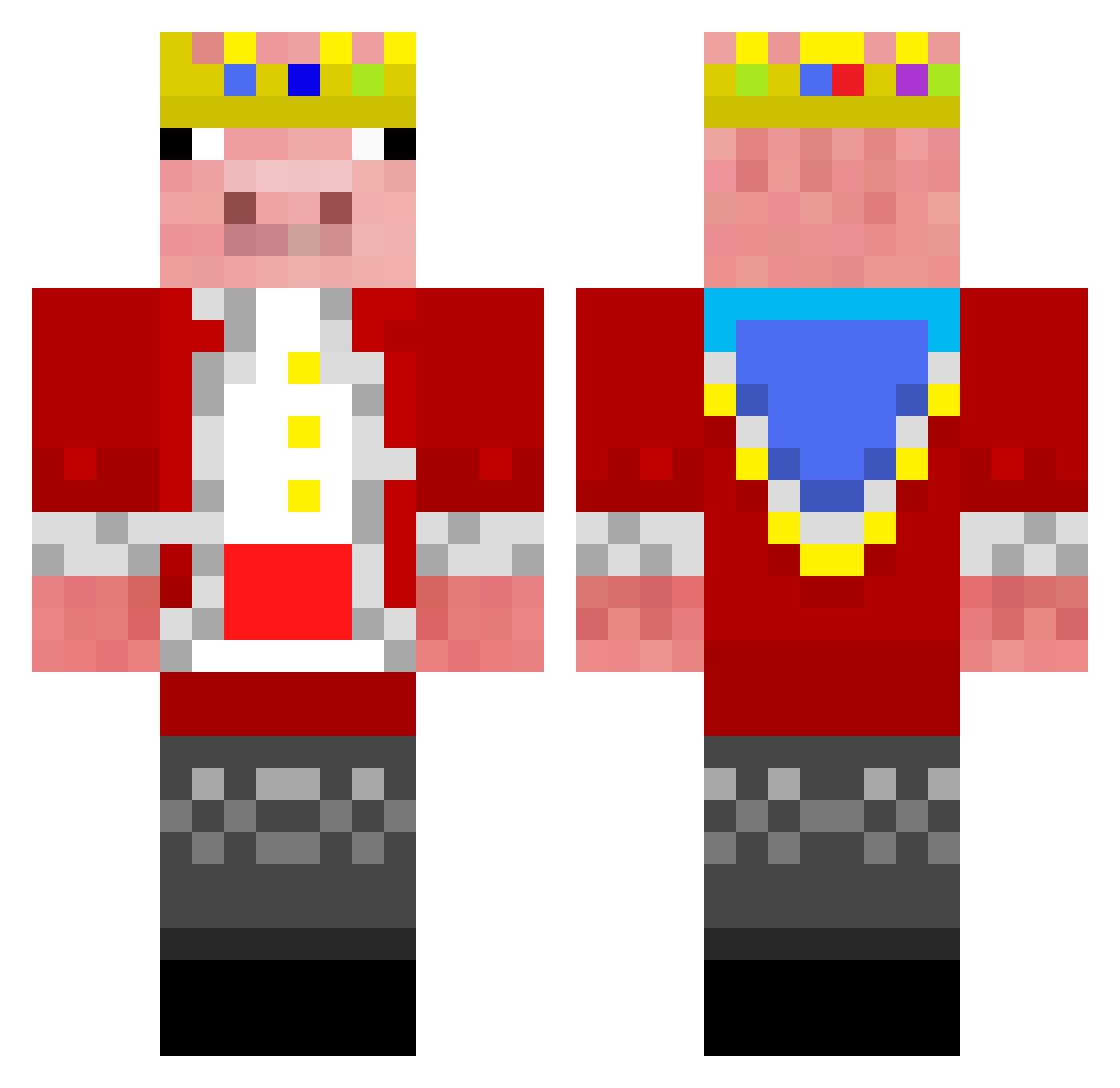
Current Minecraft skin of the player minicraftandjava, loaded from the official Mojang API. Rotate the 3D model with your mouse or finger, then download the skin as a PNG file and use it in Minecraft: Bedrock Edition or Java Edition for free. When minicraftandjava changes their skin, this page updates automatically and the old skin stays in the history below.
Other players with this skin (242)
minicraftandjava was the 154th player we have seen with this skin, first spotted on 20.09.2026. The same skin was seen on these players. Open a nickname to see their current skin and skin history.
 Nukeisbad Crazyani Ruian05 Adhi_07 JimboiMC Diggz_ ALEXBIGPROGAMER Technobblade This1Bug _Lesp Stein4011 german34034 reducto IamDawnKnight louisksks Faint8292 Japanese222 Progamer_ajd1 Mister_Ros3tte 101d SirImHigh kajxtan LunarV4 dnz4 Phellsward R3PT3R lemisk MXM_MXM Alders082 FCCoco11 AfganWarDonkey __ChaZer__ Runkbogen Bramble1000 enderma0 Rekinekmcpl galipmusa_ Arvid5600 Choclatemaster12 Endra__ bdifue Rizbot olu_maro waqueeen27 radbebu16 Haused quickside Jonwell_ burgerita AgentOctogon lurlene_ Miscolours iceclaw_1010 _lnyobum ThunderTheif Fruitloops321 obvDani
 forzinbr AtaEfes RocketShark278
Previous skins of minicraftandjava
Skins that minicraftandjava wore before, newest first. Click a skin to open its page and download it.
More Pig Minecraft skins
How to install the minicraftandjava skin
- Press the Download button above to save the skin as a PNG file.
- Minecraft: Bedrock Edition (PE): open the Dressing Room from the main menu (or tap your character → Edit Character), go to Classic Skins → Owned, press the + (new skin) button, choose the downloaded PNG and pick the Classic (Steve) model. Works on PC and mobile; consoles cannot import custom skins.
- Minecraft: Java Edition: open the Minecraft Launcher, go to the Skins tab, click New Skin, load the PNG, pick the Classic (Steve) model and press Save & Use. You can also upload it at minecraft.net → Profile → Change Skin.
The skin does not show up after import - what should I do?
Restart Minecraft and open the Dressing Room again - imported skins sometimes appear only after a restart. Also make sure you selected the imported skin and picked the Classic (Steve) model.
Which model should I choose, Classic or Slim?
This skin is designed for the Classic (Steve) model. If you pick the wrong model, the arms of the skin will look stretched or squeezed.
Is the skin of minicraftandjava free to download?
Yes. Press Download, save the PNG file and use it in Minecraft: Bedrock Edition or Java Edition - no payment or registration needed. The skin also works on multiplayer servers and Realms.
More skins
Looking for more? Go back to all Minecraft skins and check the top skins of the week, month and all time, or find any player's skin by nickname.