
minhyeok0121 - Minecraft Skins & Skin History
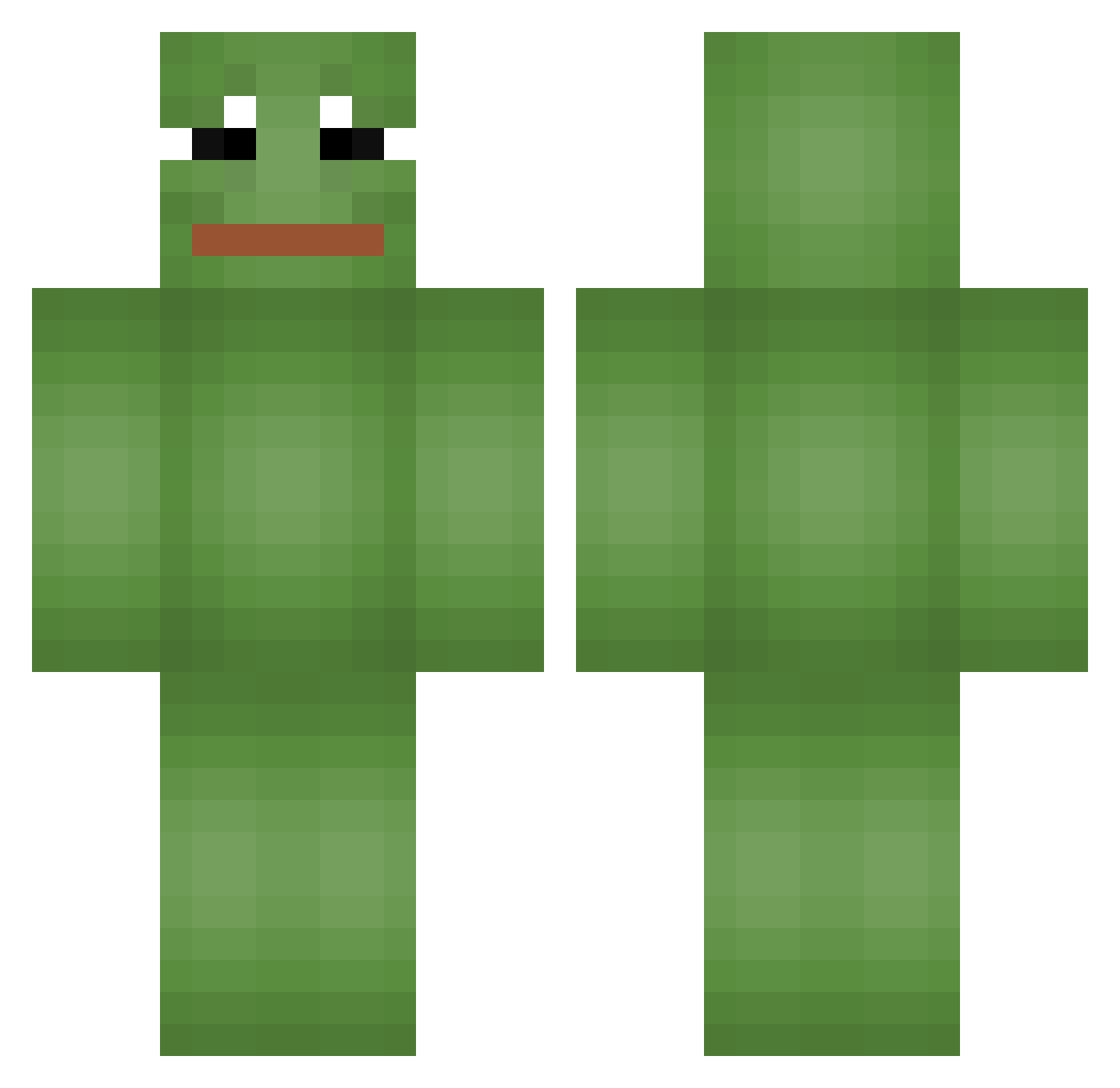
Current Minecraft skin of the player minhyeok0121, loaded from the official Mojang API. Rotate the 3D model with your mouse or finger, then download the skin as a PNG file and use it in Minecraft: Bedrock Edition or Java Edition for free. When minhyeok0121 changes their skin, this page updates automatically and the old skin stays in the history below.
Other players with this skin (65)
minhyeok0121 was the 18th player we have seen with this skin, first spotted on 24.08.2026. The same skin was seen on these players. Open a nickname to see their current skin and skin history.
 dynel1 kanghoon1024 Enjoy_06 Banana_7275 negassap SAXWITH TigerHJ John0624 DactorChez SailBrake Sleep_00000000os luvsxxt soo96131 X0nen mandu0116 A_DHD saltukazmldc Do_kki Jaymin10 ooooyoyu Piggozzzz EmptyENERGY qksk79 Music1450 Knight_daisuki poebeldochnicht SKIDASH Leme_369 sehyeon9243 ilovesaeha vSampler Vojtazmesta Fox_Der_Echte UnluckY755 geening BuriB Sober_blue chxli0 JomiC1010 benlil Pablo999990 ThaJule SirMatul Robituss1n Richi_yo i_love_w33d ALMONDAY Zec_Wicks fluiddd jkb2922 Xell_12 Wandersa04 supersourcandy ihateseok LifeSnakes jotdanwoo jsfjs Alexsen Pluvs Wangchoonja
More Pepe Minecraft skins
How to install the minhyeok0121 skin
- Press the Download button above to save the skin as a PNG file.
- Minecraft: Bedrock Edition (PE): open the Dressing Room from the main menu (or tap your character → Edit Character), go to Classic Skins → Owned, press the + (new skin) button, choose the downloaded PNG and pick the Classic (Steve) model. Works on PC and mobile; consoles cannot import custom skins.
- Minecraft: Java Edition: open the Minecraft Launcher, go to the Skins tab, click New Skin, load the PNG, pick the Classic (Steve) model and press Save & Use. You can also upload it at minecraft.net → Profile → Change Skin.
The skin does not show up after import - what should I do?
Restart Minecraft and open the Dressing Room again - imported skins sometimes appear only after a restart. Also make sure you selected the imported skin and picked the Classic (Steve) model.
Which model should I choose, Classic or Slim?
This skin is designed for the Classic (Steve) model. If you pick the wrong model, the arms of the skin will look stretched or squeezed.
Is the skin of minhyeok0121 free to download?
Yes. Press Download, save the PNG file and use it in Minecraft: Bedrock Edition or Java Edition - no payment or registration needed. The skin also works on multiplayer servers and Realms.
More skins
Looking for more? Go back to all Minecraft skins and check the top skins of the week, month and all time, or find any player's skin by nickname.