
milochitololita - Minecraft Skins & Skin History
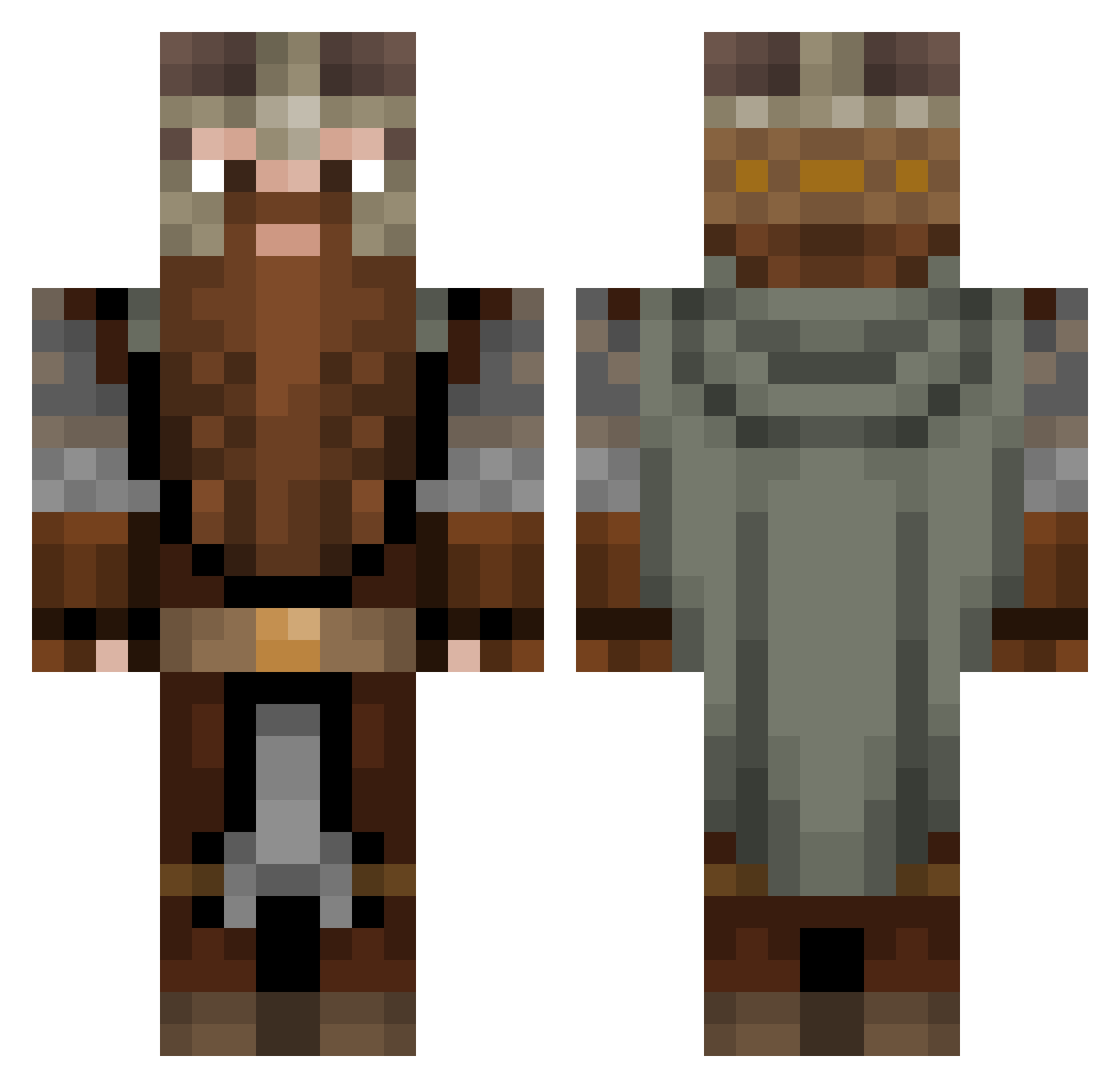
Current Minecraft skin of the player milochitololita, loaded from the official Mojang API. Rotate the 3D model with your mouse or finger, then download the skin as a PNG file and use it in Minecraft: Bedrock Edition or Java Edition for free. When milochitololita changes their skin, this page updates automatically and the old skin stays in the history below.
Other players with this skin (933)
milochitololita was the 237th player we have seen with this skin, first spotted on 17.08.2026. The same skin was seen on these players. Open a nickname to see their current skin and skin history.
 Warden_Grey LoreLara stozmen CraveOfficial Ghostlyfaun Rafis89 This_name_exists Namdlab ExtremeObserver Standaman318 KriegerOdin Cmdr_Pacyh Jaypaw Jdoooogoi BlitzKrieg33 Casshern971 peggeth Game_boy360 Mummelon FolOeil Eldrian_262 DwalinIronhide HeinzSeinEnkel Poddack Dauven yologamer SavageOwl DARKCREEPER658 TheJado HarryPickle Wizzblok hamboy29 MLGPinecone Multimax420 zzazog Fried_Sheep deevak Vlammetjee Alomagicat Adremir NoahL54 bombe2 nokex MW_HB24 mitchelldl2001 skof10 unfanta_9 rapcio Samuriin astridemborg SanderRoset Firehound102 Phingus_Snarfle nadege6175 Karl_Heinz_93 Sir_Azza_ofJazza
 Endrju_ ccorreab6 Yoshigast Mattsonnn
More Dwarf Minecraft skins
How to install the milochitololita skin
- Press the Download button above to save the skin as a PNG file.
- Minecraft: Bedrock Edition (PE): open the Dressing Room from the main menu (or tap your character → Edit Character), go to Classic Skins → Owned, press the + (new skin) button, choose the downloaded PNG and pick the Classic (Steve) model. Works on PC and mobile; consoles cannot import custom skins.
- Minecraft: Java Edition: open the Minecraft Launcher, go to the Skins tab, click New Skin, load the PNG, pick the Classic (Steve) model and press Save & Use. You can also upload it at minecraft.net → Profile → Change Skin.
The skin does not show up after import - what should I do?
Restart Minecraft and open the Dressing Room again - imported skins sometimes appear only after a restart. Also make sure you selected the imported skin and picked the Classic (Steve) model.
Which model should I choose, Classic or Slim?
This skin is designed for the Classic (Steve) model. If you pick the wrong model, the arms of the skin will look stretched or squeezed.
Is the skin of milochitololita free to download?
Yes. Press Download, save the PNG file and use it in Minecraft: Bedrock Edition or Java Edition - no payment or registration needed. The skin also works on multiplayer servers and Realms.
More skins
Looking for more? Go back to all Minecraft skins and check the top skins of the week, month and all time, or find any player's skin by nickname.