
mikesjohnsalex - Minecraft Skins & Skin History
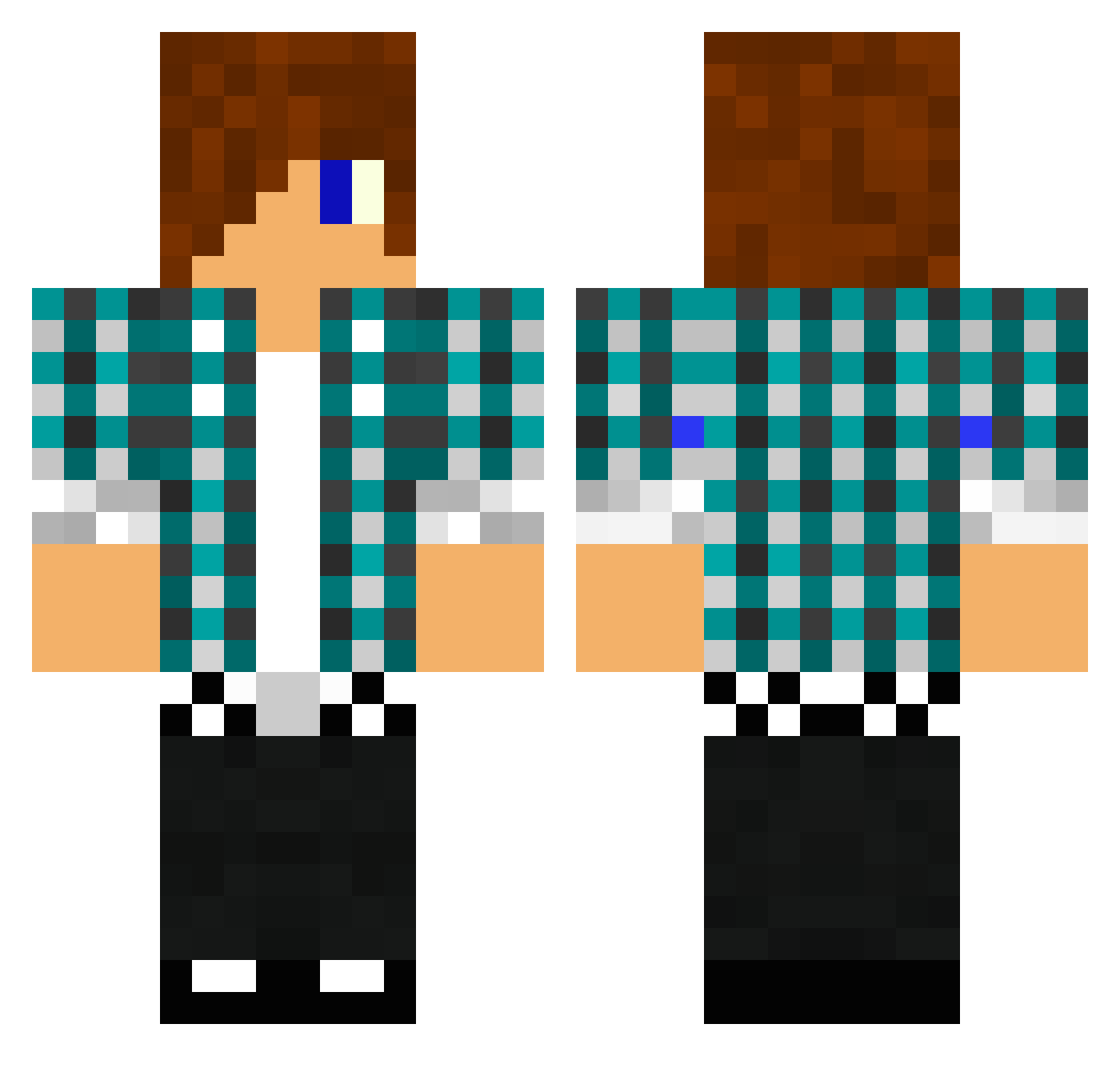
Current Minecraft skin of the player mikesjohnsalex, loaded from the official Mojang API. Rotate the 3D model with your mouse or finger, then download the skin as a PNG file and use it in Minecraft: Bedrock Edition or Java Edition for free. When mikesjohnsalex changes their skin, this page updates automatically and the old skin stays in the history below.
Other players with this skin (1476)
mikesjohnsalex was the 1018th player we have seen with this skin, first spotted on 12.10.2026. The same skin was seen on these players. Open a nickname to see their current skin and skin history.
 xTheCrueLYT Coose tomcattinjp Sexy_joker rmtobias audenman Tim5465 Lamik86 01Mikkel Oplaner reecebyron02 blade4004 Mindblayzer kitcat5566 BassoMassimo jungleman106 matthis012 Dragonbeard123 magmastudios26 Reece51020 jinsfch berner56 Hims31f Xchris93X Codyda111 _JM dicki_sarah Cuitcell Adarre Leax3395 Rintaro_Saiko mine1254 mrguy123456789 mandeln99 nickhurrell chrislgo1333 rockstar0828 Computer97 imseth141 IAwily IEto25 mistercoolbean NaitoFan stoffer_2005 Matthew5224 Kittenzclear jonteland anders579 Mendozabeast djfilms22 Lire0o ipadcat SoulSlayer97 troyzan2001 LodgingHawk DenissPM reidos_237 burronnie toadie02 Magicman347
More Emo Minecraft skins
How to install the mikesjohnsalex skin
- Press the Download button above to save the skin as a PNG file.
- Minecraft: Bedrock Edition (PE): open the Dressing Room from the main menu (or tap your character → Edit Character), go to Classic Skins → Owned, press the + (new skin) button, choose the downloaded PNG and pick the Classic (Steve) model. Works on PC and mobile; consoles cannot import custom skins.
- Minecraft: Java Edition: open the Minecraft Launcher, go to the Skins tab, click New Skin, load the PNG, pick the Classic (Steve) model and press Save & Use. You can also upload it at minecraft.net → Profile → Change Skin.
The skin does not show up after import - what should I do?
Restart Minecraft and open the Dressing Room again - imported skins sometimes appear only after a restart. Also make sure you selected the imported skin and picked the Classic (Steve) model.
Which model should I choose, Classic or Slim?
This skin is designed for the Classic (Steve) model. If you pick the wrong model, the arms of the skin will look stretched or squeezed.
Is the skin of mikesjohnsalex free to download?
Yes. Press Download, save the PNG file and use it in Minecraft: Bedrock Edition or Java Edition - no payment or registration needed. The skin also works on multiplayer servers and Realms.
More skins
Looking for more? Go back to all Minecraft skins and check the top skins of the week, month and all time, or find any player's skin by nickname.