
midaja - Minecraft Skins & Skin History
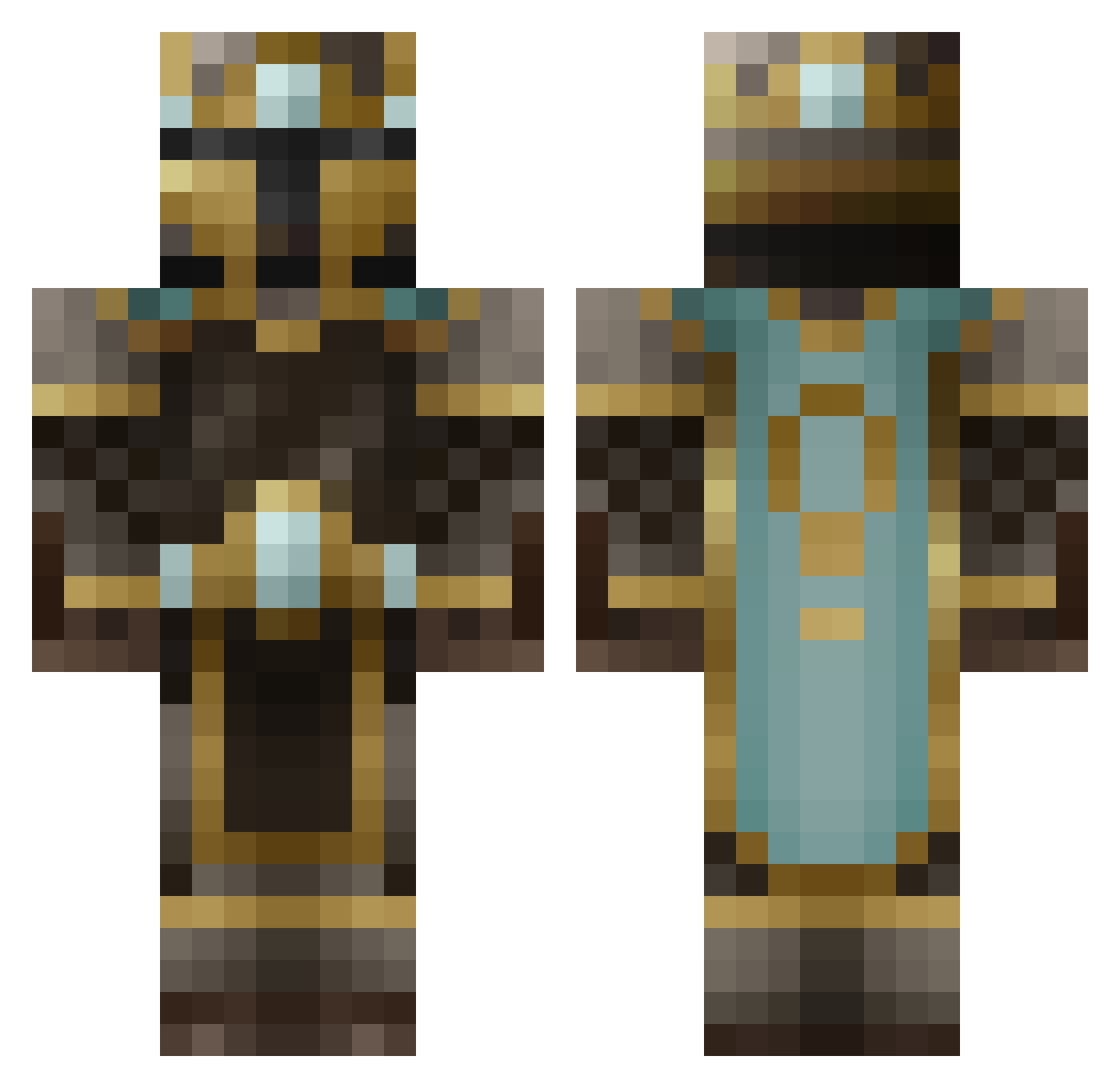
Current Minecraft skin of the player midaja, loaded from the official Mojang API. Rotate the 3D model with your mouse or finger, then download the skin as a PNG file and use it in Minecraft: Bedrock Edition or Java Edition for free. When midaja changes their skin, this page updates automatically and the old skin stays in the history below.
Other players with this skin (481)
midaja was the 36th player we have seen with this skin, first spotted on 02.08.2026. The same skin was seen on these players. Open a nickname to see their current skin and skin history.
 Rann christoffer2a jbud8 Skylord29 Will17890 Julian_de_Vos Ar_Farazon batman38802 harrystock15 the_allies Denis100500 boettam12 Wereworm cjs L8ley Earthtones Hyperyx HEKOX x_Bones_x S1LV9R VeggiesRock LegendaryBruno 420TheDudeAbides GladiatorPlaysMC Revilo_Z Bensyn Davies618 jacob42096 samBCFC Wyatt_The_Great_ Nas1f Beocifer raymatt007 revan212 Ponchichi stalkerblocker epocolypze BlueberryMan123 Avalon81m deathbringer946 Pebbles2k umoman95 x300000 222jojo iMineCraftNoob 25_cents_ GlitchPls Floppet_Boy KillerFisherman michael711 gun3636 KhaosKiller251 Halocalibure MrChubbySeal Darcyx420 silverdragon91 joshuacarlson Juuhler ninjaman757 MisterF_
More King Minecraft skins
How to install the midaja skin
- Press the Download button above to save the skin as a PNG file.
- Minecraft: Bedrock Edition (PE): open the Dressing Room from the main menu (or tap your character → Edit Character), go to Classic Skins → Owned, press the + (new skin) button, choose the downloaded PNG and pick the Classic (Steve) model. Works on PC and mobile; consoles cannot import custom skins.
- Minecraft: Java Edition: open the Minecraft Launcher, go to the Skins tab, click New Skin, load the PNG, pick the Classic (Steve) model and press Save & Use. You can also upload it at minecraft.net → Profile → Change Skin.
The skin does not show up after import - what should I do?
Restart Minecraft and open the Dressing Room again - imported skins sometimes appear only after a restart. Also make sure you selected the imported skin and picked the Classic (Steve) model.
Which model should I choose, Classic or Slim?
This skin is designed for the Classic (Steve) model. If you pick the wrong model, the arms of the skin will look stretched or squeezed.
Is the skin of midaja free to download?
Yes. Press Download, save the PNG file and use it in Minecraft: Bedrock Edition or Java Edition - no payment or registration needed. The skin also works on multiplayer servers and Realms.
More skins
Looking for more? Go back to all Minecraft skins and check the top skins of the week, month and all time, or find any player's skin by nickname.