
memi132 - Minecraft Skins & Skin History
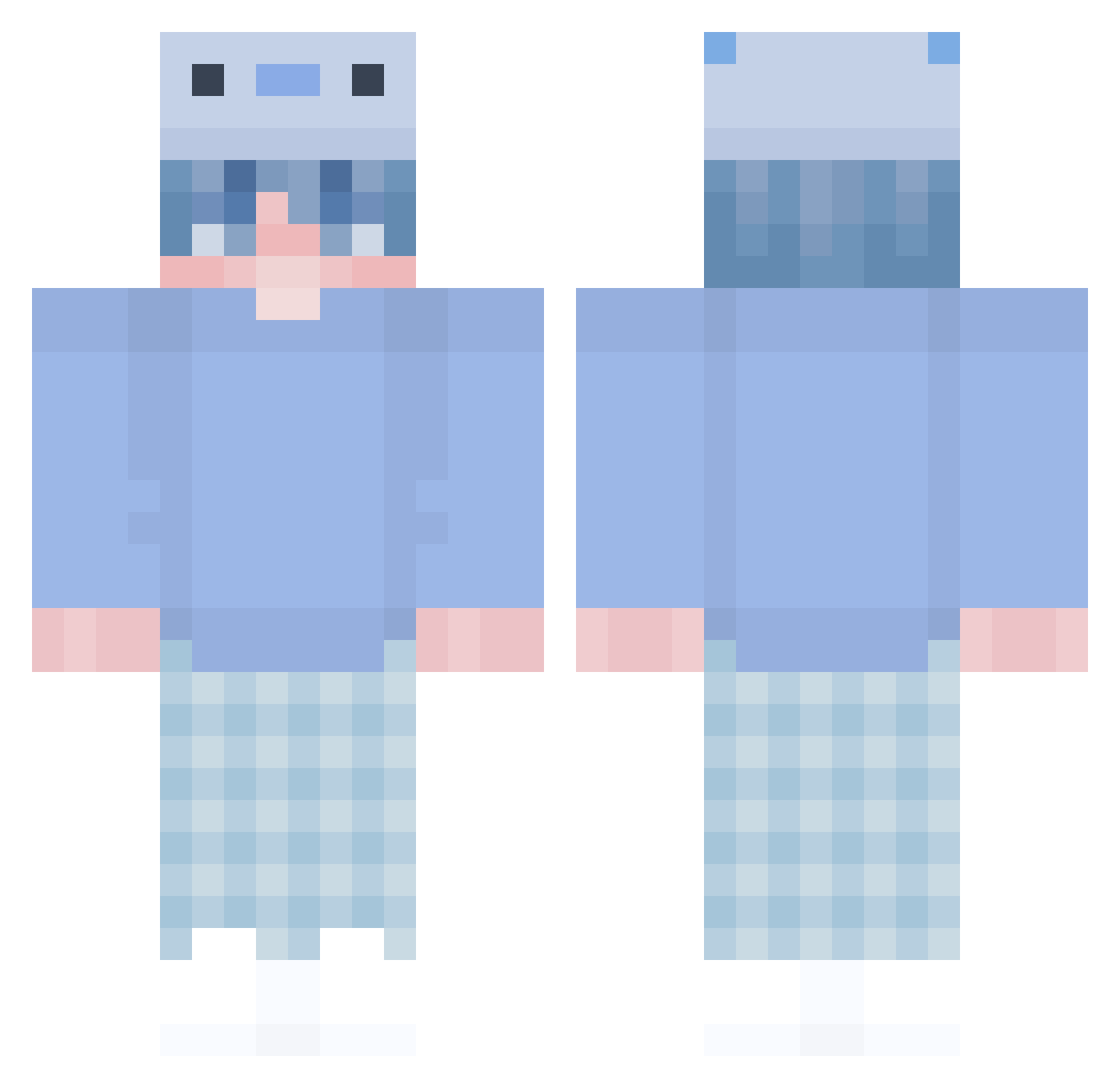
Current Minecraft skin of the player memi132, loaded from the official Mojang API. Rotate the 3D model with your mouse or finger, then download the skin as a PNG file and use it in Minecraft: Bedrock Edition or Java Edition for free. When memi132 changes their skin, this page updates automatically and the old skin stays in the history below.
Other players with this skin (386)
memi132 was the 341st player we have seen with this skin, first spotted on 31.10.2026. The same skin was seen on these players. Open a nickname to see their current skin and skin history.
 bz_F3em7_01_13 Jiroandrei0727 Dwerkoo ching_wing_bing Sohloo vision0820 Tyxle rel4xyigit erkalssss Grebior YaTakizava Berkaysnben MAO_NU IsThis0 recocokmutlu Vetame cold_kitty_ EymenK2015 AllenOuO7482 swe4zy1987 art252 notime_karee YutaIzumi0608 peyaj RTXKajuu quys moHSAA Harydino Benkoror seohyuk0123 Igor456 Flo__123 Devin_sz pellepelle2 JustXivit Unreal_Steele Hambo2103 Onsr hank691 Diwad25 WladimirObama SuperCloeK uSlown Shofiamani nyama2480 Blue_Axolotl_YT Rooiboss nago1730 UnsnipableJose nsreal TR_FortexFlyS sinangubul anlayamazsn M1g0ls DerElbenFirst SnoOpyZza007 Kokokonoe Ayan_BX Howeskaa loric_azt
More Axolotl Minecraft skins
How to install the memi132 skin
- Press the Download button above to save the skin as a PNG file.
- Minecraft: Bedrock Edition (PE): open the Dressing Room from the main menu (or tap your character → Edit Character), go to Classic Skins → Owned, press the + (new skin) button, choose the downloaded PNG and pick the Classic (Steve) model. Works on PC and mobile; consoles cannot import custom skins.
- Minecraft: Java Edition: open the Minecraft Launcher, go to the Skins tab, click New Skin, load the PNG, pick the Classic (Steve) model and press Save & Use. You can also upload it at minecraft.net → Profile → Change Skin.
The skin does not show up after import - what should I do?
Restart Minecraft and open the Dressing Room again - imported skins sometimes appear only after a restart. Also make sure you selected the imported skin and picked the Classic (Steve) model.
Which model should I choose, Classic or Slim?
This skin is designed for the Classic (Steve) model. If you pick the wrong model, the arms of the skin will look stretched or squeezed.
Is the skin of memi132 free to download?
Yes. Press Download, save the PNG file and use it in Minecraft: Bedrock Edition or Java Edition - no payment or registration needed. The skin also works on multiplayer servers and Realms.
More skins
Looking for more? Go back to all Minecraft skins and check the top skins of the week, month and all time, or find any player's skin by nickname.