
mecca014 - Minecraft Skins & Skin History
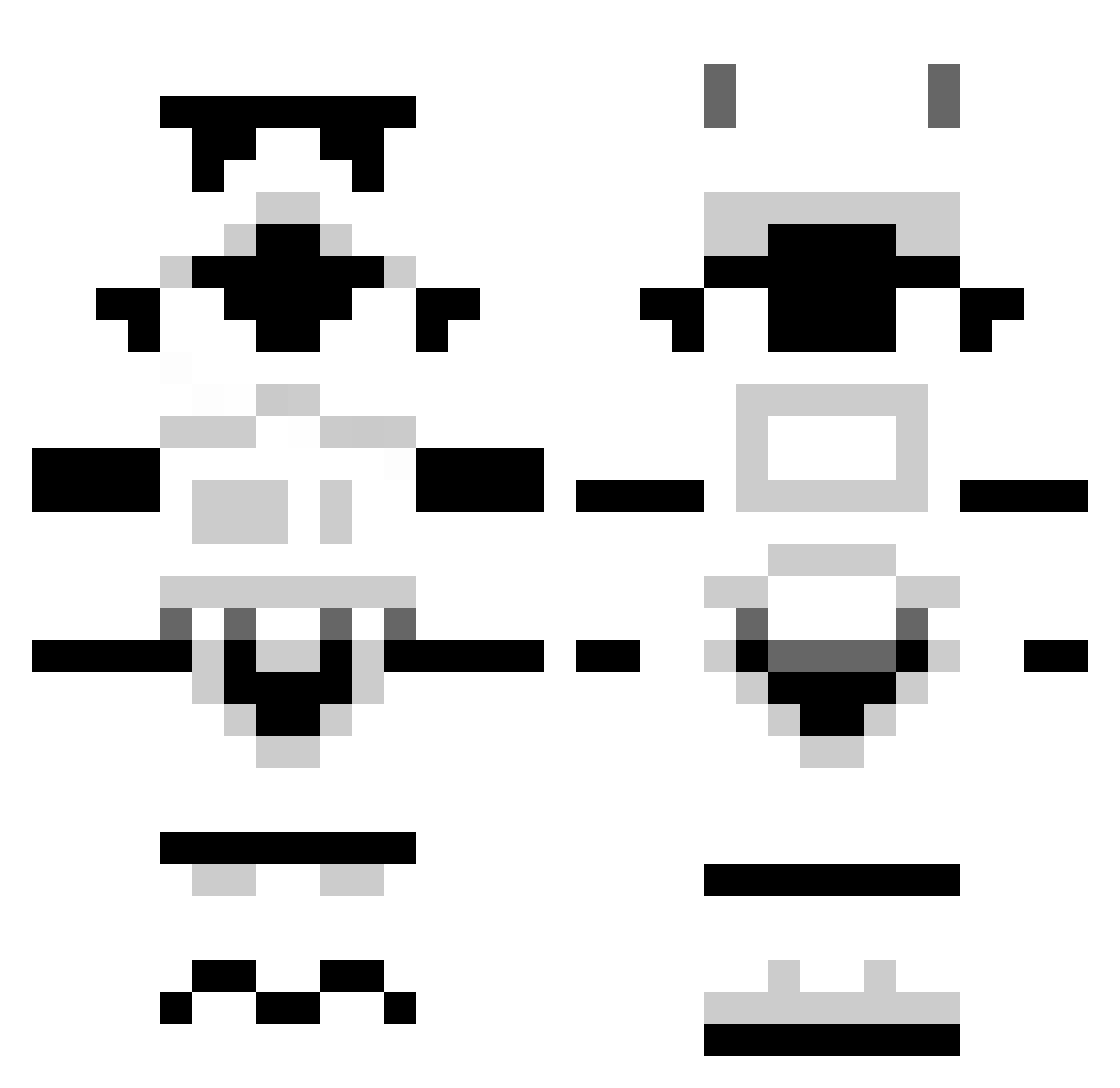
Current Minecraft skin of the player mecca014, loaded from the official Mojang API. Rotate the 3D model with your mouse or finger, then download the skin as a PNG file and use it in Minecraft: Bedrock Edition or Java Edition for free. When mecca014 changes their skin, this page updates automatically and the old skin stays in the history below.
Other players with this skin (1303)
mecca014 was the 987th player we have seen with this skin, first spotted on 16.10.2026. The same skin was seen on these players. Open a nickname to see their current skin and skin history.
 n1typhoon Unkown1111 KNIGHT_HAWK32 Julia_Bo zavael valkris512 MWMayhem JoeDredd oshiriman hasti123 Zockertitan93 Insanity66x chessyabc SDMatt Xerberus89 chellios98 MORSOR999 jacobwhop Riptus Trissysaurus Corlathian StupendousMan123 Mikebebbington Girannzor captain_aleksei KingXmanRules A8x3el alexbussard28 Pencilias Binchy watime ronocconor13 ScottThorpe Skuldu MightyChriss IronCharley MaximusJones92 SeaLion22 tomhakes Sunwolfe Coldon mariowill10 Cressosres 1CESQRD simsbury88 jrodco MiGaLight Scorpios_TH LogrusUK MeticFA Socalfisher Sir_Tortuga Catasaurus xpat42 Wakaba96 coolguy91 flyingtoast99 RedWolf64 kezza1595 goodtimestim
More Stormtrooper Minecraft skins
See all 531 Stormtrooper skins
How to install the mecca014 skin
- Press the Download button above to save the skin as a PNG file.
- Minecraft: Bedrock Edition (PE): open the Dressing Room from the main menu (or tap your character → Edit Character), go to Classic Skins → Owned, press the + (new skin) button, choose the downloaded PNG and pick the Classic (Steve) model. Works on PC and mobile; consoles cannot import custom skins.
- Minecraft: Java Edition: open the Minecraft Launcher, go to the Skins tab, click New Skin, load the PNG, pick the Classic (Steve) model and press Save & Use. You can also upload it at minecraft.net → Profile → Change Skin.
The skin does not show up after import - what should I do?
Restart Minecraft and open the Dressing Room again - imported skins sometimes appear only after a restart. Also make sure you selected the imported skin and picked the Classic (Steve) model.
Which model should I choose, Classic or Slim?
This skin is designed for the Classic (Steve) model. If you pick the wrong model, the arms of the skin will look stretched or squeezed.
Is the skin of mecca014 free to download?
Yes. Press Download, save the PNG file and use it in Minecraft: Bedrock Edition or Java Edition - no payment or registration needed. The skin also works on multiplayer servers and Realms.
More skins
Looking for more? Go back to all Minecraft skins and check the top skins of the week, month and all time, or find any player's skin by nickname.