
mattjb916 - Minecraft Skins & Skin History
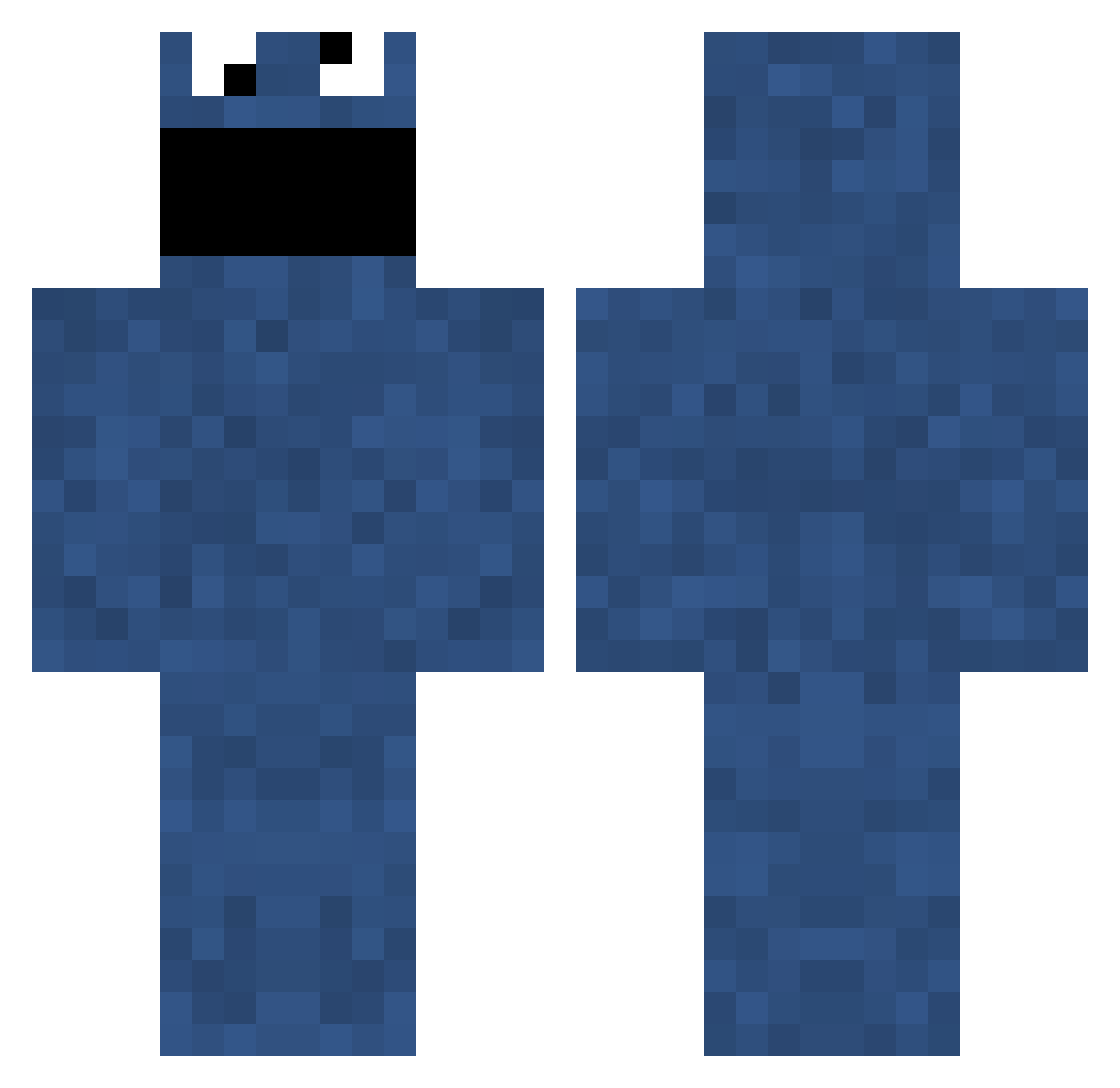
Current Minecraft skin of the player mattjb916, loaded from the official Mojang API. Rotate the 3D model with your mouse or finger, then download the skin as a PNG file and use it in Minecraft: Bedrock Edition or Java Edition for free. When mattjb916 changes their skin, this page updates automatically and the old skin stays in the history below.
Other players with this skin (706)
mattjb916 was the 432nd player we have seen with this skin, first spotted on 24.09.2026. The same skin was seen on these players. Open a nickname to see their current skin and skin history.
 Pak77 Mezo97 spazz_golga BulletCases Emzy_Gama mastermoo22 shark_mse rje2k10 JammyPiano Quadrangles schwaney124 MiiNNNii Vinny21 Aceee iSpaced azzaz_b pbpb1541 Carrum kristinewl Megalon47 adam1790 elPkay ketr2011 Kampfzwergchen ELXUS Based_God_Q darwinbomb1 XsnRUBICON Vasaia emrawrr mr_boss12 colafizz12 stevo115 avyumi math__head st_pauli3000 Baerdorf abino94 ckirk009 ThunderNuts707 OSRSDobbie HDimac Swinny17 saggy333 ObviousRacist lil_pichelli GMDUNN Espenda x_UnLimited_x wkoncki Sammymvp FkRoy ShinariSei flybunny B4tney JonasSchmitz CookieEverman Enathet doglawur PeterMoodyGT
More Cookie Monster Minecraft skins
See all 241 Cookie Monster skins
How to install the mattjb916 skin
- Press the Download button above to save the skin as a PNG file.
- Minecraft: Bedrock Edition (PE): open the Dressing Room from the main menu (or tap your character → Edit Character), go to Classic Skins → Owned, press the + (new skin) button, choose the downloaded PNG and pick the Classic (Steve) model. Works on PC and mobile; consoles cannot import custom skins.
- Minecraft: Java Edition: open the Minecraft Launcher, go to the Skins tab, click New Skin, load the PNG, pick the Classic (Steve) model and press Save & Use. You can also upload it at minecraft.net → Profile → Change Skin.
The skin does not show up after import - what should I do?
Restart Minecraft and open the Dressing Room again - imported skins sometimes appear only after a restart. Also make sure you selected the imported skin and picked the Classic (Steve) model.
Which model should I choose, Classic or Slim?
This skin is designed for the Classic (Steve) model. If you pick the wrong model, the arms of the skin will look stretched or squeezed.
Is the skin of mattjb916 free to download?
Yes. Press Download, save the PNG file and use it in Minecraft: Bedrock Edition or Java Edition - no payment or registration needed. The skin also works on multiplayer servers and Realms.
More skins
Looking for more? Go back to all Minecraft skins and check the top skins of the week, month and all time, or find any player's skin by nickname.