
mattcarr2600 - Minecraft Skins & Skin History
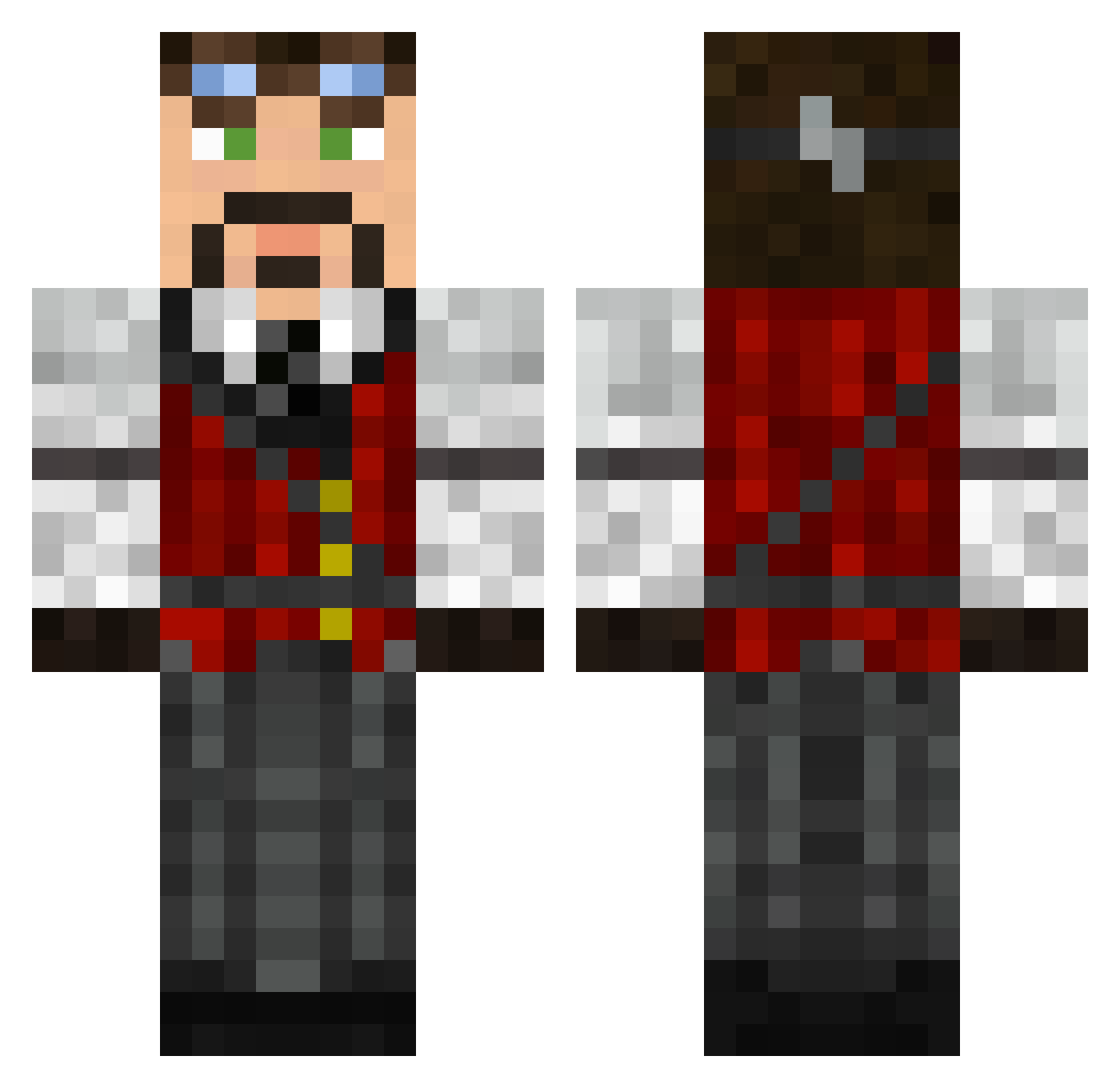
Current Minecraft skin of the player mattcarr2600, loaded from the official Mojang API. Rotate the 3D model with your mouse or finger, then download the skin as a PNG file and use it in Minecraft: Bedrock Edition or Java Edition for free. When mattcarr2600 changes their skin, this page updates automatically and the old skin stays in the history below.
Other players with this skin (626)
mattcarr2600 was the 346th player we have seen with this skin, first spotted on 01.10.2026. The same skin was seen on these players. Open a nickname to see their current skin and skin history.
 Oracou MorganPro1 Dannyboy131 rcplaneguy1 EagleOptics BustinSlides StephanP CaptnMikee envy293 Macster1 DarkWraithUT _Minion_Miner Sami_Ma dlynch166 SmiledMoney Baffil Xerestal polyquaternium7 LoXXar Nickali28 Thariss Bonzo_Blinger styrax1 kaelamon txemamolon _Xenonn_ StueyOh BLoodFIN kilian1004 Windjack super_jul sgtSnib gammastraling Truemist13 Xav0rin SecularMonkey Adder75 hunthaer david98p notbenjamin Shpoko Gubbi100 Arxx66 WheeeHee neoisdead CoIby Hydrosphere ZabijuTeNezne SwalcAtnas paralepsis Littlej1580 Kharzo85 DrBlocks96 black_solitare Euryalus Levielle581 crafter_pete kingcookie2014 Whalehippo Gieronim
More Steampunk Minecraft skins
How to install the mattcarr2600 skin
- Press the Download button above to save the skin as a PNG file.
- Minecraft: Bedrock Edition (PE): open the Dressing Room from the main menu (or tap your character → Edit Character), go to Classic Skins → Owned, press the + (new skin) button, choose the downloaded PNG and pick the Classic (Steve) model. Works on PC and mobile; consoles cannot import custom skins.
- Minecraft: Java Edition: open the Minecraft Launcher, go to the Skins tab, click New Skin, load the PNG, pick the Classic (Steve) model and press Save & Use. You can also upload it at minecraft.net → Profile → Change Skin.
The skin does not show up after import - what should I do?
Restart Minecraft and open the Dressing Room again - imported skins sometimes appear only after a restart. Also make sure you selected the imported skin and picked the Classic (Steve) model.
Which model should I choose, Classic or Slim?
This skin is designed for the Classic (Steve) model. If you pick the wrong model, the arms of the skin will look stretched or squeezed.
Is the skin of mattcarr2600 free to download?
Yes. Press Download, save the PNG file and use it in Minecraft: Bedrock Edition or Java Edition - no payment or registration needed. The skin also works on multiplayer servers and Realms.
More skins
Looking for more? Go back to all Minecraft skins and check the top skins of the week, month and all time, or find any player's skin by nickname.