
matopoika666 - Minecraft Skins & Skin History
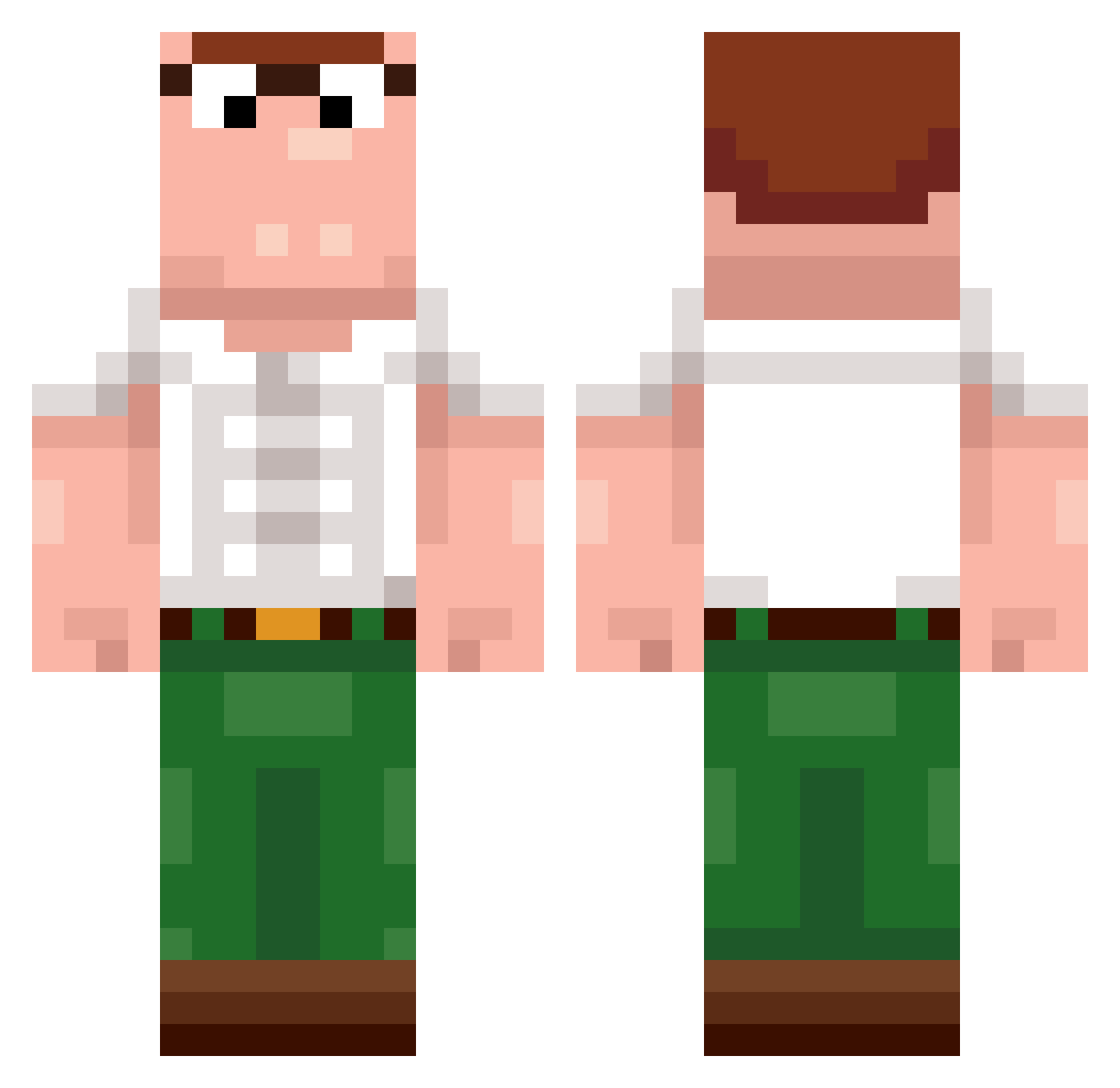
Current Minecraft skin of the player matopoika666, loaded from the official Mojang API. Rotate the 3D model with your mouse or finger, then download the skin as a PNG file and use it in Minecraft: Bedrock Edition or Java Edition for free. When matopoika666 changes their skin, this page updates automatically and the old skin stays in the history below.
Other players with this skin (400)
matopoika666 was the 89th player we have seen with this skin, first spotted on 18.08.2026. The same skin was seen on these players. Open a nickname to see their current skin and skin history.
 Etxz zebolao Daddy_Macho EternityPeaches Samuuuell zouweicong Sheeen Markitos44 K9rej dreamcom TheRealNix Mooscles_ HeftyGamer255 N0JUMPER24 PeterGriffin____ ARMYIT DUCKYASTOFLO GRFdoomfromhell EliaPro2010 FaZePotti D0guinha J_ace06 ItzRavent Weilnuss2 Ryu1437 WWECAM21 romaind TrenDoge MamiUrMom spookeyshar Cytrynson_ PhizleWizle F501e JackPlays67 TNT099Killer BLCDylann Cammellino
 Roslam Squish0RB Bagze1 Platinum1808 ElyF8 steliosfy ManaMuncher420 PAULOOOOOOOOOOO0 javier3flash FoofDeckman lagyvka x2mmp Devin911 Marc00se mcookieee gogu_ion BigCapybara69
 vtkracker 18zzd BlackGarnuch Boojak_ PlayHearty06 quirorra
More Peter Griffin Minecraft skins
See all 223 Peter Griffin skins
How to install the matopoika666 skin
- Press the Download button above to save the skin as a PNG file.
- Minecraft: Bedrock Edition (PE): open the Dressing Room from the main menu (or tap your character → Edit Character), go to Classic Skins → Owned, press the + (new skin) button, choose the downloaded PNG and pick the Classic (Steve) model. Works on PC and mobile; consoles cannot import custom skins.
- Minecraft: Java Edition: open the Minecraft Launcher, go to the Skins tab, click New Skin, load the PNG, pick the Classic (Steve) model and press Save & Use. You can also upload it at minecraft.net → Profile → Change Skin.
The skin does not show up after import - what should I do?
Restart Minecraft and open the Dressing Room again - imported skins sometimes appear only after a restart. Also make sure you selected the imported skin and picked the Classic (Steve) model.
Which model should I choose, Classic or Slim?
This skin is designed for the Classic (Steve) model. If you pick the wrong model, the arms of the skin will look stretched or squeezed.
Is the skin of matopoika666 free to download?
Yes. Press Download, save the PNG file and use it in Minecraft: Bedrock Edition or Java Edition - no payment or registration needed. The skin also works on multiplayer servers and Realms.
More skins
Looking for more? Go back to all Minecraft skins and check the top skins of the week, month and all time, or find any player's skin by nickname.