
matimiki2332 - Minecraft Skins & Skin History
Current Minecraft skin of the player matimiki2332, loaded from the official Mojang API. Rotate the 3D model with your mouse or finger, then download the skin as a PNG file and use it in Minecraft: Bedrock Edition or Java Edition for free. When matimiki2332 changes their skin, this page updates automatically and the old skin stays in the history below.
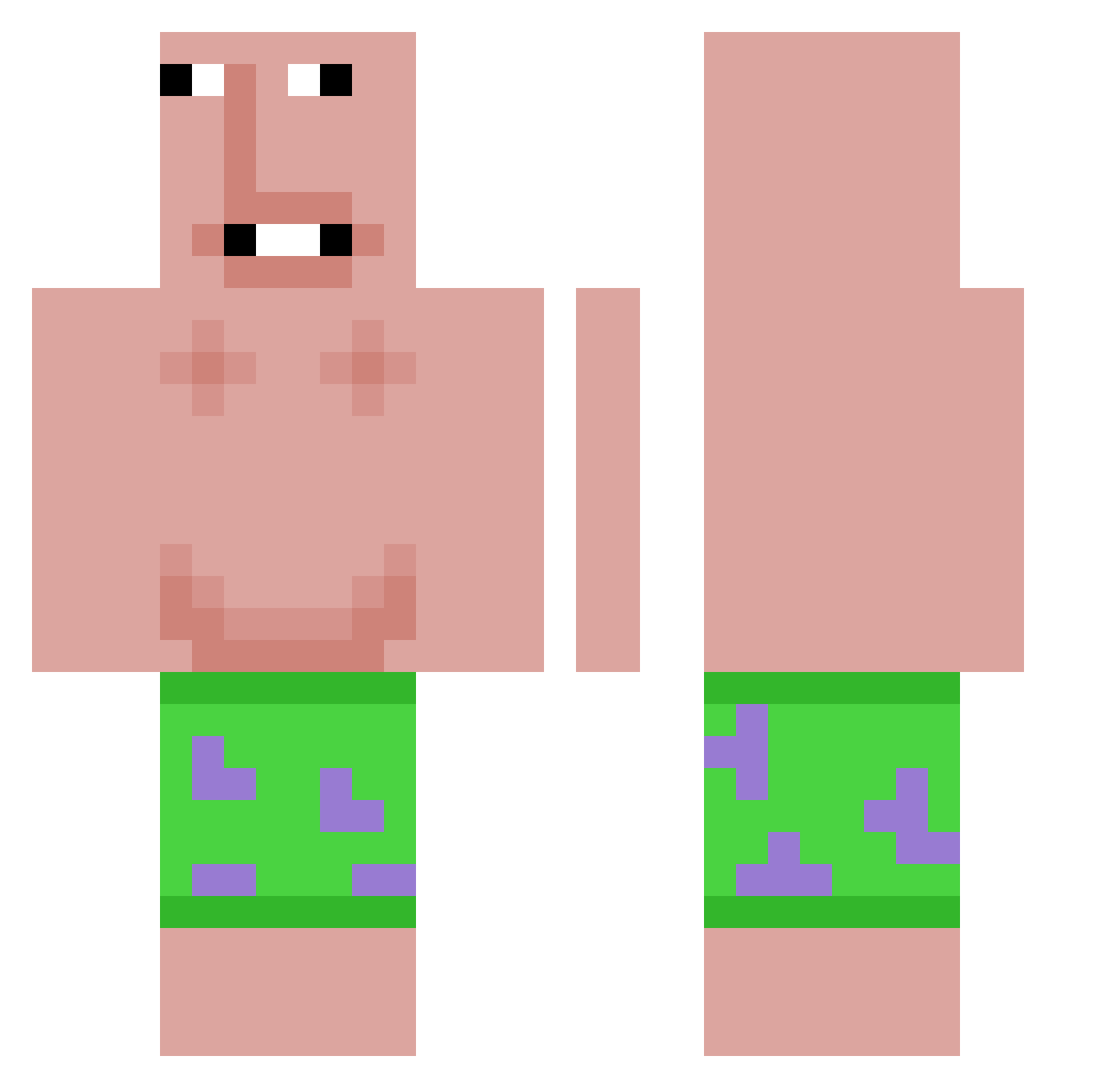
Other players with this skin (532)
matimiki2332 was the 64th player we have seen with this skin, first spotted on 02.08.2026. The same skin was seen on these players. Open a nickname to see their current skin and skin history.
 henry123willie fishy556000 Tymytaky kohaTaro Oxxa46 mr_blit DysFunctionaKirk Lil_Gasior asdiasdijasdijas saltedfisher IQFHI nokia6300
 marjinalq_ MotoMiloTW wigofaerter papago1234 DJBradChill Maracky Plsgimmedolla i0nrunnit Tyushima GoldenBoyIzak10 Diabolicfate18 chikennuttbread shi_val EKKOREE_UlXE7JUp
 Stigrg mmxm chase4153 _Salamaleko_ Eggman6789 rl_28 Frazyfry raygunkiller412 AvaronTV Akorojo Fdhjgeee
 xqvrp baldbussy jojolefureur TurboTacoBlast seda_rasa destroyler383 MrFindItOut itmeeeeeee tedzav yaboiartistical ygbes10 AdolfSauvage Linuxify_ username9270 moldymilk3599 IsabelleJoella JoyfulTurtle151 CoheyWohey
 Rzur4 Predatorikillyou AJJISAJ DracoDxD bober991
More Patrick Star Minecraft skins
See all 563 Patrick Star skins
How to install the matimiki2332 skin
- Press the Download button above to save the skin as a PNG file.
- Minecraft: Bedrock Edition (PE): open the Dressing Room from the main menu (or tap your character → Edit Character), go to Classic Skins → Owned, press the + (new skin) button, choose the downloaded PNG and pick the Classic (Steve) model. Works on PC and mobile; consoles cannot import custom skins.
- Minecraft: Java Edition: open the Minecraft Launcher, go to the Skins tab, click New Skin, load the PNG, pick the Classic (Steve) model and press Save & Use. You can also upload it at minecraft.net → Profile → Change Skin.
The skin does not show up after import - what should I do?
Restart Minecraft and open the Dressing Room again - imported skins sometimes appear only after a restart. Also make sure you selected the imported skin and picked the Classic (Steve) model.
Which model should I choose, Classic or Slim?
This skin is designed for the Classic (Steve) model. If you pick the wrong model, the arms of the skin will look stretched or squeezed.
Is the skin of matimiki2332 free to download?
Yes. Press Download, save the PNG file and use it in Minecraft: Bedrock Edition or Java Edition - no payment or registration needed. The skin also works on multiplayer servers and Realms.
More skins
Looking for more? Go back to all Minecraft skins and check the top skins of the week, month and all time, or find any player's skin by nickname.