
matata3 - Minecraft Skins & Skin History
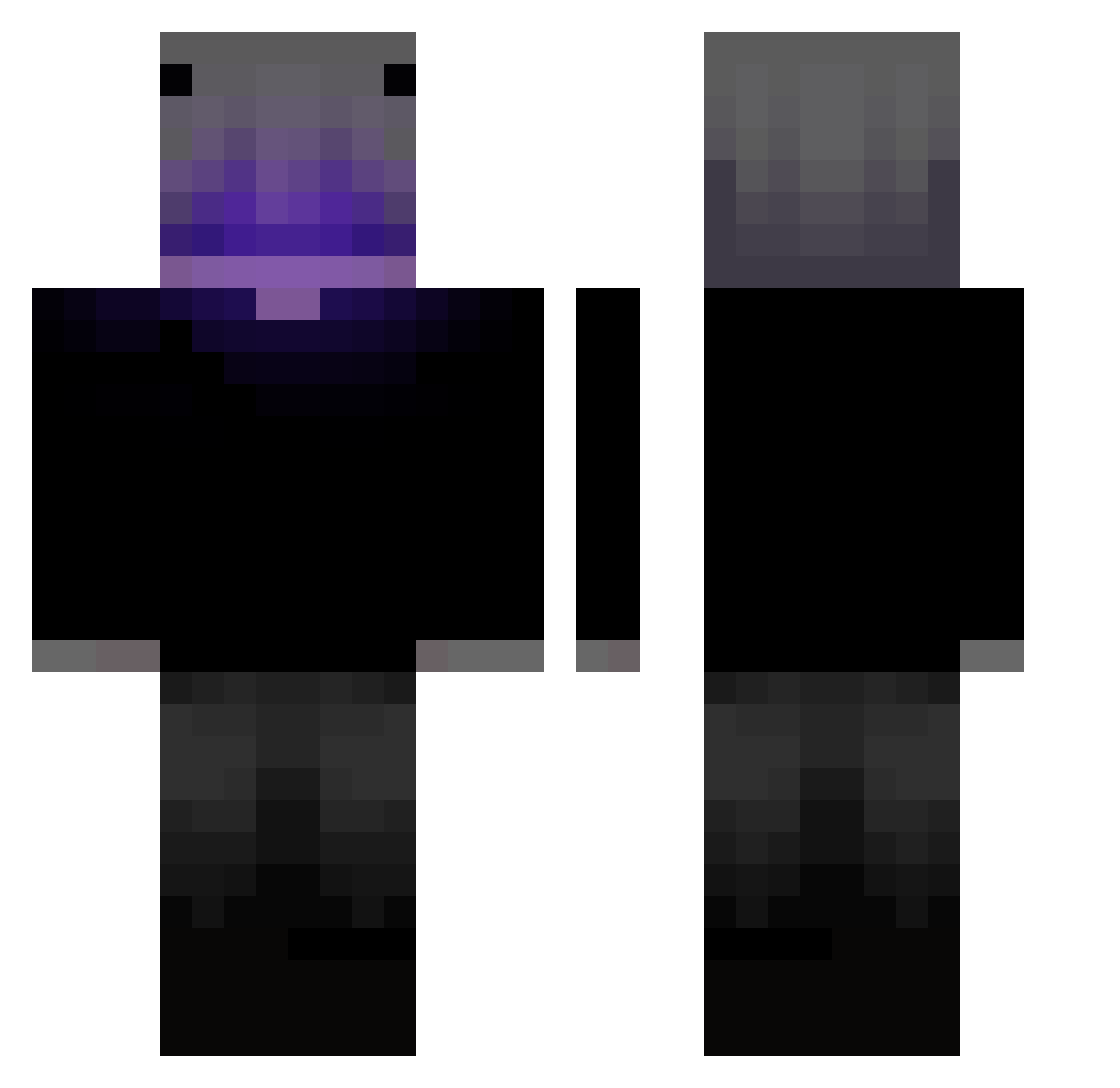
Current Minecraft skin of the player matata3, loaded from the official Mojang API. Rotate the 3D model with your mouse or finger, then download the skin as a PNG file and use it in Minecraft: Bedrock Edition or Java Edition for free. When matata3 changes their skin, this page updates automatically and the old skin stays in the history below.
Other players with this skin (403)
matata3 was the 310th player we have seen with this skin, first spotted on 12.10.2026. The same skin was seen on these players. Open a nickname to see their current skin and skin history.
 R_G_M_C xpauilx_77 SefaxPL Voids_alt RiftVale Ryuk_09 legenda66353 ItzNokt KuRaA8 Thedarkestreaper jules_a_guy kinhogamer Rcaikee zAleman_ kedello128 just_dreamy Red_Dragon66 _baku___ 5rfz G0D_LONELY TTV_testacurta PrimeAdhyay RTM07 nadVexzz3 WhiteBG_ DoHaRin00 _s0n1c_ dominik262001 Vato25 Forge_Caps PsychoStar12 xImUseless4k Godkin920 Alaid__ L3orx JaspherWho ColdestWonder TwerkyChaos JAMAL____ Dark7zin ChaCha_0_Bhatija GhostGoul Mxx_21Xx _SyberTubeBr21_ J4P4AOX _Iceu Lishowww iAxell Febeo_1152 Z3phyrLPB etienneeev2 De4Boys H4npkt alone_ksa bshrivis6n PKGEMINIS Yaoyao0000 Dewdglow867 Dqrk_Dor1 YeahImBacon
Previous skins of matata3
Skins that matata3 wore before, newest first. Click a skin to open its page and download it.
More Parrot Minecraft skins
How to install the matata3 skin
- Press the Download button above to save the skin as a PNG file.
- Minecraft: Bedrock Edition (PE): open the Dressing Room from the main menu (or tap your character → Edit Character), go to Classic Skins → Owned, press the + (new skin) button, choose the downloaded PNG and pick the Classic (Steve) model. Works on PC and mobile; consoles cannot import custom skins.
- Minecraft: Java Edition: open the Minecraft Launcher, go to the Skins tab, click New Skin, load the PNG, pick the Classic (Steve) model and press Save & Use. You can also upload it at minecraft.net → Profile → Change Skin.
The skin does not show up after import - what should I do?
Restart Minecraft and open the Dressing Room again - imported skins sometimes appear only after a restart. Also make sure you selected the imported skin and picked the Classic (Steve) model.
Which model should I choose, Classic or Slim?
This skin is designed for the Classic (Steve) model. If you pick the wrong model, the arms of the skin will look stretched or squeezed.
Is the skin of matata3 free to download?
Yes. Press Download, save the PNG file and use it in Minecraft: Bedrock Edition or Java Edition - no payment or registration needed. The skin also works on multiplayer servers and Realms.
More skins
Looking for more? Go back to all Minecraft skins and check the top skins of the week, month and all time, or find any player's skin by nickname.