
masturbinson - Minecraft Skins & Skin History
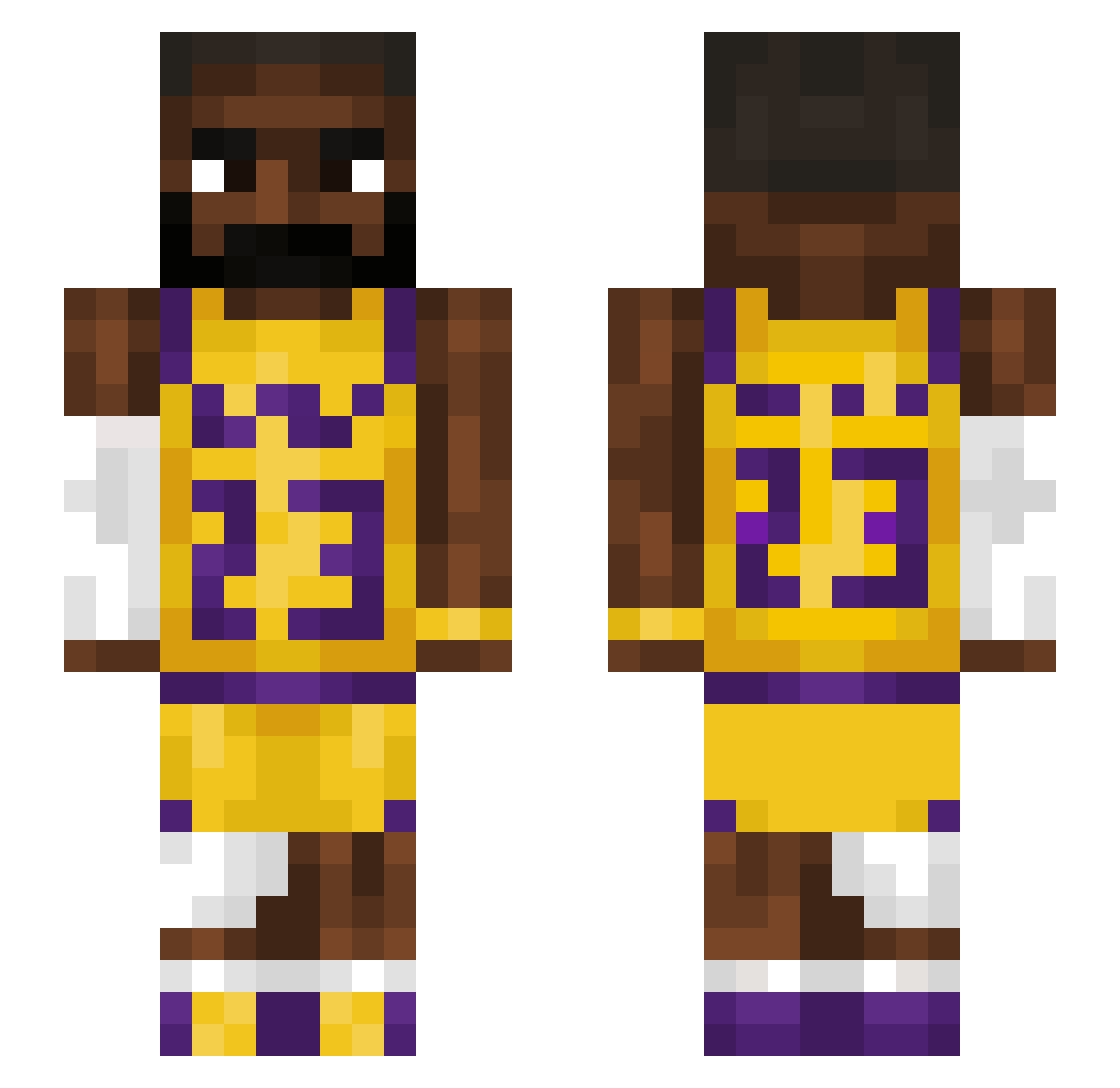
Current Minecraft skin of the player masturbinson, loaded from the official Mojang API. Rotate the 3D model with your mouse or finger, then download the skin as a PNG file and use it in Minecraft: Bedrock Edition or Java Edition for free. When masturbinson changes their skin, this page updates automatically and the old skin stays in the history below.
Other players with this skin (1215)
masturbinson was the 1150th player we have seen with this skin, first spotted on 18.10.2026. The same skin was seen on these players. Open a nickname to see their current skin and skin history.
 imessagex Pahmus Signolol Tragona xXfirehawkXx69 L_Flame12 jstar_red111 Kixrukka Nejni Kriz_ Deschy Bad_Lena Joshellis1104 ah2002zsbd_ar Bluffness TobiramaSoul larve65 biflexxd 10_Volts Dispzinho Chokgii Luchador069 Hannn_617 Nest_360 kelo808 AlDentus sylevester lebroJamezomgelo Ryo721 yo_noma SunBunBingBong asp_net DedekMraz69 Dimadeen gummy5502 Brocc_21 JiuYe___ gakrux Bruciiii santa20 BuccaneerJack LeBalon crystal1114 zbraiden karaw22 Lil_Riftz2 parkjihyun1212 Stef__ DinoArnold xk82xdd Pedotes1019 nodussy Rockyy1234 Berkane95740 Binksssy Uthulu m9rch FluoreQ iheartmygirl jfb2
More Lakers Minecraft skins
How to install the masturbinson skin
- Press the Download button above to save the skin as a PNG file.
- Minecraft: Bedrock Edition (PE): open the Dressing Room from the main menu (or tap your character → Edit Character), go to Classic Skins → Owned, press the + (new skin) button, choose the downloaded PNG and pick the Slim (Alex) model. Works on PC and mobile; consoles cannot import custom skins.
- Minecraft: Java Edition: open the Minecraft Launcher, go to the Skins tab, click New Skin, load the PNG, pick the Slim (Alex) model and press Save & Use. You can also upload it at minecraft.net → Profile → Change Skin.
The skin does not show up after import - what should I do?
Restart Minecraft and open the Dressing Room again - imported skins sometimes appear only after a restart. Also make sure you selected the imported skin and picked the Slim (Alex) model.
Which model should I choose, Classic or Slim?
This skin is designed for the Slim (Alex) model. If you pick the wrong model, the arms of the skin will look stretched or squeezed.
Is the skin of masturbinson free to download?
Yes. Press Download, save the PNG file and use it in Minecraft: Bedrock Edition or Java Edition - no payment or registration needed. The skin also works on multiplayer servers and Realms.
More skins
Looking for more? Go back to all Minecraft skins and check the top skins of the week, month and all time, or find any player's skin by nickname.