
mastajester - Minecraft Skins & Skin History
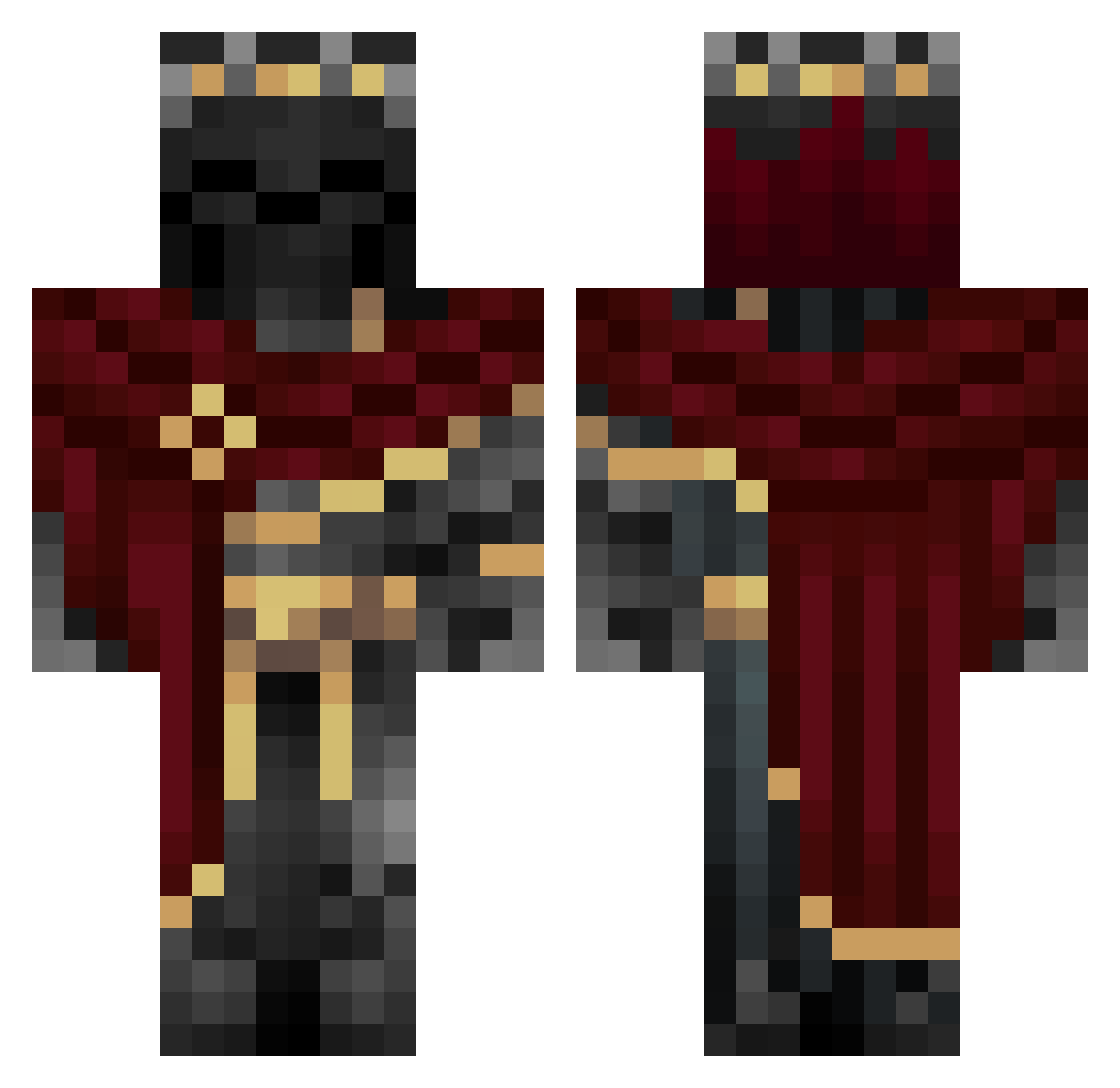
Current Minecraft skin of the player mastajester, loaded from the official Mojang API. Rotate the 3D model with your mouse or finger, then download the skin as a PNG file and use it in Minecraft: Bedrock Edition or Java Edition for free. When mastajester changes their skin, this page updates automatically and the old skin stays in the history below.
Other players with this skin (1010)
mastajester was the 268th player we have seen with this skin, first spotted on 20.08.2026. The same skin was seen on these players. Open a nickname to see their current skin and skin history.
 _ICoNIX Yenkee200 bo3ghostlegend luck215 FleeOrDie Le_Pain_Russe xVouns Minislynx Thomas_Hell Ipcilon Kaysplays fireplaced MrChance4280
 WildW0lfs Tazty777 ALENJOE Virtual_Reaper RL_NeKo Azurerot Misty_Cupcake Sw4rdgod99 CatW1zard LogDawgs BoiledGlizzy JayJay311206 KaoticWolf222 suc3ss0r
 Matheusyessir MansoryRR SharpTowerPro steriods11111 Amman121345 skibdisemon43 DBKEIX Prismatixs Srpichula instant_dye Sivuluisu boherrr Lord_Gargamel08 iwang22 goumbler Dontalion_5 GoldKingVI 20Scythe02 Lvellios_ HOLIERALFREDO ShadowSmith42 iiKNG Hitzen Kevka1809 Ruthlesswildcard BorjaMayito MsrWhite_ VoidViper777 Moonwolf446 Darkshad0w718 RodrigoT2000 Roptop_24 TheConnMan_
More King Minecraft skins
How to install the mastajester skin
- Press the Download button above to save the skin as a PNG file.
- Minecraft: Bedrock Edition (PE): open the Dressing Room from the main menu (or tap your character → Edit Character), go to Classic Skins → Owned, press the + (new skin) button, choose the downloaded PNG and pick the Classic (Steve) model. Works on PC and mobile; consoles cannot import custom skins.
- Minecraft: Java Edition: open the Minecraft Launcher, go to the Skins tab, click New Skin, load the PNG, pick the Classic (Steve) model and press Save & Use. You can also upload it at minecraft.net → Profile → Change Skin.
The skin does not show up after import - what should I do?
Restart Minecraft and open the Dressing Room again - imported skins sometimes appear only after a restart. Also make sure you selected the imported skin and picked the Classic (Steve) model.
Which model should I choose, Classic or Slim?
This skin is designed for the Classic (Steve) model. If you pick the wrong model, the arms of the skin will look stretched or squeezed.
Is the skin of mastajester free to download?
Yes. Press Download, save the PNG file and use it in Minecraft: Bedrock Edition or Java Edition - no payment or registration needed. The skin also works on multiplayer servers and Realms.
More skins
Looking for more? Go back to all Minecraft skins and check the top skins of the week, month and all time, or find any player's skin by nickname.