
marceltaxi - Minecraft Skins & Skin History
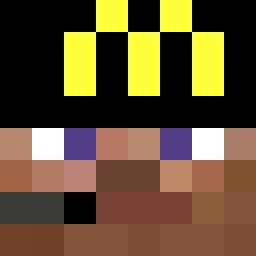
Current Minecraft skin of the player marceltaxi, loaded from the official Mojang API. Rotate the 3D model with your mouse or finger, then download the skin as a PNG file and use it in Minecraft: Bedrock Edition or Java Edition for free. When marceltaxi changes their skin, this page updates automatically and the old skin stays in the history below.

Other players with this skin (441)
marceltaxi was the 208th player we have seen with this skin, first spotted on 22.09.2026. The same skin was seen on these players. Open a nickname to see their current skin and skin history.
 itzParth _halcy0n W1nty Splintersensei mogen1s Bozoxd69 gamer_kid55 AGN1 wnob 7jckx hyxjxa mothyxxo owen2e ParrotX8 JSHLUMPED RayBae1 Bharntazar Bball08 OnlySoarz Itz_iushuzuni BiggerPluto138 Lagbear HuyHypixelVN PepitoVlp Draghlen PineappleJuice30 NotTheMust Pizzawhale02 ELCHINOO Phanty AkVKR EdwardsWang salamannopee_ lucasdiznuts69 Wabm CamBuck Cluel1st Mokutaa _YGI_ oliestevez Broxado 7ruthful tutsipop FishZap Moisoski 4____ NotRayhancraftch Siyless Robinuss bestpvpplayer101 Midder_Krabs dottyysgirl AutoTagz Guerromoggs Eliksirek xGieniu NopaGamer11 zobab plopmcp04 luv4bit8
More Headset Minecraft skins
How to install the marceltaxi skin
- Press the Download button above to save the skin as a PNG file.
- Minecraft: Bedrock Edition (PE): open the Dressing Room from the main menu (or tap your character → Edit Character), go to Classic Skins → Owned, press the + (new skin) button, choose the downloaded PNG and pick the Classic (Steve) model. Works on PC and mobile; consoles cannot import custom skins.
- Minecraft: Java Edition: open the Minecraft Launcher, go to the Skins tab, click New Skin, load the PNG, pick the Classic (Steve) model and press Save & Use. You can also upload it at minecraft.net → Profile → Change Skin.
The skin does not show up after import - what should I do?
Restart Minecraft and open the Dressing Room again - imported skins sometimes appear only after a restart. Also make sure you selected the imported skin and picked the Classic (Steve) model.
Which model should I choose, Classic or Slim?
This skin is designed for the Classic (Steve) model. If you pick the wrong model, the arms of the skin will look stretched or squeezed.
Is the skin of marceltaxi free to download?
Yes. Press Download, save the PNG file and use it in Minecraft: Bedrock Edition or Java Edition - no payment or registration needed. The skin also works on multiplayer servers and Realms.
More skins
Looking for more? Go back to all Minecraft skins and check the top skins of the week, month and all time, or find any player's skin by nickname.