
maomaogou - Minecraft Skins & Skin History
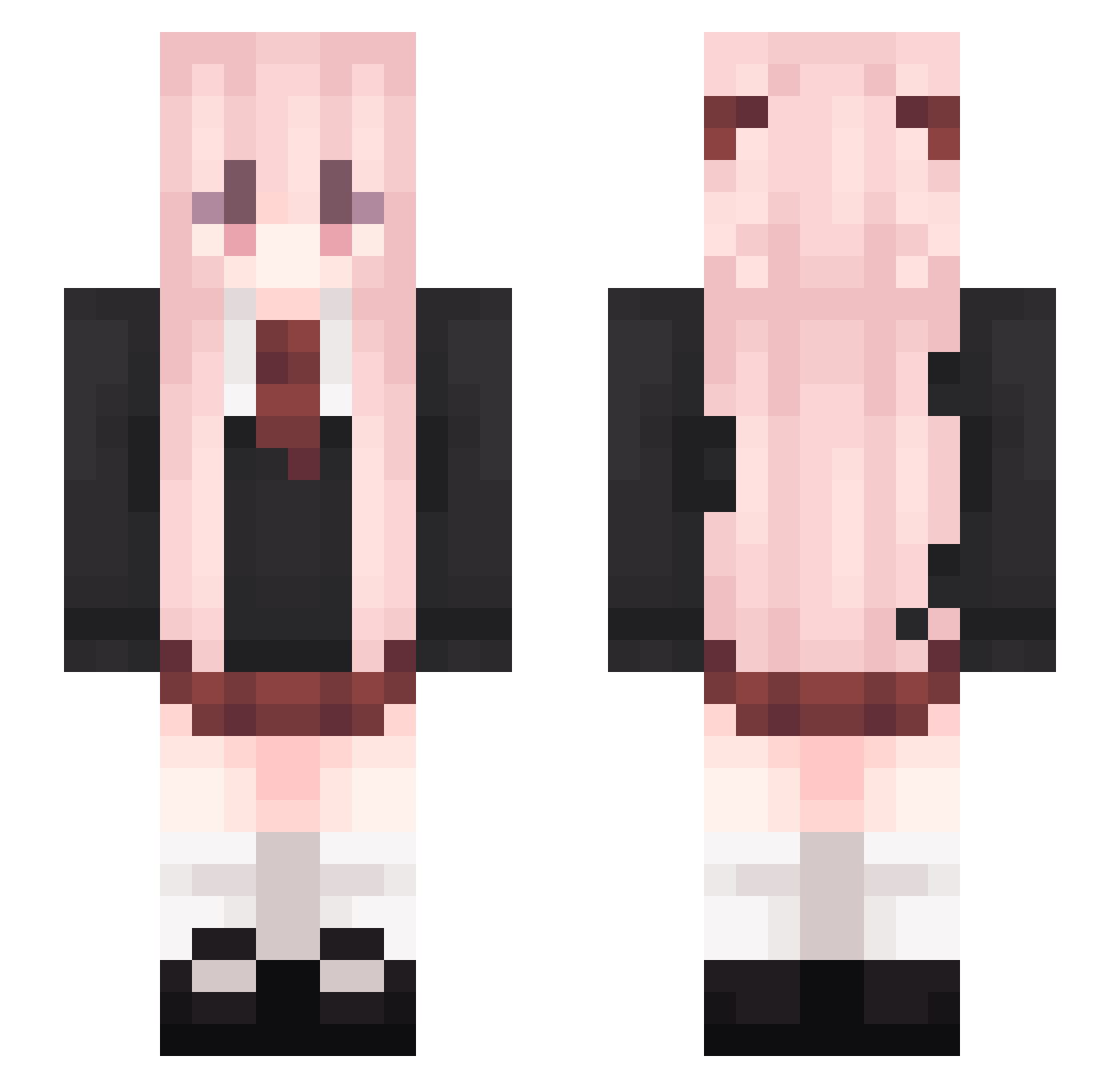
Current Minecraft skin of the player maomaogou, loaded from the official Mojang API. Rotate the 3D model with your mouse or finger, then download the skin as a PNG file and use it in Minecraft: Bedrock Edition or Java Edition for free. When maomaogou changes their skin, this page updates automatically and the old skin stays in the history below.
Other players with this skin (541)
maomaogou was the 213th player we have seen with this skin, first spotted on 12.09.2026. The same skin was seen on these players. Open a nickname to see their current skin and skin history.
 Mepoli sakuraaifu Syalis2587 Suing_ hanfeiYT 1314jun520 Ayanamirei123 Dog_king2009 talentzxy yagamilight14 YunYannn Qi__Yi Chess_Autumn Jasmyn_ MeiJiaoniang Prl6 xxxhusky mao_c Gagamiao zshanbao Ayeals yoku233 B1ngo_XxL sumita1 cha_cc_1 ayang2567 FreeLing Dieshang Necromancerkay Akkkuan 2_doge delai666 Destiny_2733 Himukai_Kanata Baiye_miao JackyXiao T_Rain_ XYXii bububu7727 ZCLRain do0v0ob FakeGTT Tofu0734 myk1257 wuyueD deathandborn Hitoriy 114514110 Mu_Zi_Yu Wkeaii Sunshine_Town 148465 SwQLiebtYring SongYinH Dil0x Momo_Velia_DK HFL208 LuckyCoconutFrui kirito55a8 Ruo_Xi
More School Uniform Minecraft skins
See all 6996 School Uniform skins
How to install the maomaogou skin
- Press the Download button above to save the skin as a PNG file.
- Minecraft: Bedrock Edition (PE): open the Dressing Room from the main menu (or tap your character → Edit Character), go to Classic Skins → Owned, press the + (new skin) button, choose the downloaded PNG and pick the Slim (Alex) model. Works on PC and mobile; consoles cannot import custom skins.
- Minecraft: Java Edition: open the Minecraft Launcher, go to the Skins tab, click New Skin, load the PNG, pick the Slim (Alex) model and press Save & Use. You can also upload it at minecraft.net → Profile → Change Skin.
The skin does not show up after import - what should I do?
Restart Minecraft and open the Dressing Room again - imported skins sometimes appear only after a restart. Also make sure you selected the imported skin and picked the Slim (Alex) model.
Which model should I choose, Classic or Slim?
This skin is designed for the Slim (Alex) model. If you pick the wrong model, the arms of the skin will look stretched or squeezed.
Is the skin of maomaogou free to download?
Yes. Press Download, save the PNG file and use it in Minecraft: Bedrock Edition or Java Edition - no payment or registration needed. The skin also works on multiplayer servers and Realms.
More skins
Looking for more? Go back to all Minecraft skins and check the top skins of the week, month and all time, or find any player's skin by nickname.