
mangoneil - Minecraft Skins & Skin History
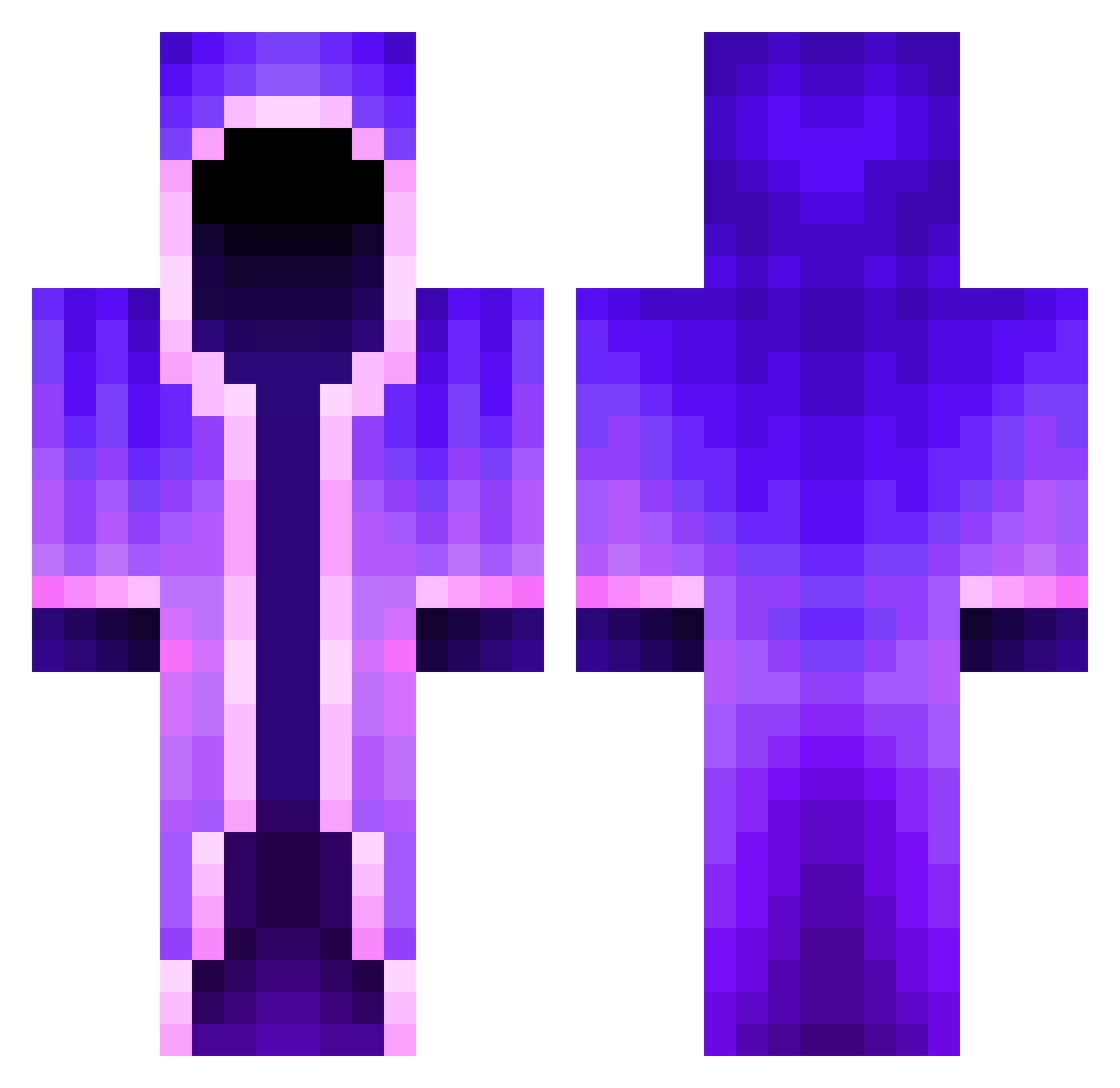
Current Minecraft skin of the player mangoneil, loaded from the official Mojang API. Rotate the 3D model with your mouse or finger, then download the skin as a PNG file and use it in Minecraft: Bedrock Edition or Java Edition for free. When mangoneil changes their skin, this page updates automatically and the old skin stays in the history below.
Other players with this skin (462)
mangoneil was the 436th player we have seen with this skin, first spotted on 26.10.2026. The same skin was seen on these players. Open a nickname to see their current skin and skin history.
 MeowKittySteph Lailiss xtricyt VeNuzon END_SOUL ChthonicProf GoldCas3000 Hope389 LittleLilly16 Jay7125 GalaxyGamingPr0 TuxedoCat_36 FLOW11111 yemyuma sunghyun0927 Ethan_Magic BottleGunGame Aberminer410 rzxle Skylen64 Hades54873 Mang666 rattinem MrK3tte Kondiloken Fant0m_L0L Gerkson1 Petkata12 By_kgnpro Bomb5564 antoine2557 PrettyChart1468 Twinned_Toxic Hydrini DarthEgh madeyamumyadad TheRedstoneSmith Khalimar tripokaridos7 henj3i LoftierSafe0 ArithonDie 3Kenny xManuelc Sawyer461 Korvmannen1337 FacettedFern104 TheAsteroid Cookits unbrokencam TripMine_24 YOUTUBEDrake Blebik10 Siggy3921 CosmicBlue_BT xMag1c Giulioilluminato Elliot72727 Leiti1 774MC
More Mage Minecraft skins
How to install the mangoneil skin
- Press the Download button above to save the skin as a PNG file.
- Minecraft: Bedrock Edition (PE): open the Dressing Room from the main menu (or tap your character → Edit Character), go to Classic Skins → Owned, press the + (new skin) button, choose the downloaded PNG and pick the Classic (Steve) model. Works on PC and mobile; consoles cannot import custom skins.
- Minecraft: Java Edition: open the Minecraft Launcher, go to the Skins tab, click New Skin, load the PNG, pick the Classic (Steve) model and press Save & Use. You can also upload it at minecraft.net → Profile → Change Skin.
The skin does not show up after import - what should I do?
Restart Minecraft and open the Dressing Room again - imported skins sometimes appear only after a restart. Also make sure you selected the imported skin and picked the Classic (Steve) model.
Which model should I choose, Classic or Slim?
This skin is designed for the Classic (Steve) model. If you pick the wrong model, the arms of the skin will look stretched or squeezed.
Is the skin of mangoneil free to download?
Yes. Press Download, save the PNG file and use it in Minecraft: Bedrock Edition or Java Edition - no payment or registration needed. The skin also works on multiplayer servers and Realms.
More skins
Looking for more? Go back to all Minecraft skins and check the top skins of the week, month and all time, or find any player's skin by nickname.